23
© wePresent 2017
NETWORK DEPLOYMENT USER GUIDE
8
Deployment Scenarios
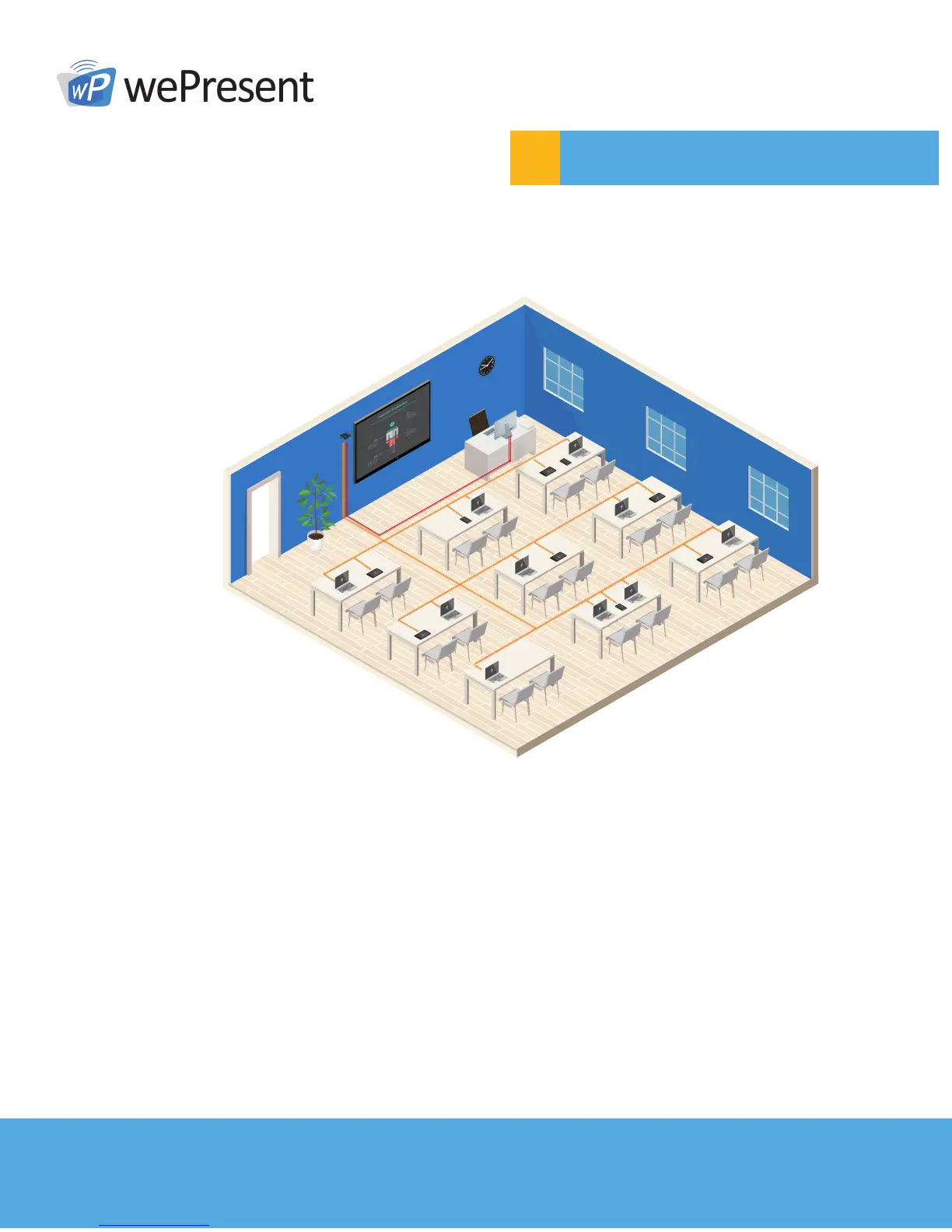
8.1 Classroom with one wePresent
One main (interactive) display, with one moderator
Main Display
Presentation
• Present content from a device
• Instructors can use Moderator Control features to allow students to present content
from their own device (up to 4 at a time).
Interaction (Touch Screen / USB Mouse)
• Control any computers on the touch display, or with mouse.
• When content is projected, annotations can be made on top of the presentation.
• Write draw at any time on virtual whiteboard
Collaboration (WebSlides)
• With Webslides, content shown on wePresent can be viewed and saved by the class
on their own device.



 To Next Page