DOC-00322-ENA.doc Page 26 of 29 ! Wescor, Inc
12. Rinse parts in the tube with deionized water. Continue rinsing until cleaning solution is completely removed
from parts and tube.
13. Rinse parts in the tube with methanol, ethanol, or prepared SS-029C, then remove parts from tube.
14. Reassemble nozzles and return nozzles to their original locations in the stainer.
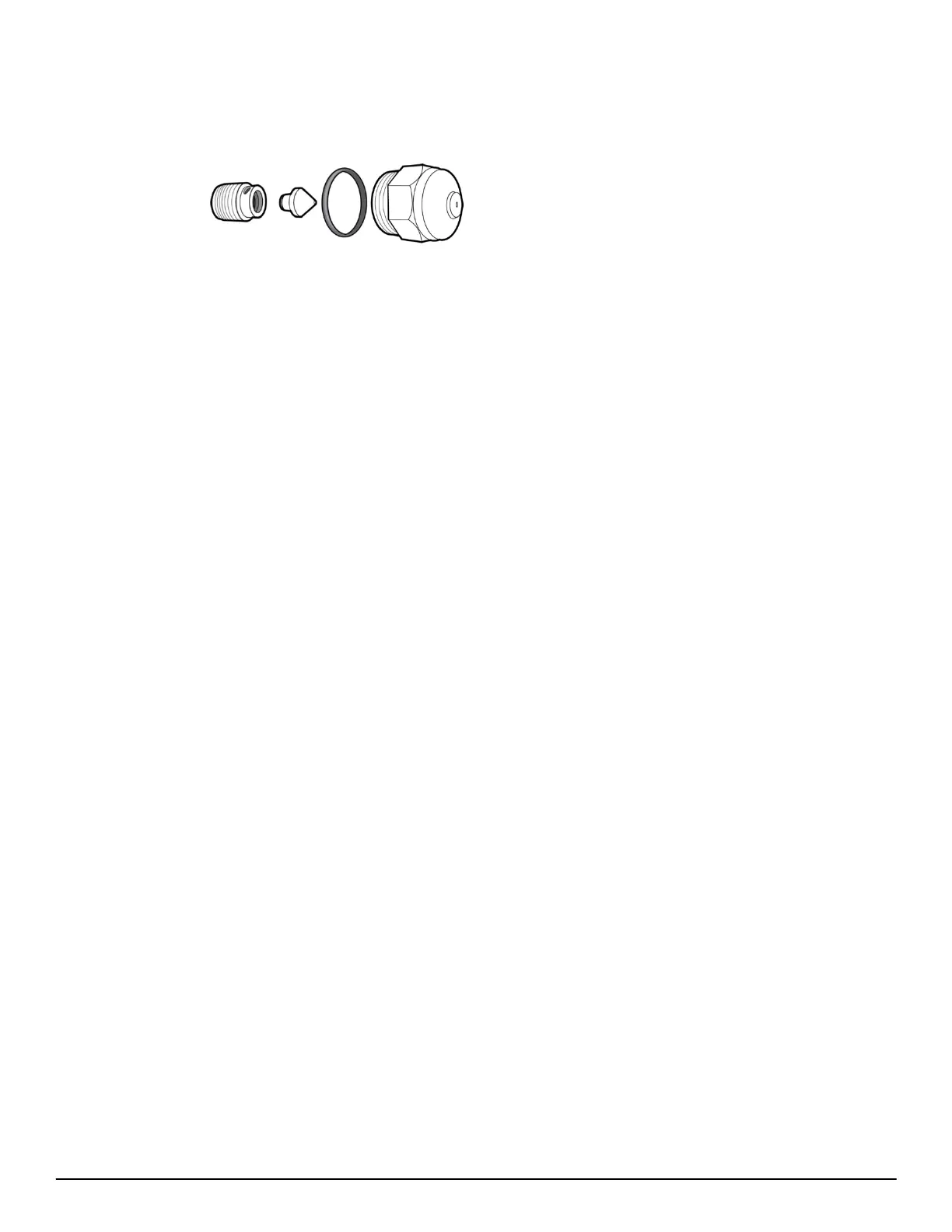
Nozzle Components
Reassembly:
1. Use a swab to apply a small amount of silicone lubricant (SS-103, included with the instrument) to the threads
of the compression screw to prevent binding.
2. Insert the swirl cone into the compression screw. Hold this assembly and nozzle housing in a vertical position.
HOLD THIS POSITION UNTIL THE NOZZLE REASSEMBLY IS COMPLETED.
3. Insert the long end of the hex wrench into the screw up to the stop. Turn the compression screw into the nozzle
housing. Tighten firmly with the nozzle tool and hex wrench. If assembled correctly, the compression screw
should screw into the nozzle housing approximately ! inch.
4. Replace the O-ring.
5. Install the spray nozzle by turning it in a clockwise direction. Be sure to return each nozzle to its original
position. Use the nozzle tool and tighten to a snug fit.
DO NOT OVERTIGHTEN.
6. Prime the nozzle and check spray pattern and spray volume before staining.
i. Safe Waste Disposal
Disposal of fluids may be governed by local regulations, consult material safety data sheets.
q. Setup and Pre-use Procedures (8.7o)
i. Installing Drain Tube
Place the slide stainer on a level counter surface near a sink or suitable drain or waste container. Attach the drain
tube to the drain port on the back lower right of the unit. Route the tube to a drain or vented waste container. Make
certain the tube remains below the drain port. Run the tube continuously downward to the drain or waste container
so that liquid cannot be trapped in the line. Keep the tube as short as possible, no longer than 1.8 meters.
NOTE: Do not submerge the end of the drain tube in liquid (this interferes with draining).
ii. Connecting Power
1. The power switch is located on the back panel in the power entry module.
2. Make certain the switch is
OFF (O).
3. Plug the female end of the power cord into the power entry module (90 to 264 Volts AC).
NOTE
: We recommend utilization of a power line surge protector to isolate the instrument from
spikes and surges.
4. Plug the male end of the power cord into a grounded power outlet.
5. Turn the power switch
ON (I). The power indicator on the front panel should now be on. The display initially
shows the software version.
NOTE: Leave the power on except when the instrument is serviced or moved.



 To Next Page