WD ELEMENTS PLAY MULTIMEDIA DRIVE
USER MANUAL
GETTING STARTED – 11
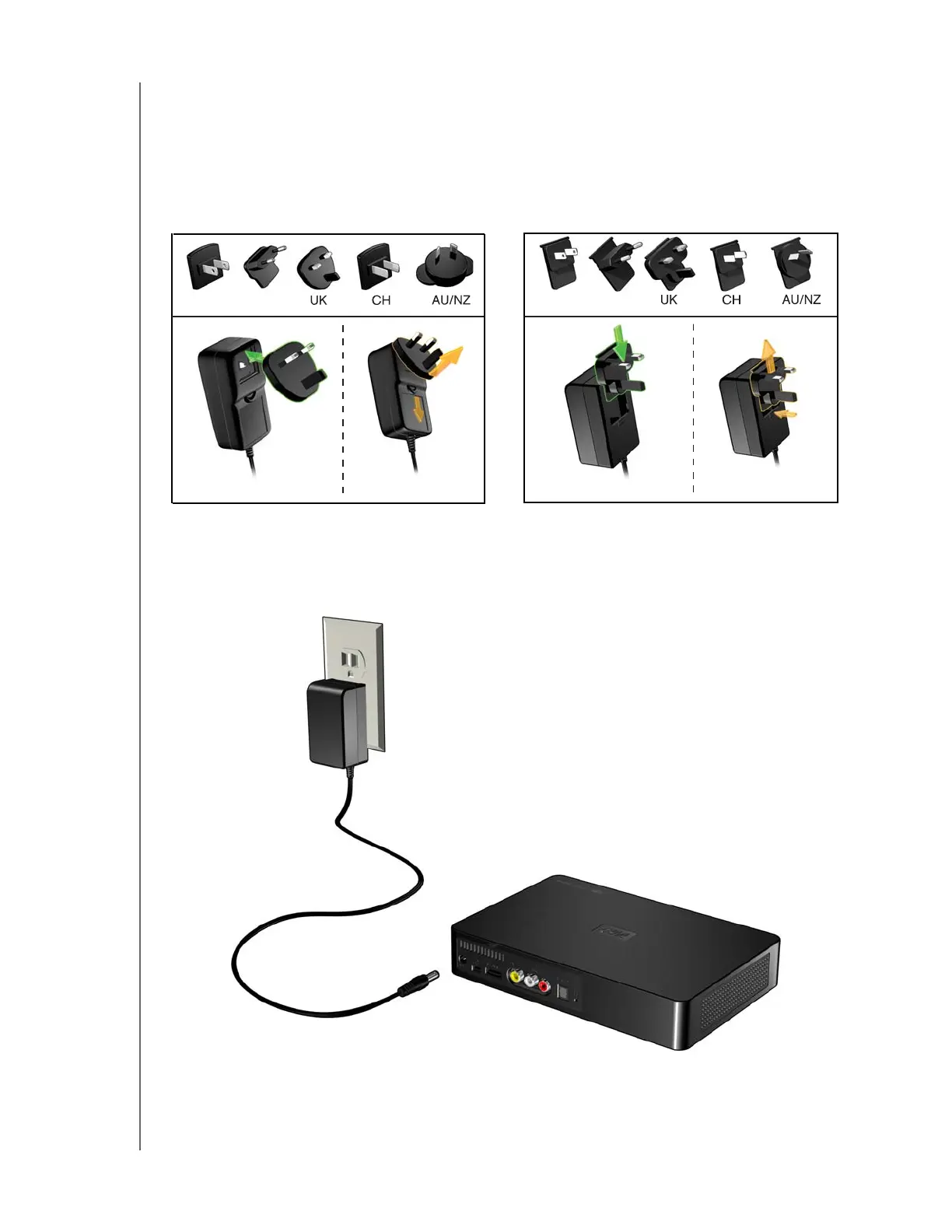
Step 1 - Connecting the Power Cable
1. Connect the power clip to the power cable plug.
The AC power adapter will vary, depending on your location. Some locations do
not require a power plug clip. Units sold in those locations will have a fixed power
plug. Refer to the illustration below.
2. Connect the power cable to the multimedia drive’s DC connector, and then plug
the opposite end into an AC power outlet. The multimedia drive powers up
automatically.
EU/KO
EU/KO
US/JA/TW
US/JA/TW
Installing InstallingRemoving Removing












 To Next Page