WD ELEMENTS PLAY MULTIMEDIA DRIVE
USER MANUAL
SETUP AND ADVANCED FEATURES – 46
Video Setup
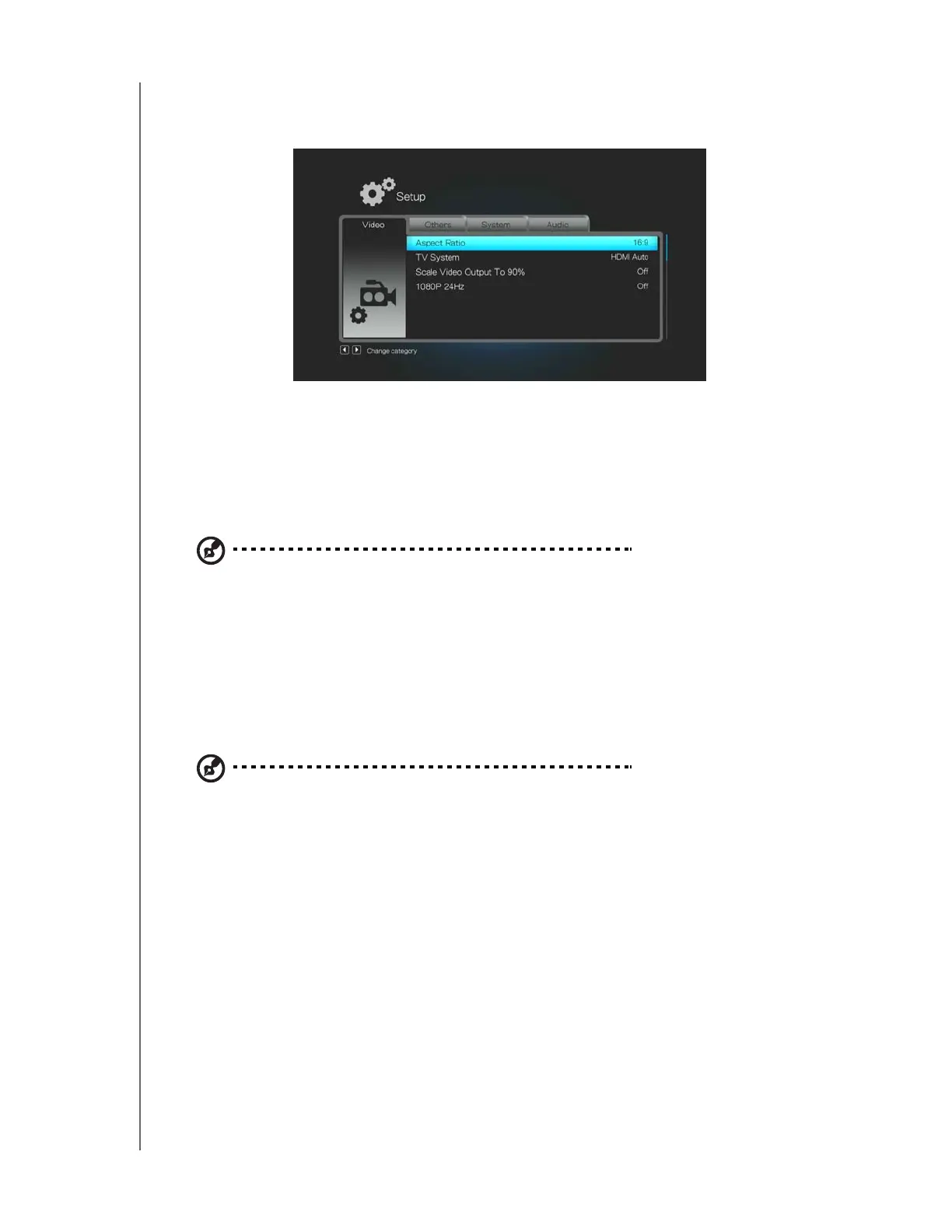
The following video settings are available:
Aspect Ratio
Use this menu to select the way videos are displayed. Options include:
Normal (Pan Scan 4:3, Letter Box 4:3)
Widescreen (16:9, 16:10)
Note: The media player’s default setting is 16:9. Make sure your TV can support widescreen
resolution, or this default setting can result in a distorted video display. See “Aspect Ratio” on page 62
in the Appendix for further details.
TV System
Use this menu to select a video signal. Default setting is HDMI Auto (auto-negotiate
with your TV). Highest resolution setting is 1080P 60Hz in this menu. After you finish
making your selection, press ENTER.
Note: The further down the list the setting, the higher the resolution and clearer the picture.
You can also use this menu to select the TV standard applicable to your device. This
setting depends on your regional location.
Options include:
NTSC – United States, Canada, Japan, Mexico, the Philippines, South Korea,
and Taiwan.
PAL – Europe, Greenland, parts of Africa and South America, the Mideast,
China, India, Australia, and Indonesia












 To Next Page