WD ELEMENTS PLAY MULTIMEDIA DRIVE
USER MANUAL
WATCHING VIDEO – 28
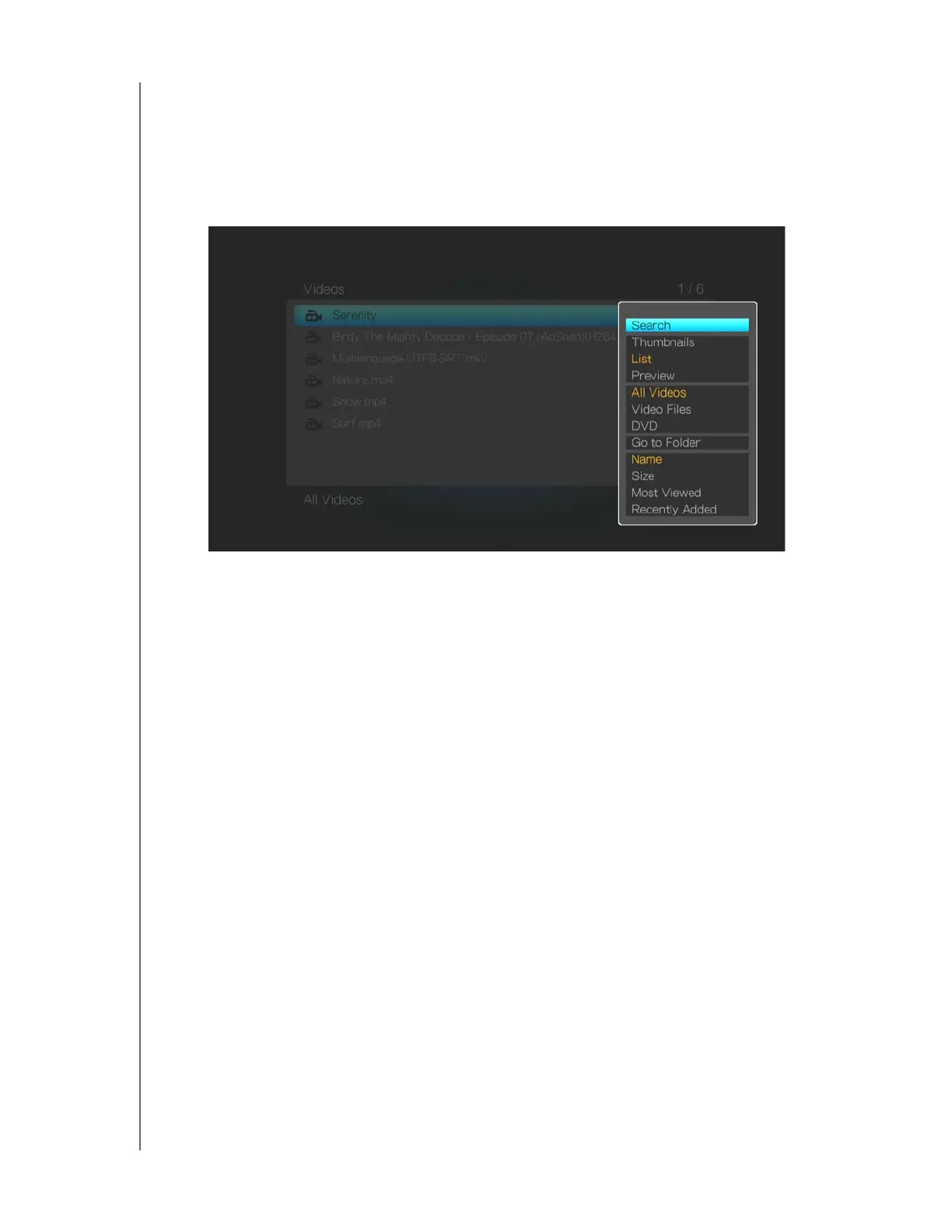
Video Menu Options
The video menu options allow you to search, sort, and filter your videos.
To display the video options, press OPTION in a directory containing videos.
Press ENTER to select an option.
To hide options, press BACK or OPTION again.
Select Search to input search criteria using the on-screen keyboard. See
“Locating Media Content” on page 48
Select a view mode (Thumbnails, List, or Preview). See “View Options” on
page 24
Filter videos by selecting All Videos, Video Files, or DVD files.
Select Go to Folder to view the folder where the selected video file is located.
Sort results by Name, Size, Most Viewed, and Recently Added.












 To Next Page