WD ELEMENTS PLAY MULTIMEDIA DRIVE
USER MANUAL
WATCHING VIDEO – 25
Watching Video
You can watch videos on your TV using the multimedia drive.
Supported Video Formats
The following video file formats are supported. See “Supported Media File Formats”
on page 59 for the complete list of supported file formats and codecs.
AVI (Xvid, AVC, MPEG1/2/4, VC-1)
MPG/MPEG/VOB/ISO/DAT (MPEG 1, MPEG 2)
MP4/MOV (Xvid, MPEG4, h.264)
MKV (h.264, x.264, AVC, MPEG1/2/4)
TS/TP/TRP/M2TS (MPEG 1/2/4, AVC, VC-1)
FLV (H.263, H.264)
WMV/ASF (Xvid, VC-1, WMV9)
RM/RMVB (RV8, RV9)
Video Playback
To play back video:
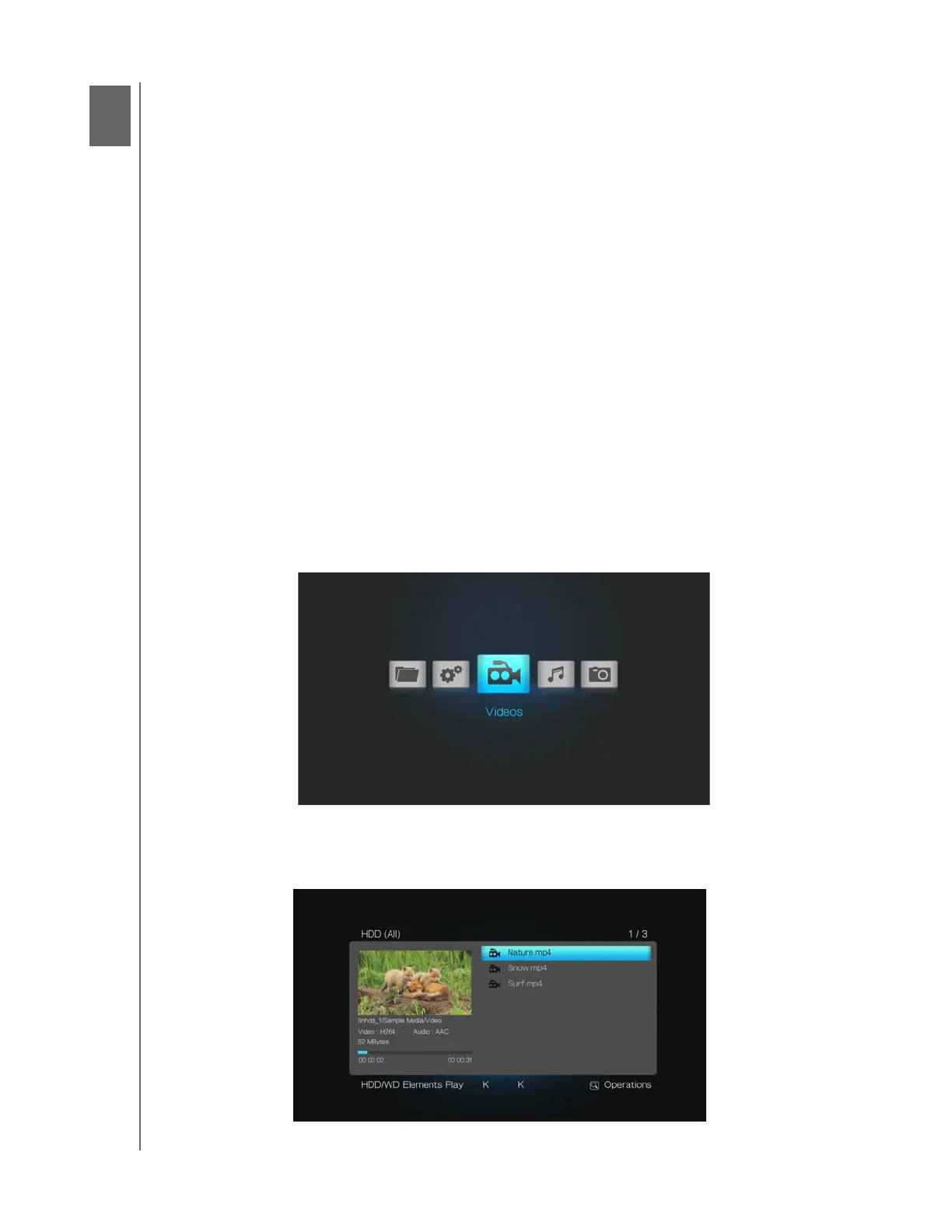
1. Browse to the Videos category, then press ENTER.
2. Use the navigation buttons on the remote control to scroll through the list of
videos. Press OPTION and select Preview to see a preview of the video on the
left side of the screen.
6












 To Next Page