
 Need help?
Do you have a question about the Weytec UltraFlex Mini PC V2 and is the answer not in the manual?
Provides essential safety guidelines for using the UltraFlex Mini PC V2, including handling and electrical safety.
Details on correct power supply usage, port identification, and cable management for safe operation.
Instructions and warnings regarding the physical housing and safe procedures for opening or accessing internal components.
Provides an overview of the UltraFlex Mini PC V2, its optimization for size and power, and supported operating systems.
Lists the key advantages and features of the UltraFlex Mini PC V2, such as multi-screen support and compact design.
Details the technical specifications of the UltraFlex Mini PC V2, including dimensions, weight, electrical characteristics, and interfaces.
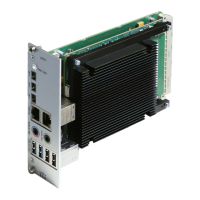
Detailed labeling of connectors and LEDs visible on the front panel of the UltraFlex Mini PC V2.
Describes the meaning of LED colors and blinking patterns on the front of the UltraFlex Mini PC V2 for status indication.
Details the power switch function and the HDD/SSD activity LED status indication.
Information on Mini DisplayPort outputs and USB 3.0/2.0 ports for connecting screens and peripherals.
Explains the audio input/output connections and Gigabit Ethernet ports with status LEDs.
Outlines the key areas to investigate (Desk, User, IT Policy) for determining the appropriate UltraFlex PC configuration.
Details how desk environment, user profile, and company IT policy influence UltraFlex configuration choices.
Provides instructions for assembling, installing, and connecting the UltraFlex Mini PC V2 and its peripherals.
Information on obtaining customized operating system images or receiving support for building custom images.
Details resolutions supported by onboard (DP1-DP3) and external (DP4-DP7) Mini DisplayPort outputs.
Lists common operational problems with the UltraFlex Mini PC V2 and provides recommended corrective actions for resolution.
 General
| Operating System | Windows 10 IoT Enterprise, Linux |
|---|---|
| Graphics | Intel UHD Graphics 620 |
| Weight | 1.5 kg |
| Operating Temperature | 0°C to 50°C |
| Humidity | 10% to 90% non-condensing |
| Form Factor | Mini PC |
| RAM | Up to 64GB DDR4 |
| Storage | M.2 SSD |
| Connectivity | Gigabit Ethernet, Wi-Fi, Bluetooth |
| Video Outputs | HDMI, DisplayPort |
| Expansion Slots | M.2 |
| Power Supply | 12V DC |
| Storage Temperature | -20°C to 60°C |

 To Next Page