WEY Technology AG · MAN22771_E06.docx · 18.04.2018
Dorfstrasse 57 · 8103 Unterengstringen · Schweiz · T +41 44 751 89 89 · info.ch@weytec.com · www.weytec.com
5 Operational Guide
5.1 Assembly
• Unwrap the equipment in a clean and dry environment.
• Compare contents with the package contents list. If any listed item is missing or damaged, please contact
immediately your local customer service for assistance.
• Ensure that the input voltage of the delivered power supplies comply with the mains voltage in your country.
• Place the units in their designated locations, on a stable supporting surface or in an appropriate rack according to
the Safety Instructions and Environmental Conditions described in Chapter 1.
• Make sure you slide the print boards into the rack without touching soldering points or components.
• Do not move the equipment once installed. Provide sufficient ventilation.
5.2 Installation
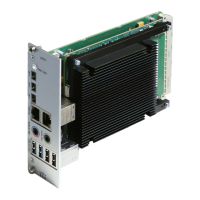
• Mount the UltraFlex Mini PC V2 into the appropriate standalone box or 19” chassis.
• Connect keyboard and mouse.
• Connect the screens using MiniDP to DP cables or via WEY approved adaptors.
• Connect LAN(s).
• Connect Audio if required.
• Connect power or power and Power Supplies units as required.
•
HDD/SSD activity, Ethernet Link and Ethernet Activity LEDs should illuminate as appropriate and the
UltraFlex desktop should appear on the screens.
5.3 Custom UltraFlex image
WEY can provide a customized image to a customer’s specification or provide support to customers building their own image.
Please contact WEY for further information.


 To Next Page