5
WFT07 instructions of the code match
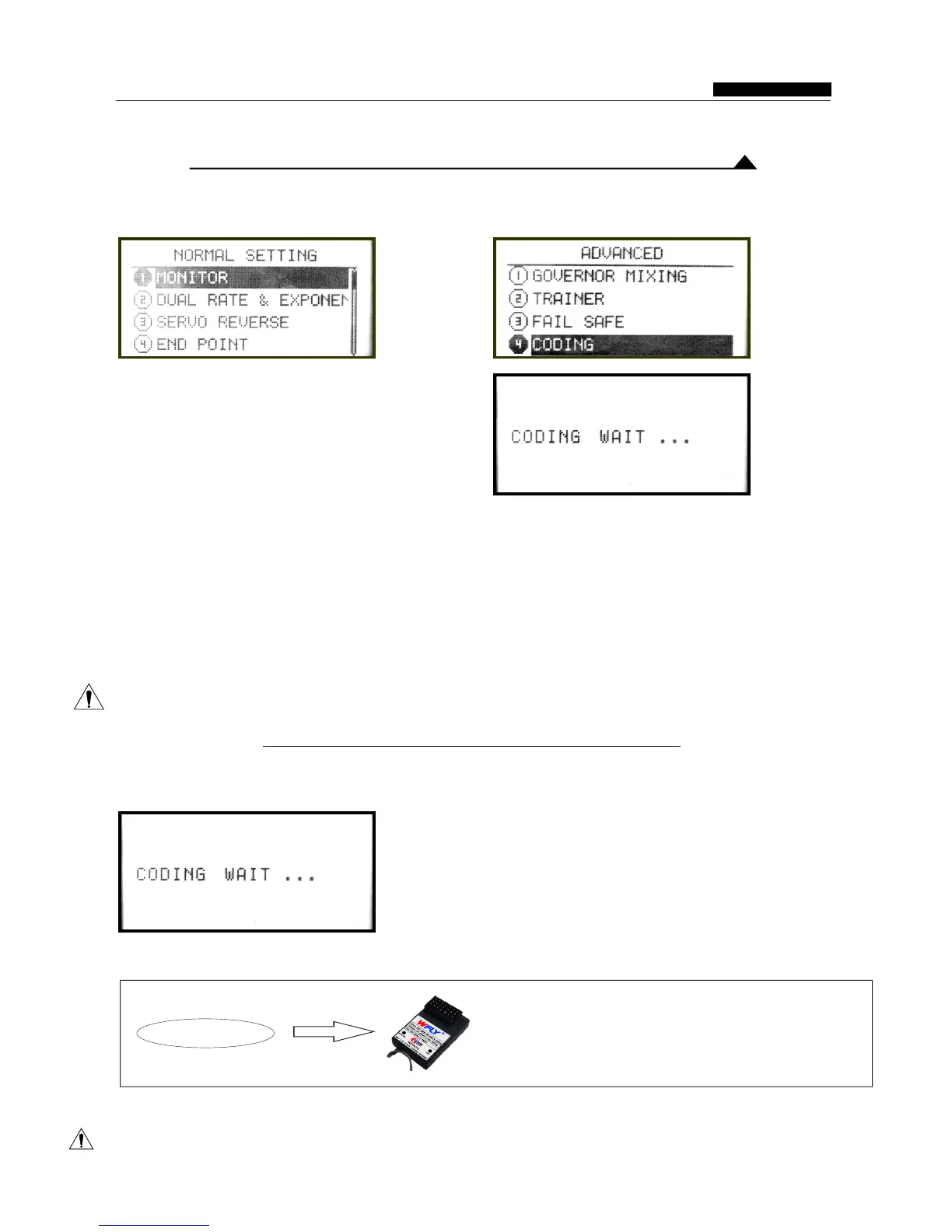
1.Remote control device settings
●unction instruction:
The remote control for the 2.4G spread spectrum, address identification code information, Before
frequency hopping systems, have high anti- use the remote control,pls match the code with the
interference. The remote control has unique 2.4Ghz receiver.
●Settings
Into the "Advanced Settings" menu item under the process needs within a short distance. 2.4G
"Preferences" . Press confirm button to enter the module system in the closed state is not available,
"code" interface in the "Advanced Settings" . As please refer to “ Once Code
above. The specific settings as follows: 1. The successfully will return to the menu. Also can press
first use the button to select on the code, the code "exit”button to return.
Coaching / Simulation”
Warning
When using this function, please ensure that no other remote control operating!
2.Receiver Settings
Remote control device into this interface:
Then going receiver settings: receiver hold "SET" button until the STATUS indicator light flashes slowly, waiting for
the transmitter of the code instructions.
(WFR07S/WFRO9S operating are same)
LED Slow flashing
After the success of the code ,the LED light is off, you can normally using.
Note: The code required in a short distance.
INSTRUCTION MANUAL
WFT07 REMOTE CONTROL DEVICE



 To Next Page