3-3
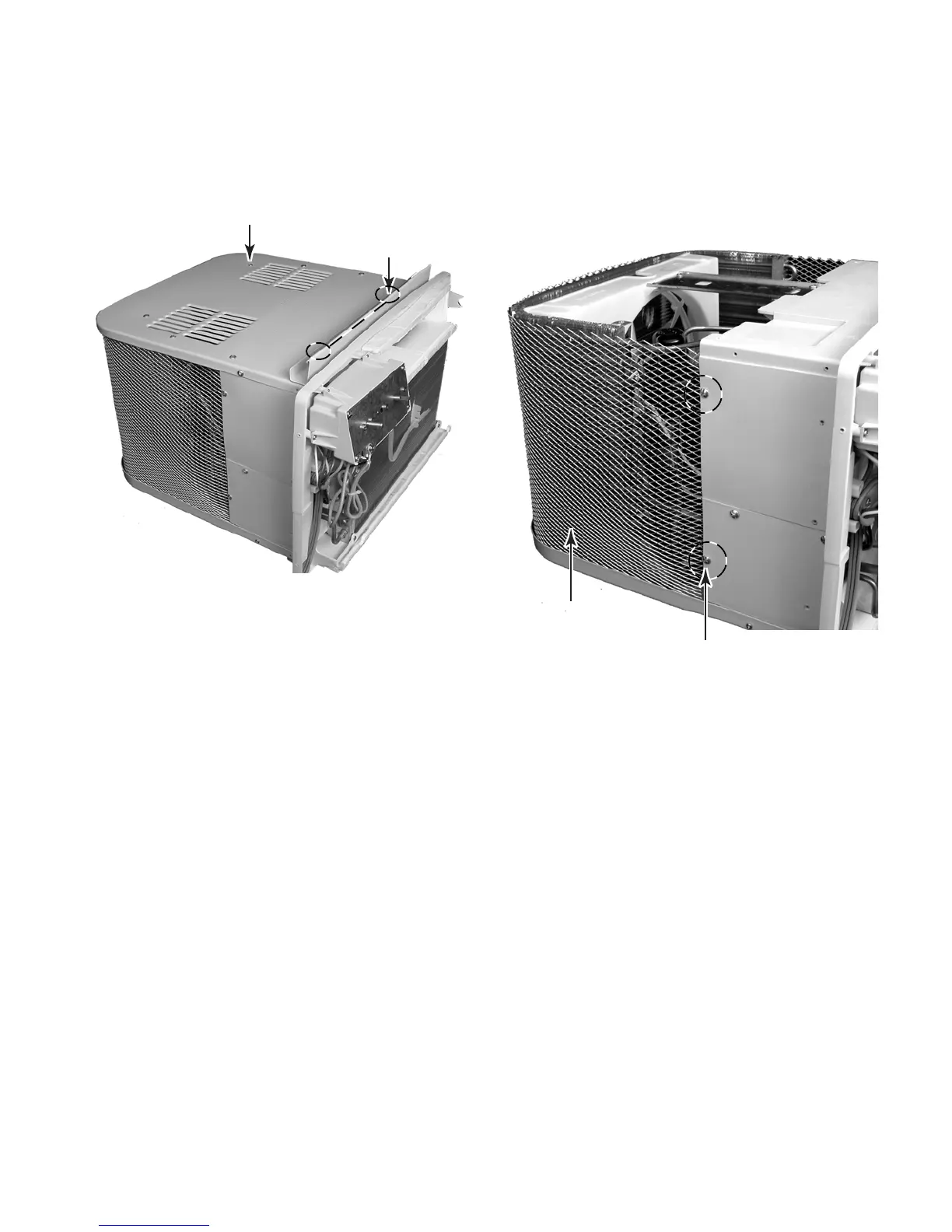
5. To remove the top cover, remove the
nine screws from the cover, and the two
screws from the top curtain guide, and
remove the cover and the guide.
6. To remove the screen:
a) Remove the two screws from each side
of the screen.
b) Pull the ends of the screen from the
slots in the side holders.
c) Lift the screen from the unit.
Top Cover Screw
(1 of 9)
Screen Screw (1 of 4)
Screen
Top Curtain Guide
Screw (1 of 2)



 To Next Page