/
\
/
\
PAN FULL HUMIDISTAT PAN FULL
HUMIDISTAT
0
OFF DRYEST
\
J
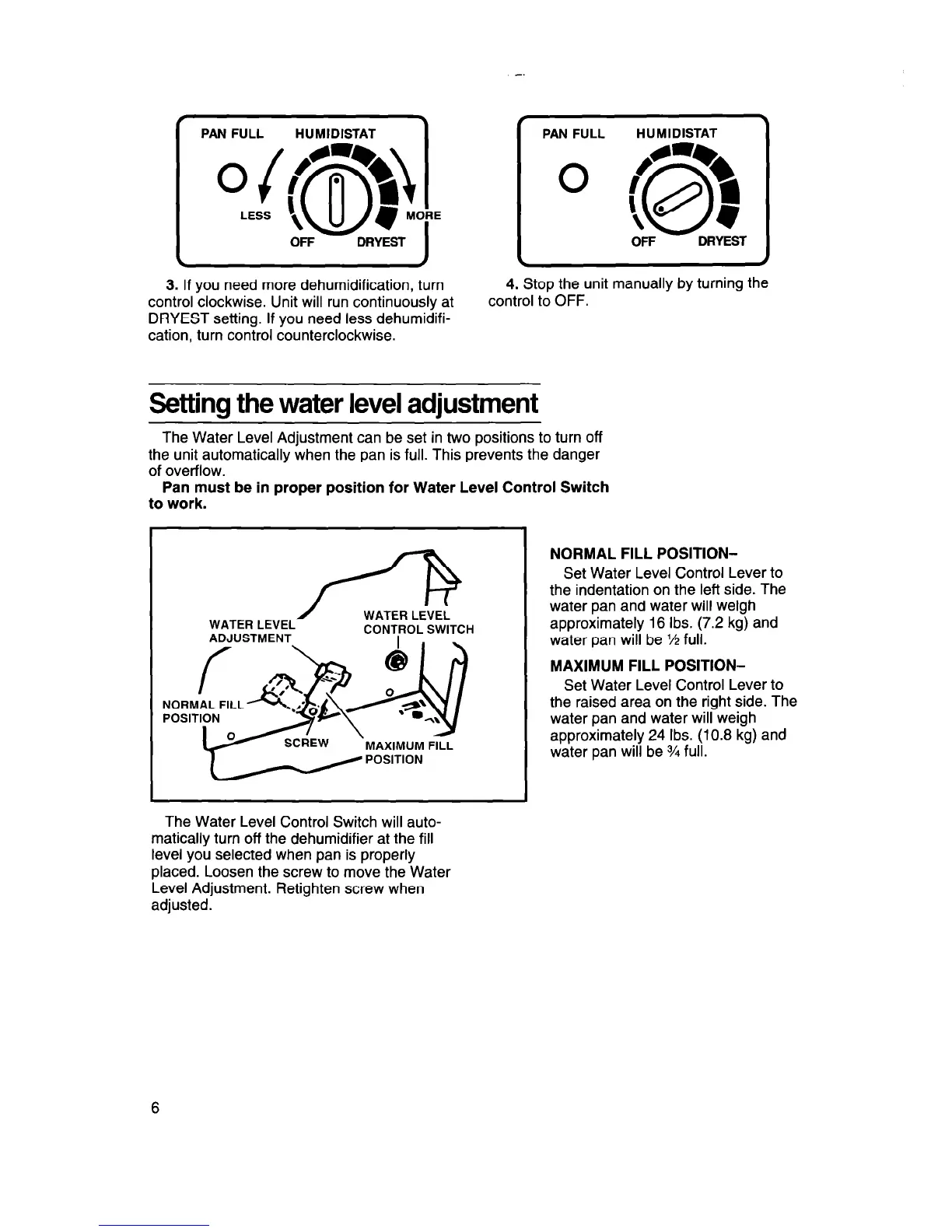
3. If you need more dehumidification, turn
control clockwise. Unit will run continuously at
DRYEST setting. If you need less dehumidifi-
cation, turn control counterclockwise.
OFF
DRYEST
\
/
4. Stop the unit manually by turning the
control to OFF.
Setting the water level adjustment
The Water Level Adjustment can be set in two positions to turn off
the unit automatically when the pan is full. This prevents the danger
of overflow.
Pan must be in proper position for Water Level Control Switch
to work.
/
WATER LEVEL
WATER LEVEL
ADJUSTMENT
CoNTIRoL SWITC . _
NOR MttL FILL -&‘j A
POslTIp//;Ew \
The Water Level Control Switch will auto-
matically turn off the dehumidifier at the fill
level you selected when pan is properly
placed. Loosen the screw to move the Water
Level Adjustment. Retighten screw when
adjusted.
NORMAL FILL POSITION-
Set Water Level Control Lever to
the indentation on the left side. The
water pan and water will weigh
approximately 16 Ibs. (7.2 kg) and
water pan will be % full.
MAXIMUM FILL POSITION-
Set Water Level Control Lever to
the raised area on the right side. The
water pan and water will weigh
approximately 24 Ibs. (10.8 kg) and
water pan will be VI full.




 To Next Page