EasyManua.ls Logo

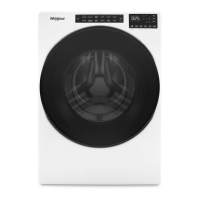
Whirlpool WFW5090JW0 - User Manual

Whirlpool WFW5090JW0
36 pages
Print Icon
To Next Page IconTo Next Page
Loading...
W11330506B
W11330507B – SP
If you have any problems or questions, visit us at www.whirlpool.com.
Pour tout problème ou toute question, consulter www.whirlpool.ca.
Designed to use only HE
High Efficiency detergents.
Conçue pour l’utilisation
d’un détergent haute
efficacité seulement.
Para obtener acceso al
Manual de uso y
cuidado en español, o para
obtener información adicional
acerca de su producto, visite:
www.whirlpool.com
Use & Care Guide
Guide d’utilisation et d’entretien
Front-Loading Automatic Washer
Laveuse automatique à chargement frontal

Questions and Answers

  • N
    Nathaniel BowmanAug 17, 2025
    What to do if water or suds are leaking from the door or rear of my Whirlpool WFW5090JW0 Washer?
    • G
      gabrielrobinsonAug 17, 2025
      If you notice water or suds leaking from the door or rear of your Whirlpool Washer, it's likely due to using the wrong type or too much detergent. To resolve this: * Only use HE (High Efficiency) detergent. Regular detergents create excessive suds, which can cause leaks. * Always measure the detergent carefully and follow the manufacturer's directions based on your load size.
  • E
    Emily OliverAug 20, 2025
    What to do if my Whirlpool WFW5090JW0 door cannot unlock?
    • R
      Richard FergusonAug 20, 2025
      If the door of your Whirlpool Washer won't unlock, firmly press the door in the area of the door lock. Then, press and hold the POWER button for at least 3 seconds. If you selected the Hot cycle, wait for it to cool down, then press and hold the POWER button again for at least 3 seconds. Turn the washer on. If the issue persists, check and correct the possible cause indicated for the 'Clean filter' error code. Then, turn the washer on again.
  • M
    Mr. Joseph Cole DVMAug 22, 2025
    What to do if my Whirlpool WFW5090JW0 has excessive foam formation interrupting the program/cycle?
    • S
      Susan GlennAug 23, 2025
      If excessive foam formation is interrupting your Whirlpool Washer's program, start the Rinse & Spin program, using the Intensive Rinse option. Ensure you follow the detergent manufacturer’s dosing recommendations and use the Dosing Aid option. Also, make sure the drain pump filter is clean.
  • A
    Aaron JacobsAug 26, 2025
    Why is my Whirlpool WFW5090JW0 Washer vibrating, rocking, or 'walking'?
    • A
      Austin DayAug 26, 2025
      There are several reasons why your Whirlpool Washer might be vibrating excessively: * The feet may not be in contact with the floor or locked. Ensure the front and rear feet are firmly on the floor, and the washer is level. The jam nuts must be tight against the bottom of the cabinet. * The washer may not be level. Check the floor for flexing or sagging. If the flooring is uneven, placing a 3/4" (19 mm) piece of plywood under the washer can reduce sound. Do not install the washer on a raised wooden platform. * The load could be unbalanced or too large. Avoid tightly packing the load and washing single items. Balance single items like a rug or jeans jacket with a few extra items. * The shipping bolts may still be in the back of the washer.
  • M
    Michael SmithAug 28, 2025
    What to do if there is water remaining in my Whirlpool WFW5090JW0 Washer after cycle?
    • A
      Ann ZimmermanAug 28, 2025
      If water remains in your Whirlpool Washer after a cycle, select Rinse & Spin to remove any remaining water. The washer door will unlock once the drain is complete.
  • C
    Christopher DavisAug 31, 2025
    What to do if my Whirlpool WFW5090JW0 has too much inlet water?
    • J
      Julie MahoneyAug 31, 2025
      If your Whirlpool Washer has too much inlet water, turn off the water faucet. Press and hold the POWER button for at least 3 seconds to drain the water; wait until the drain phase has ended ('End' will appear on the display). Turn the water faucet back on. If water immediately flows into the washer without a program/cycle being started, an electrical component has failed. Close the water faucet, turn off and unplug the washer.
  • J
    Jessica BowenSep 2, 2025
    What to do if my Whirlpool WFW5090JW0 Washer isn't loaded as recommended?
    • J
      Jessica MartinezSep 2, 2025
      If your Whirlpool Washer isn't performing as expected due to the load, remove several items and rearrange the load evenly in the washer drum. Close the door and press and hold the START/PAUSE button. Avoid adding more than one or two additional items after a cycle has started to prevent tightly packing or unbalancing the load.
  • G
    garretteddieSep 5, 2025
    What to do if I see an Error Code on my Whirlpool WFW5090JW0 display?
    • E
      elizabeth82Sep 6, 2025
      Once you've corrected any potential issues causing the error code on your Whirlpool Washer, press the POWER button once to clear the code. Then, re-select and restart the cycle.
  • J
    Joseph AustinSep 8, 2025
    What to do if my Whirlpool WFW5090JW0 experiences a failure of an electrical component?
    • Y
      yreynoldsSep 8, 2025
      If your Whirlpool Washer experiences a failure of an electrical component, press and hold the POWER button for at least 3 seconds to reset the control. If the problem continues, turn off and unplug the washer. Close the water faucet.
  • S
    Shannon MorenoSep 12, 2025
    What to do if my Whirlpool Washer experiences a failure of an electronic component?
    • B
      Betty BrownSep 12, 2025
      If there is a failure of an electronic component, turn off and unplug the Whirlpool Washer and close the water faucet.

Summary

WASHER SAFETY

IMPORTANT SAFETY INSTRUCTIONS

OPERATING INSTRUCTIONS

Accessories

Information on optional accessories like stack kits and pedestals.

Control Panel and Features

POWER BUTTON

Controls washer power and cycle cancellation.

PROGRAM (cycle)

Selects wash programs and displays last used settings.

PROGRAM;CYCLE AREA

Indicates selected program/cycle with indicator lights.

CONTROL KNOB

Used to select programs, temperature, spin speed, etc.

OPTIONS

Selects additional wash options or features.

SETTINGS

Adjusts temperature and spin speed.

OTHER OPTIONS

START;PAUSE BUTTON

Starts, pauses, or cancels a wash program/cycle.

LED DISPLAY

Shows program status, time, and error codes/symbols.

Dispenser Drawer

Compartments for HE detergent and fabric softener.

Program;Cycle Guide

Load Size Recommendations

Advises on filling the washer drum for optimal cleaning.

Rinse Hold Option

Keeps laundry in rinse water without spinning.

Clean Washer with affresh

Special cycle for cleaning the washer interior.

Heavy Duty

For sturdy colorfast fabrics and heavily soiled garments.

Normal

For normally soiled cottons, linens, sheets, and mixed-garments.

Synthetics

Delicates

Wool

Quick Wash

Handwash

Choosing the Right Detergent

Using the Dispenser Drawer

How to add laundry products to the dispenser drawer.

Adding HE detergent to dispenser

Instructions for adding HE detergent.

About Detergent Concentration

Information on calculating and using detergent concentration.

Using Your Washer

First wash cycle without laundry

Initial cycle to clean the washer interior.

Sort and prepare your laundry

Steps for sorting and preparing clothes for washing.

Add laundry products (if desired)

Instructions for adding laundry products.

Load laundry into washer

How to properly load the washing machine drum.

Add HE detergent*

Add liquid fabric softener to dispenser (if desired)

Touch and hold POWER button to turn on washer

Select program;cycle†

Select options, if desired†

Setting a delayed wash, if desired†

Change temperature or spin speed, if desired†

Select any additional options†

Touch START;PAUSE button to begin wash program;cycle

Touch POWER button to turn off washer after program;cycle ends

Remove garments promptly after cycle is finished

Washer Maintenance

WATER INLET HOSE

Recommendations for inspecting and replacing the water inlet hose.

WASHER CARE

General recommendations for keeping the washer clean.

Cleaning Your Front-Loading Washer

Procedure for cleaning the front-loading washer.

Cleaning the Door Seal

How to clean the door seal and check for debris.

Cleaning the Inside of the Washer

Procedure for cleaning the washer interior using a special cycle.

Cleaning the Dispensers

How to remove residue from the dispenser drawers.

Cleaning the Outside of the Washer

How to clean the exterior of the washer.

REMOVING THE DISPENSER

NON-USE AND VACATION CARE

WINTER STORAGE CARE

TRANSPORTING YOUR WASHER

REINSTALLING;USING WASHER AGAIN

CLEANING THE DRAIN PUMP FILTER; DRAINING RESIDUAL WATER

INSTALLATION INSTRUCTIONS

Installation Requirements

Tools and parts needed for installation.

Tools needed

List of essential tools for installation.

Optional tools

List of optional tools for installation.

Alternate parts

Information on additional parts that may be required.

Parts supplied

List of parts included with the washer.

Available accessories

Information on optional accessories like stack kits.

Location Requirements

Recessed area or closet installation

Spacing requirements for recessed or closet installations.

Custom under counter installation

Spacing requirements for under-counter installation.

Custom cabinet installation

Spacing requirements for custom cabinet installation.

Closet installation (washer only)

Drain System

Floor standpipe drain system

Requirements for floor standpipe drainage.

Laundry tub drain system

Requirements for laundry tub drainage.

Floor drain system

Requirements for floor drain system installation.

Electrical Requirements

GROUNDING INSTRUCTIONS

Important safety instructions for grounding the washer.

Installation Instructions

Move washer

Instructions for moving the washer to its installation location.

Remove transport bolts from washer

Steps to remove shipping bolts before operation.

Route Drain Hose

Remove drain hose from washer

Steps to remove the drain hose from shipping clips.

Connect laundry tub drain or standpipe drain hose form

How to connect the drain hose for specific drain types.

Connect Inlet Hose

Connect inlet hose to water faucet

Steps to connect the inlet hose to the water faucet.

Clear water line

How to flush the water line before connecting.

Connect inlet hose to washer

Steps to connect the inlet hose to the washer.

Check for leaks

How to check for water leaks after connection.

Secure drain hose

Level Washer

Check levelness of washer

How to check if the washer is level.

Rock washer to test foot contact

Testing if all feet are in firm contact with the floor.

Adjust leveling feet

How to adjust the leveling feet.

Complete Installation Checklist

TROUBLESHOOTING

Error Code Troubleshooting

Guide to interpreting error codes and resolving issues.

(Water tap closed)

Troubleshooting for water supply issues.

(Clean filter)

Troubleshooting for issues related to cleaning the filter.

(Door open indicator blinks)

Troubleshooting for door lock issues.

FdL (or F29)

Troubleshooting for door cannot unlock errors.

Fod

Troubleshooting for excessive foam formation.

Vibration and Noises

Washer Vibration Issues

Solutions for vibration, rocking, and unbalanced loads.

Normal and Abnormal Noises

Explanation of clicking, gurgling, and sloshing sounds.

Water Leaks

Installation-Related Leaks

Checks for leaks due to improper installation.

Washer Performance Issues

Water Leakage and Suds

Addressing leaks from the door, cabinet, and issues with excessive suds.

Washer Not Running or Filling

Troubleshooting steps for when the washer fails to start or fill.

Draining and Spinning Problems

Load Still Wet or Not Draining;Spinning

Solutions for issues related to poor draining or spinning.

Spin Cycle and Door Lock Issues

Spin Speed and Load Balance

Addressing spin speed blinking and unbalanced loads.

Door Locked at End of Wash Cycle

TumbleFresh Option Status

How the TumbleFresh option affects door lock status.

Door Will Not Unlock

Unlocking Procedure and Error Codes

Steps to unlock the door and resolve related error codes.

Cleaning and Stain Removal

Fabric Care and Wrinkle Prevention

Tips for preventing wrinkles and ensuring proper cleaning.

Fabric Damage Prevention

Preventing Snags and Tears

How to avoid fabric damage from sharp items, tangled strings, and packing.

Color Care and Detergent Use

Maintaining White and Color Brightness

Tips for keeping whites bright and preventing dingy colors.

Dispenser and Cycle Time Issues

Troubleshooting dispenser problems and cycle time variations.

WHIRLPOOL LAUNDRY LIMITED WARRANTY

Warranty Coverage and Service Information

Details on warranty coverage, exclusions, and service.

Assistance or Service

Parts, Accessories, and Support

Information on ordering parts, accessories, and contacting support.

Whirlpool WFW5090JW0 Specifications

General IconGeneral
Stylefront load
Colorwhite
Washer Capacity2.3 cubic feet
Max Spin Speed1400 revolutions per minute
Spin Speeds5
Number of Cycles10
Optionswasher option selections; cold water; pre wash for stains; colors; control lock; delay wash; detergent dosing; extra cold rinse; extra warm rinse; heavy soil; pre wash; sanitize; save time; tumblefresh™
Temperature Settings6
Temperature Selectionshot, colors, extra hot, cold, cool, warm
Internal Heateryes
Control Paneldial
Delay Start / Endyes
Cycle Signalno
Steamno
Dispensersingle load
Smart Homeno
Annual Energy Consumption51 kilowatt hours
Voltage120 volts
Current15 amperes
Weight and Dimensions IconWeight and Dimensions
Depth25 1/8 inches
Height33 1/4 inches
Width24 inches
Net Weight177 pounds

Related product manuals