14
Programming the Water Conditioner
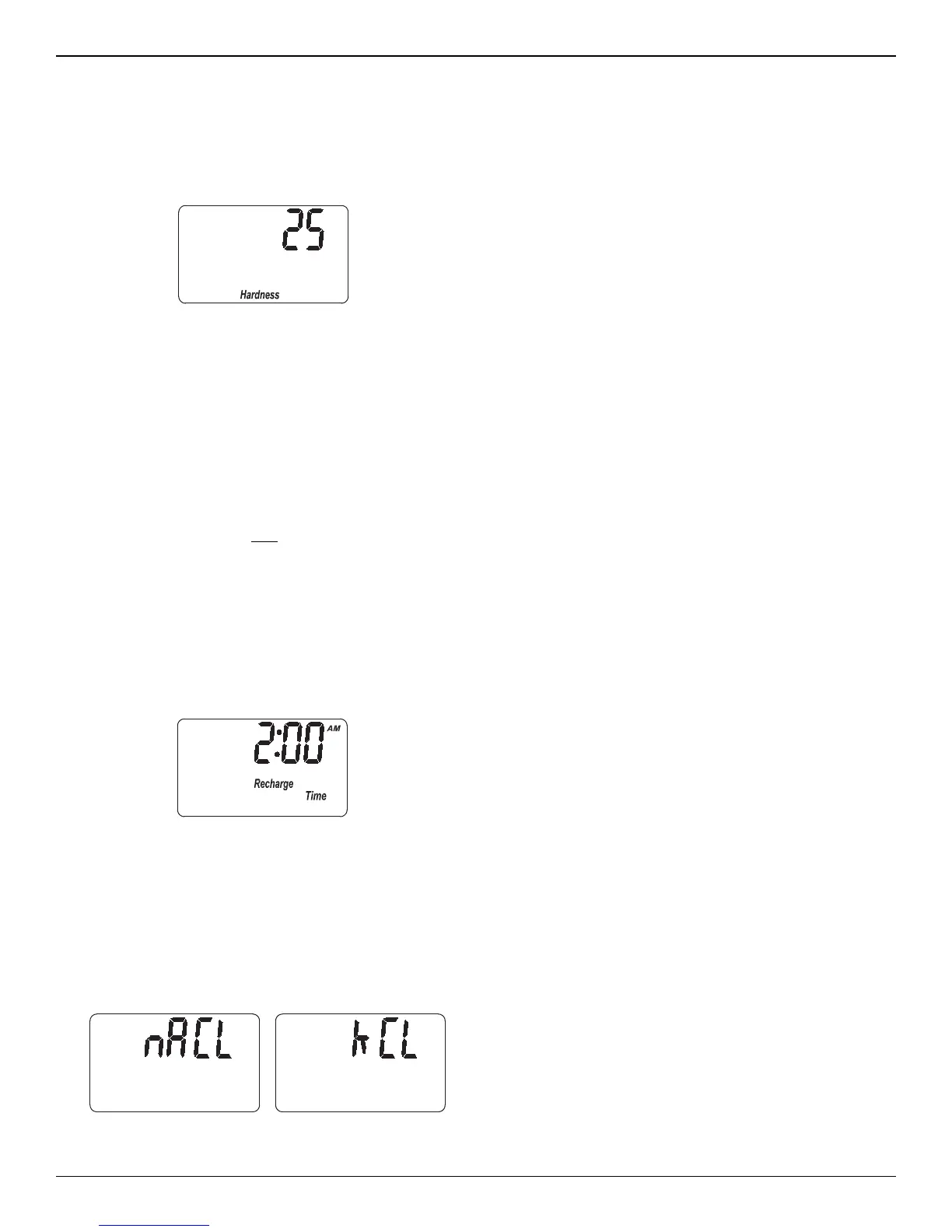
FIG. 18
2. If you want to change the recharge start time,
press the
r UP or s DOWN buttons until the
desired time shows. Be sure AM or PM is correct.
SET SALT TYPE
1. Press the PROGRAM button once again to display
a flashing “nACL”.
Salt Type allows you to choose between sodium chlo-
ride (NaCl), which is regular softener salt, or potassi-
um chloride (KCl), which is an alternative to sodium
chloride. KCl (potassium chloride) may be used if the
user of the water conditioner is on a sodium restricted
diet and is concerned about the amount of sodium in
the water supply.
KCl should be used in accordance with the following
steps to help give you years of maintenance free
service.
Place only one bag at a time of KCl into your condi-
tioner (the salt storage tank should contain no more
than 60 pounds of KCl at any one time).
NOTE: A conditioner using KCl should not be located
in areas with high temperature changes or high
humidity (KCl may harden in these environ-
ments and make the conditioner inoperable).
2. Check the brine tank and brinewell (black tube in
salt storage tank) monthly. If hardening is present,
pour small amounts of warm water on hardened
areas until they loosen.
3. Be sure to set the correct salt type, depending on
which type of salt is used (NaCl or KCl). Use the
r UP or s DOWN buttons to toggle between
NaCl and KCl, then press the PROGRAM button to
enter the selection.
4. Press the PROGRAM button once again to return
to normal operating display.
START A RECHARGE
1. Press the RECHARGE button and hold for three
seconds, until “RECHARGE” begins to flash in the
display, starting a recharge. This recharge draws
the sanitizing bleach into and through the water
conditioner. Any air remaining in the water condi-
tioner is purged to the drain. During this time, peri-
odically check for leaks.
NOTE: As with all other water system applications,
leaks may occur. Leaks may not be immedi-
ately apparent. Recheck for leaks 24 hours
after first recharge cycle is complete.
2. Press the r UP or s DOWN buttons to set your
water’s hardness number.
NOTE: If your water supply contains iron, compen-
sate for it by adding to the water hardness
number. For example, assume your water is
20 gpg hard and contains 2 ppm iron. Add 5
to the hardness number for each 1 ppm of
iron. In this example, you would use 30 for
your hardness number.
20 gpg hardness
2 ppm iron x 5 = 10 +10
(times) 30 HARDNESS NUMBER
SET RECHARGE (REGENERATION) TIME
1. Press the PROGRAM button once again to display
a flashing “2:00AM” and the words “RECHARGE
TIME”. This is a good time for the recharge to start
in most households, because water is not in use.
FIG. 19
FIG. 17
SET WATER HARDNESS NUMBER
1. Press the PROGRAM button once again to display
a flashing “25” and the word “HARDNESS”.




 To Next Page