EasyManua.ls Logo

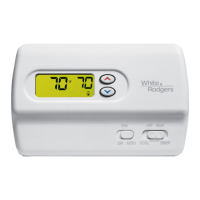
White Rodgers 1F89EZ-0251 - User Manual

White Rodgers 1F89EZ-0251
8 pages
Print Icon
To Next Page IconTo Next Page
Loading...
This thermostat is intended for use with a low voltage NEC
Class II system. Do not use this thermostat with a line voltage
system. If in doubt about whether your wiring is millivolt, line,
or low voltage, have it inspected by a qualified heating and air
conditioning contractor or electrician.
Do not exceed the specification ratings.
All wiring must conform to local and national electrical codes
and ordinances.
This control is a precision instrument, and should be handled
carefully. Rough handling or distorting components could
cause the control to malfunction.
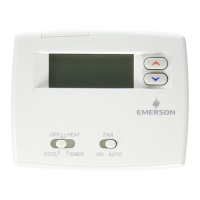
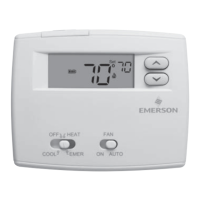
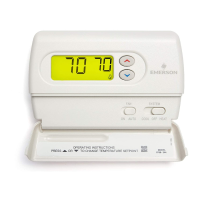
Emerson Blue Easy Set
2H/1C
Non-Programmable Thermostat with 3 Temperature Pre-Sets
Home, Sleep and Away
Installation Instructions and User Guide
Model: 1F89EZ-0251
Heat Pump
www.white-rodgers.com
www.emersonclimate.com
PART NO. 37-7208A
1050
Message to Homeowner
Congratulations on choosing the Emerson Blue Easy Set
Thermostat. The Easy Set is designed to be the easiest
thermostat you have ever used. This thermostat features
Home, Sleep, and Away temperature pre-sets. Just press
the button and go. Included with the easy set is the same
temperature accuracy and reliability you expect from all the
Emerson Blue thermostats.
Just Press the Button and Go!
Table of Contents
Get to know your thermostat .......................................2
Thermostat buttons and switches ...............................2
Display .........................................................................2
Batteries ......................................................................2
Using your thermostat .................................................3
Home, Sleep and Away temperature pre-sets ............3
Sleep Timer option ......................................................3
Change Filter reminder option ....................................3
Cool Savings option ....................................................3
Installation .....................................................................4
Remove the old thermostat .........................................4
Install the new thermostat ...........................................4
Set switches ................................................................4
Check thermostat operation ........................................4
Selectcongurationoptions ........................................5
Congurationmenu .....................................................5
Troubleshooting Guide ................................................6
Technical Data ...............................................................7
Wiring diagrams ..........................................................7
Thermostat application guide ......................................8

Specications ..............................................................8

3 Simple Pre-Sets

Questions and Answers

  • K
    kennethjacksonJul 26, 2025
    What to do if my White Rodgers 1F89EZ-0251 is not cooling?
    • V
      Valerie DouglasJul 26, 2025
      If your White Rodgers Thermostat isn't cooling, first ensure that the System Switch is set to Cool and that the setpoint is lower than the room temperature. Next, verify that all thermostat and system wires are securely attached. If the issue persists, it may be necessary to contact a local service person for suggestions, as the cooling system may require service or the thermostat may need replacement.
  • M
    Matthew HamiltonJul 30, 2025
    What to do if my White Rodgers 1F89EZ-0251 is not heating?
    • M
      Margaret KingJul 30, 2025
      If your White Rodgers Thermostat isn't heating, first ensure that the System Switch is set to Heat and that the setpoint is above the room temperature. Next, verify that all thermostat and system wires are securely attached. If the thermostat does not click after being reset, contact your heating and cooling service person or place of purchase for a replacement, as the heating system may require service or the thermostat may need replacement.
  • R
    Richard ThompsonAug 3, 2025
    What to do if my White Rodgers 1F89EZ-0251 Thermostat has a blank display or the keypad is not responding?
    • A
      Annette MullinsAug 3, 2025
      If the display is blank or the keypad isn't responding on your White Rodgers Thermostat, it might be due to a voltage spike or static discharge. Use the Reset Operation to resolve this.
  • E
    Elizabeth ParkerAug 7, 2025
    How to troubleshoot no heat, no cool, or no fan on my White Rodgers 1F89EZ-0251 Thermostat?
    • L
      lesliedunnAug 7, 2025
      If your White Rodgers Thermostat is not providing heat, cool, or fan functions, first check for a blown fuse or tripped circuit breaker and replace or reset it. Then, ensure the furnace power switch is turned ON. Finally, make sure the furnace blower compartment door or panel is correctly installed to engage the safety interlock or door switch.
  • Z
    Zoe ThompsonAug 11, 2025
    What to do if the heat, cool, or fan runs constantly on my White Rodgers 1F89EZ-0251 Thermostat?
    • S
      Sharon SpearsAug 11, 2025
      If your White Rodgers Thermostat is running constantly, first check each wire connection to make sure they are not shorted or touching each other. If the wiring is not the cause, try resetting the thermostat. If resetting doesn't work, consult the manufacturer of your system or a service person to test the Heat/Cool/Fan system for correct operation. Also, check that the Fan Switch is not set to Fan On. If the system operates correctly, replace the thermostat.
  • J
    Jamie PayneAug 16, 2025
    How to adjust the thermometer setting on my White Rodgers 1F89EZ-0251?
    • H
      hcollinsAug 16, 2025
      If the setting and thermometer disagree on your White Rodgers Thermostat, you can adjust the thermometer setting in the Configuration Menu by +/- 4 degrees.
  • A
    Angela BellAug 20, 2025
    Why does my White Rodgers 1F89EZ-0251 Thermostat's furnace cycle too fast or too slow?
    • M
      Michael SmithAug 20, 2025
      If your White Rodgers Thermostat's furnace cycles too fast or too slow, it may be influenced by the thermostat's location or the heating system's size. You can adjust the cycle rate in the configuration menu using the FA (Fast) or SL (Slow) settings. If an acceptable cycle rate is not achieved, contact a local service person for additional suggestions.

Summary

Get to Know Your Emerson Thermostat

Thermostat Buttons and Switches

Identifies and explains the physical buttons and switches on the thermostat for user interaction.

Understanding the Display

Explains the various icons, numbers, and indicators shown on the thermostat display.

Battery Information and Replacement

Covers battery type, installation, and low battery indication for thermostat operation.

Using Your Emerson Thermostat

Home, Sleep, and Away Temperature Presets

Details how to set and use the three pre-programmed temperature settings for convenience.

Sleep Timer Functionality

Explains how to set a timer to automatically switch from Sleep to Home temperature.

Change Filter Reminder

Describes the feature that alerts users when it's time to change the air filter.

Cool Savings Feature

Explains the energy-saving mode that adjusts cooling temperature during peak demand.

Thermostat Installation Guide

Removing the Old Thermostat

Step-by-step instructions for safely removing the existing thermostat.

Installing the New Thermostat

Guidance on mounting the new thermostat base and securing it to the wall.

Setting Terminal Switches

Instructions for configuring the O/B and FAN switches for system compatibility.

Verifying Thermostat Operation

Procedures to test heating, cooling, and fan functions after installation.

Selecting Configuration Options

Configuration Menu Overview

Details the menu structure and default settings for customizing thermostat functions.

Navigating the Configuration Menu

Explains how to move through, select, and exit the thermostat's configuration settings.

Thermostat Troubleshooting and Reset

Resetting the Thermostat

Instructions on how to reset the thermostat in case of display or operational issues.

Common Troubleshooting Scenarios

Lists common problems, their causes, and corrective actions for thermostat issues.

Technical Data and Specifications

Typical Wiring Diagram

Illustrates common wiring configurations for single transformer HVAC systems.

Thermostat Application Guide

Helps determine the correct thermostat model for specific heating and cooling systems.

Product Specifications

Lists technical details such as electrical rating, setpoint range, and dimensions.

White Rodgers 1F89EZ-0251 Specifications

General IconGeneral
BrandWhite Rodgers
Model1F89EZ-0251
TypeThermostat
Stages1 Heat/1 Cool
DisplayDigital
Wi-Fi CapabilityNo
Voltage24V
Weight0.5 lbs
Power SourceBattery
Temperature Range45°F to 90°F
Programmability7-Day Programmable

Related product manuals