24
05 HMI BAR MOUNT
5.4 Charge Level & Errors
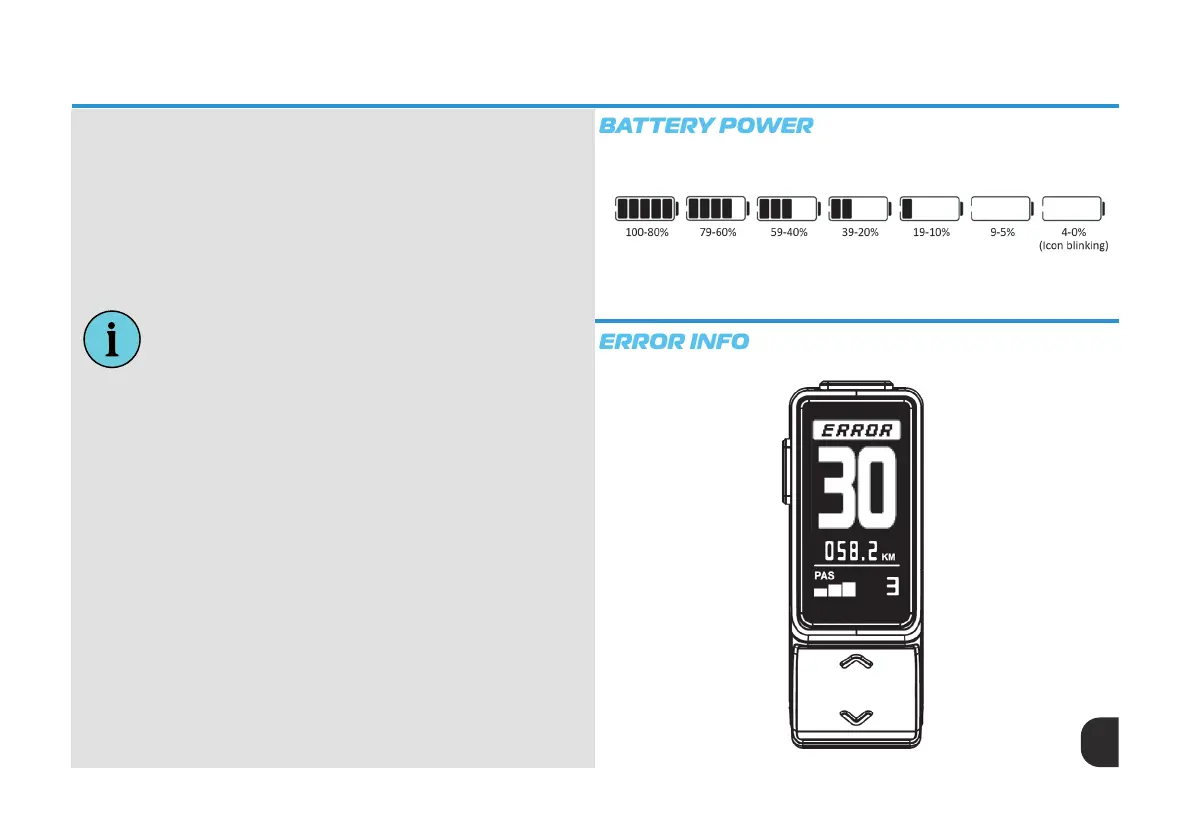
Error Information
The HMI screen will warn the user when there is a fault. When a fault is
detected, ‘ERROR’ will be ash at the top of the screen. When screen displays
‘ERROR’, control functions will not be affected. Normal functions can still be
performed.
If there are no commands are made within 5 seconds, the HMI screen will
return to the ‘ERROR’ warning. Please see the error code information table for
further details.
Battery Power Indicator
Battery power information is displayed at the top left of the HMI screen . The
battery icon is divided into 5 bars indicating the State of Charge (SOC) value.
During start up the battery icon will ash until a connection is established.
Once connected, the ashing will stop and the corresponding bars will show
the SOC value.
When the SOC value is lower than 5%, the battery icon will show zero battery
capacity and continually ash.
PLEASE NOTE:
When there is a communication error between HMI and battery:
• No SOC value information will be shown
• Range information will not be displayed



 To Next Page