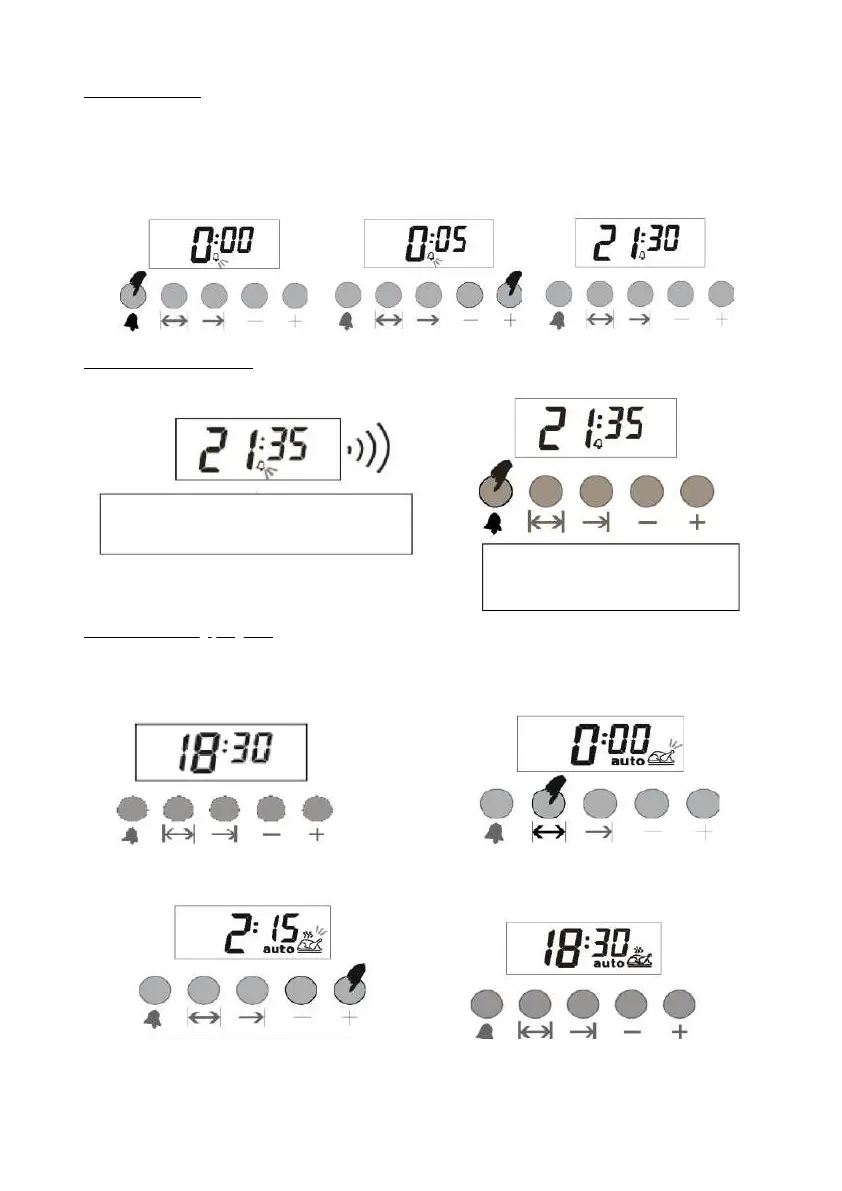
2- When the alarm is set, the alarm will
start to ring.
1- You can silence the alarm with
the button
ALARM SETTING
TURN OFF ALARM TONE
Automatic baking program
With this function, you can set the alarm tone at the end of the time you have set
If you want to start cooking immediately with the food you put in the oven, simply enter the cooking time.
Example: We put the food we desire to cook in the oven and want to cook it for 2 hours and 15 minutes.
3- Switch to manual mode.
1- Time is now 6:30 PM.
3- Enter the duration with the
+ or - keys.
1- Set the time using (+) or (-)
(e.g. 5 minutes)
2- Enter the cooking time in
the setting mode.
4- After a few seconds the
screen will start showing
current time. .
2- After a few seconds the
screen goes off
back to time.



 To Next Page