WiiM Amp Pro User Manual Version 1.2 1/21/2025
10
4. WiiM Amp Pro Controls, Interfaces, and Lights
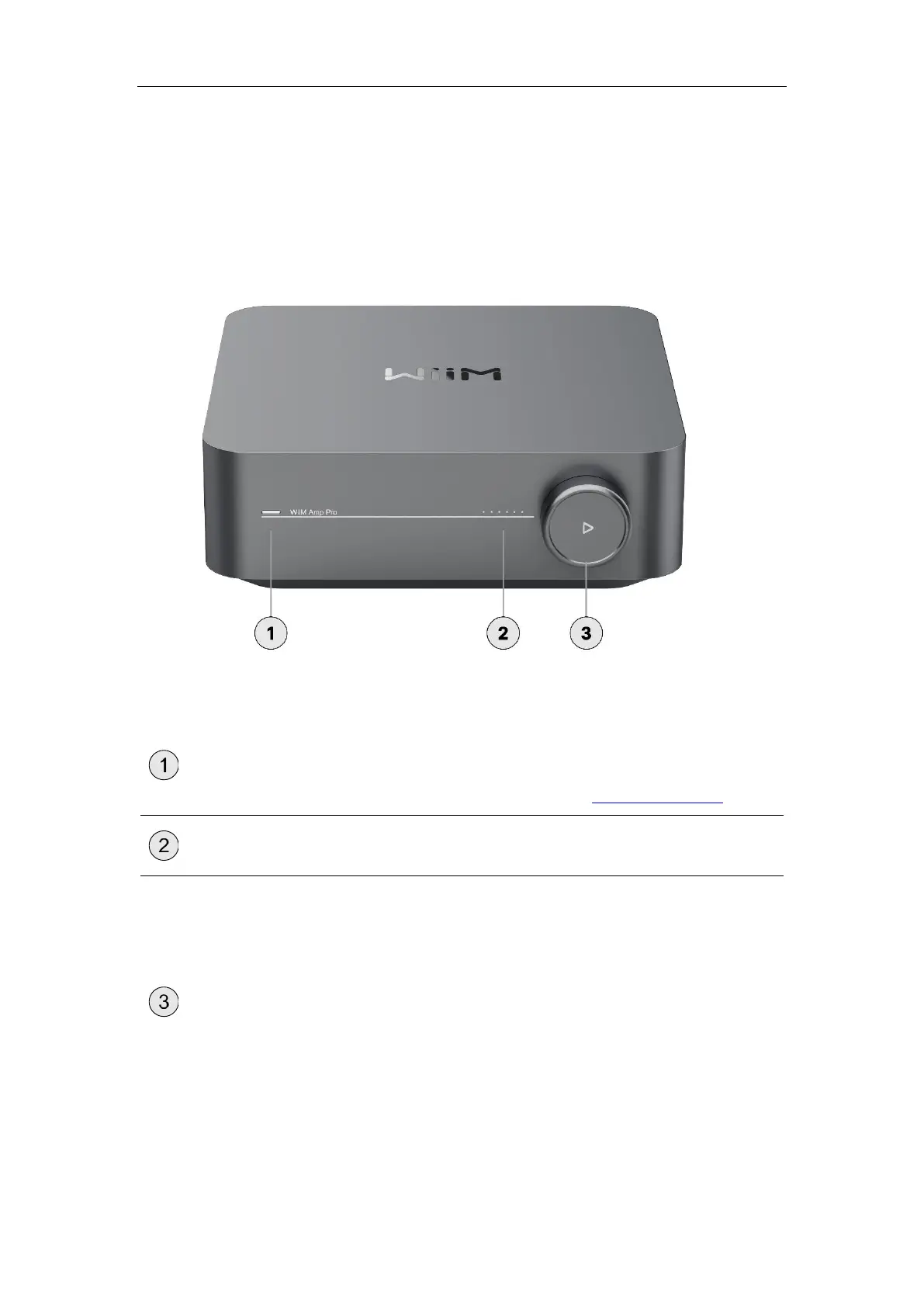
Front Panel Controls and Lights
Each numbered control or light on the front panel is explained below:
A three-color LED (RGW) indicator to display the
operational status of the WiiM Amp Pro.
For more information, see LED Status Lights.
Six LEDs indicate the volume level of the WiiM Amp
Pro.
Push:
⚫ Play/Pause
⚫ Wi-Fi setup (push and hold for 3
seconds)
⚫ Restore to the factory setting (push
and hold for 10 seconds)
Turn clockwise: Increase volume
Turn anti-clockwise: Decrease volume


 To Next Page