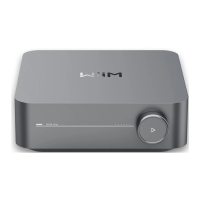
WiiM Amp Pro User Manual Version 1.2 1/21/2025
53
Google Cast Audio
Google Cast audio allows you to instantly stream your favorite music, radio, or podcasts
from Google Cast-enabled apps on your mobile device to your speakers over Wi-Fi or
Ethernet.
Setting Up Google Cast
1. Enable Google Cast:
⚫ Once you have set up the WiiM Amp Pro, enable Google Cast from the WiiM
Home app.
2. Stream Music:
⚫ Open a compatible app (e.g., Spotify, Apple Music, TIDAL, Amazon Music,
YouTube Music, Deezer) on your mobile device and tap the Cast button.
⚫ Select the WiiM Amp Pro and start streaming audio.
3. Use Chrome Browser:
⚫ Cast any audio from your Chrome browser by selecting the Cast option in
the menu.
Google Cast Multi-room Audio
Google Cast can also be used for multi-room audio, allowing you to play music in sync on
multiple speakers from compatible brands and WiiM Amp Pro using the Google Home app.
For detailed instructions, see Google Cast Multi-room Audio.


 To Next Page