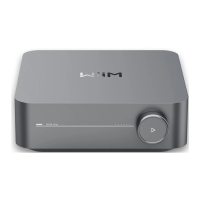
WiiM Amp Pro User Manual Version 1.2 1/21/2025
61
14. FAQ and Support
FAQ
If you experience problems with the audio streamer, try these solutions first:
⚫ What can I do if my WiiM Home app can’t find the device?
o Make sure your network is available and the device is powered on properly.
o Check the LED on the device is solid white.
o Make sure your smartphone/tablet and WiiM Amp Pro are connected to the
same Wi-Fi network.
o Make sure you have the latest version of the WiiM Home app on your device.
o Try restarting your smartphone/tablet, WiiM Amp Pro, and router.
o If still can’t find, reconfigure the device to the network.
⚫ What can I do if my device has no sound?
If you are not getting any sound from your WiiM Amp Pro, make sure you have
checked the following things:
o Volume Levels: Ensure that the volume is turned up both in the WiiM Home
app and on your external device (e.g., AV receiver) connected to the WiiM
Amp Pro.
o Input Source: Make sure the correct input source is selected on your receiver
or device that corresponds to the output of the WiiM Amp Pro.
o Audio Output Selection: Confirm that the correct audio output is selected in
the WiiM Home app.
o Physical Connections: Verify that all physical connections between the WiiM
Amp Pro and your receiver or device are plugged in correctly and securely.
⚫ How can I reset my device?
o Press and hold the volume knob for 10 seconds until you will hear the voice
prompts of “Restore to factory setting” and see the light flashing red and white.
o Factory reset clears all source, volume, and network settings for the WiiM Amp
Pro and returns it back to the original factory settings.


 To Next Page