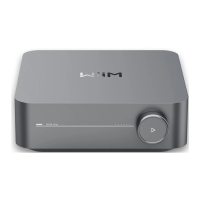
WiiM Amp Pro User Manual Version 1.2 1/21/2025
47
Audio Input via Bluetooth
With Bluetooth, you can stream tunes from various devices like smartphones, tablets, TVs,
and laptops. To start streaming, first pair your device with the WiiM Amp Pro.
You can select any of the following options to pair your device with the WiiM Amp Pro:
⚫ Option 1: Bluetooth Pairing Using WiiM Voice Remote
Press and hold the Play button on the WiiM Voice Remote for 3 seconds or more
to initiate pairing mode.
⚫ Option 2: Bluetooth Pairing Using WiiM Home App
If the WiiM Amp Pro is connected to your network, you can initiate Bluetooth
pairing mode in the WiiM Home app by selecting Bluetooth as source input in
the Browse tab.
In this case, if there’s no device connected to the WiiM Amp Pro, the app will
initiate pairing mode for the WiiM Amp Pro automatically.
Note: The Bluetooth feature is compatible with A2DP and AVRCP profiles, and supports
both SBC and AAC codecs.


 To Next Page