WiiM Amp Pro User Manual Version 1.2 1/21/2025
39
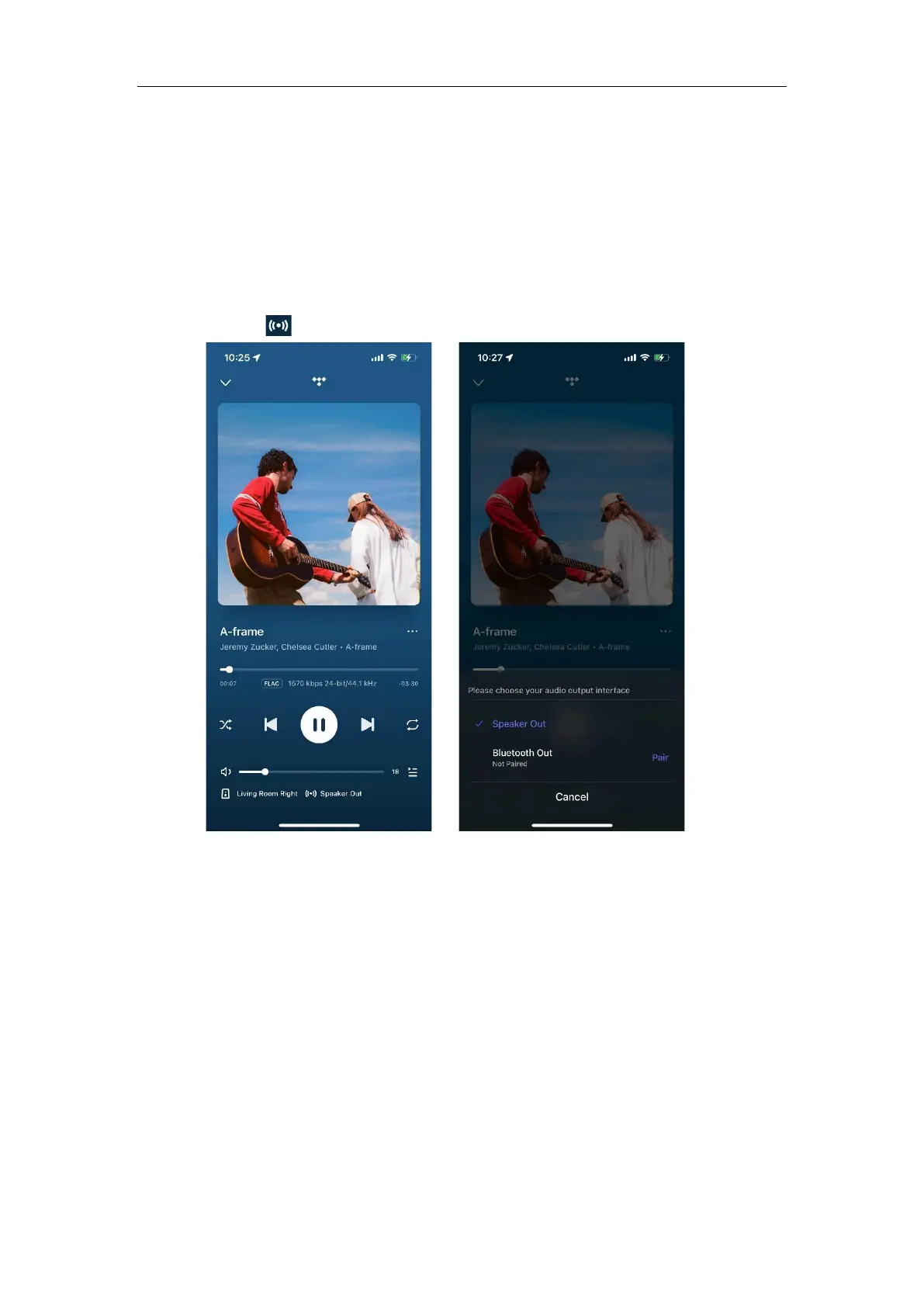
Select Audio Output Interface
Option 1: Select Audio Output Interface from Now Playing
1. Open the WiiM Home app.
2. Go to the Now Playing page.
3. Tap the icon at the bottom and select the output interface.


 To Next Page