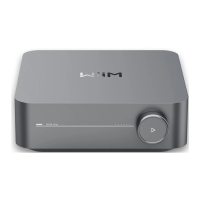
WiiM Amp Pro User Manual Version 1.2 1/21/2025
60
13. Advanced Features
Firmware Updates
⚫ The WiiM Amp Pro updates automatically when connected to your network
⚫ Updates occur silently between 2:00 a.m. and 5:00 a.m. local time, with no sound
or notifications during the process. Upon opening the app after the upgrade, you’ll
see the latest updates applied to the WiiM Amp Pro.
Use Ethernet Instead of Wi-Fi
When an Ethernet cable is connected, the WiiM Amp Pro will automatically switch off Wi-
Fi to use the Ethernet network.
To confirm the active connection:
1. Open the WiiM Home app.
2. Go to the Devices tab and tap the Device Settings icon of the WiiM Amp
Pro.
3. Select Network Status to view the current network connection.


 To Next Page