WiiM Amp Pro User Manual Version 1.2 1/21/2025
19
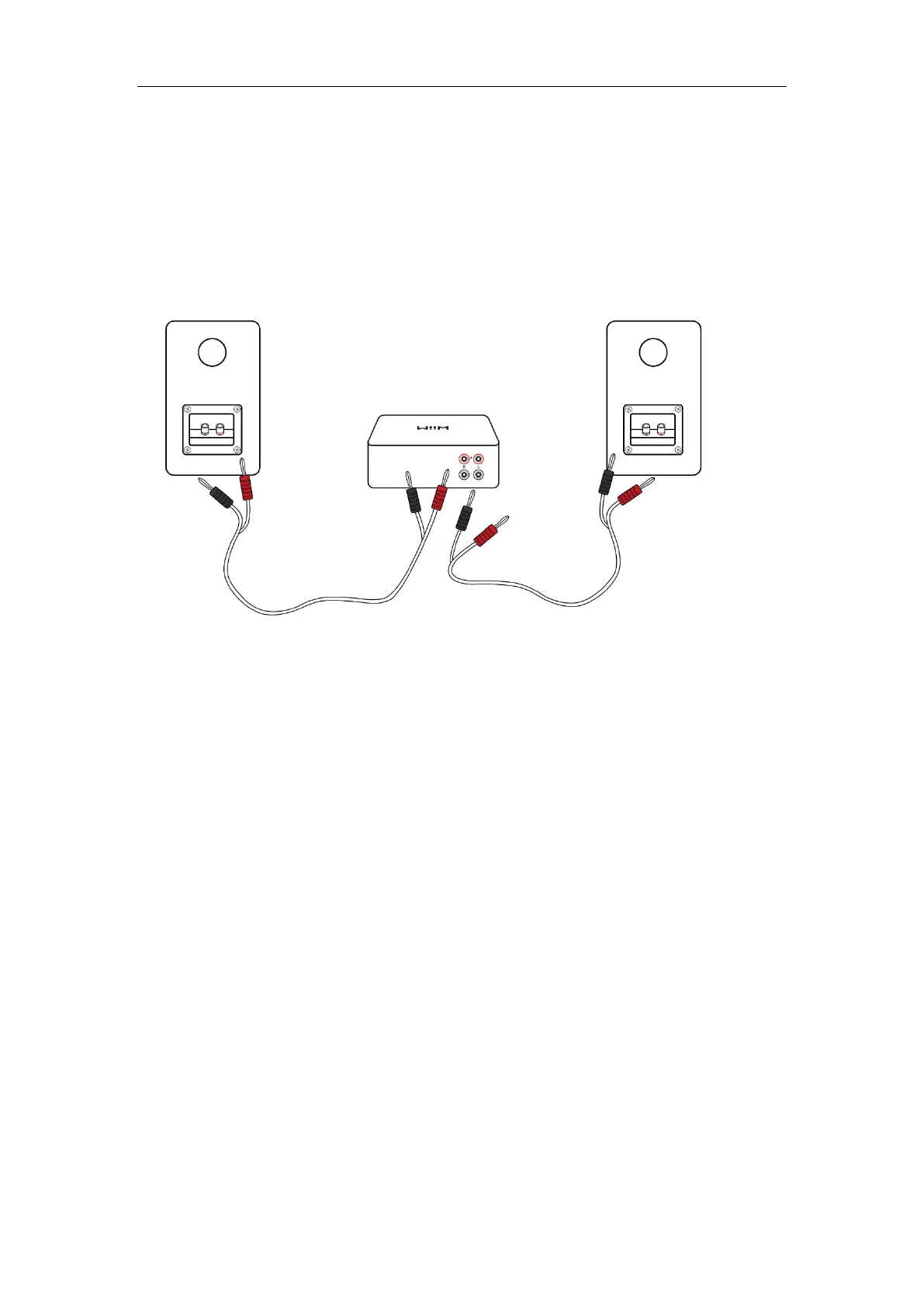
1. Use one speaker cable to connect the left passive speaker to the left (L) terminals
on the WiiM Amp Pro.
2. Use the other speaker cable to connect the right passive speaker to right (R)
terminals on the WiiM Amp Pro.
Note: Ensure that the connector colors (red and black) match the corresponding terminals
on the WiiM Amp Pro and the speakers.


 To Next Page