WIIM AMP USER MANUAL VERSION 1.0 10/29/23
13 | P a g e
5. HOW TO SET UP
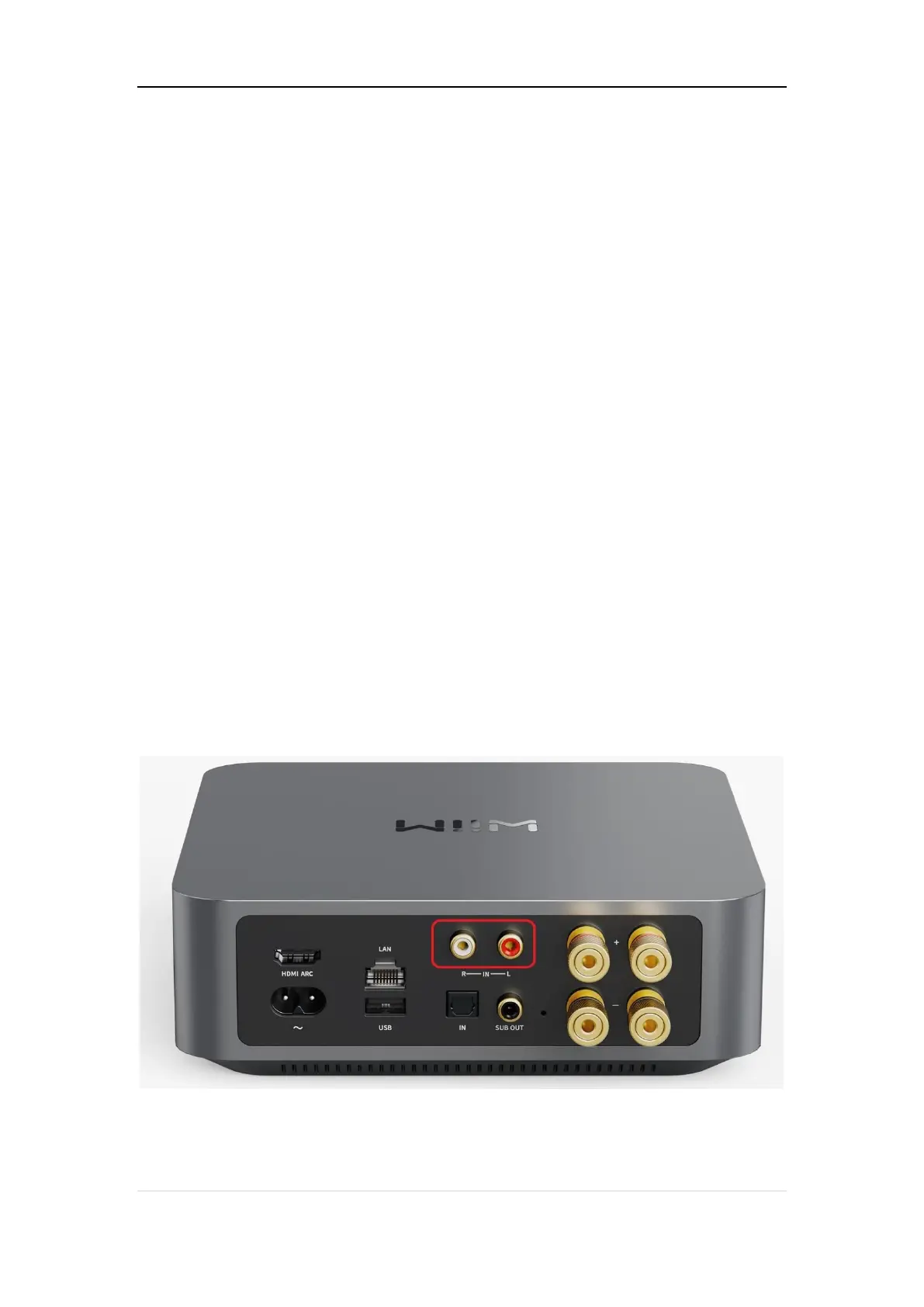
CONNECT AUDIO INPUT to IN PORT ON WIIM AMP
The WiiM Amp features two distinct audio input interfaces: the analog LINE IN, and the
digital optical (TOSLINK) SPDIF IN, and HDMI ARC.
This versatile device functions as both an amplifier and a network audio transmitter through
Wi-Fi or Ethernet. You have the capability to stream analog audio input from sources such
as CD players, vinyl players, TVs, or computers to other WiiM devices like WiiM Pro Plus,
Pro, or Mini devices, as well as to AirPlay-enabled devices (using AirPlay Cast), either
singly or in multiple combinations.
Scenario 1: Analog Audio Source Input (CD Player, Vinyl Player, or Computer)
Connect your source device to the WiiM Amp’s LINE IN port using a line-in cable. One of
two types’ cable as the follows might be used, i.e., RCA to RCA or Aux to RCA.
Connect to WiiM Pro Amp’s Line IN port


 To Next Page