WiiM Ultra User Manual Version 1.2 12/30/2024
12
4. WiiM Ultra Controls, Interfaces, and Lights
Front Panel Controls and Lights
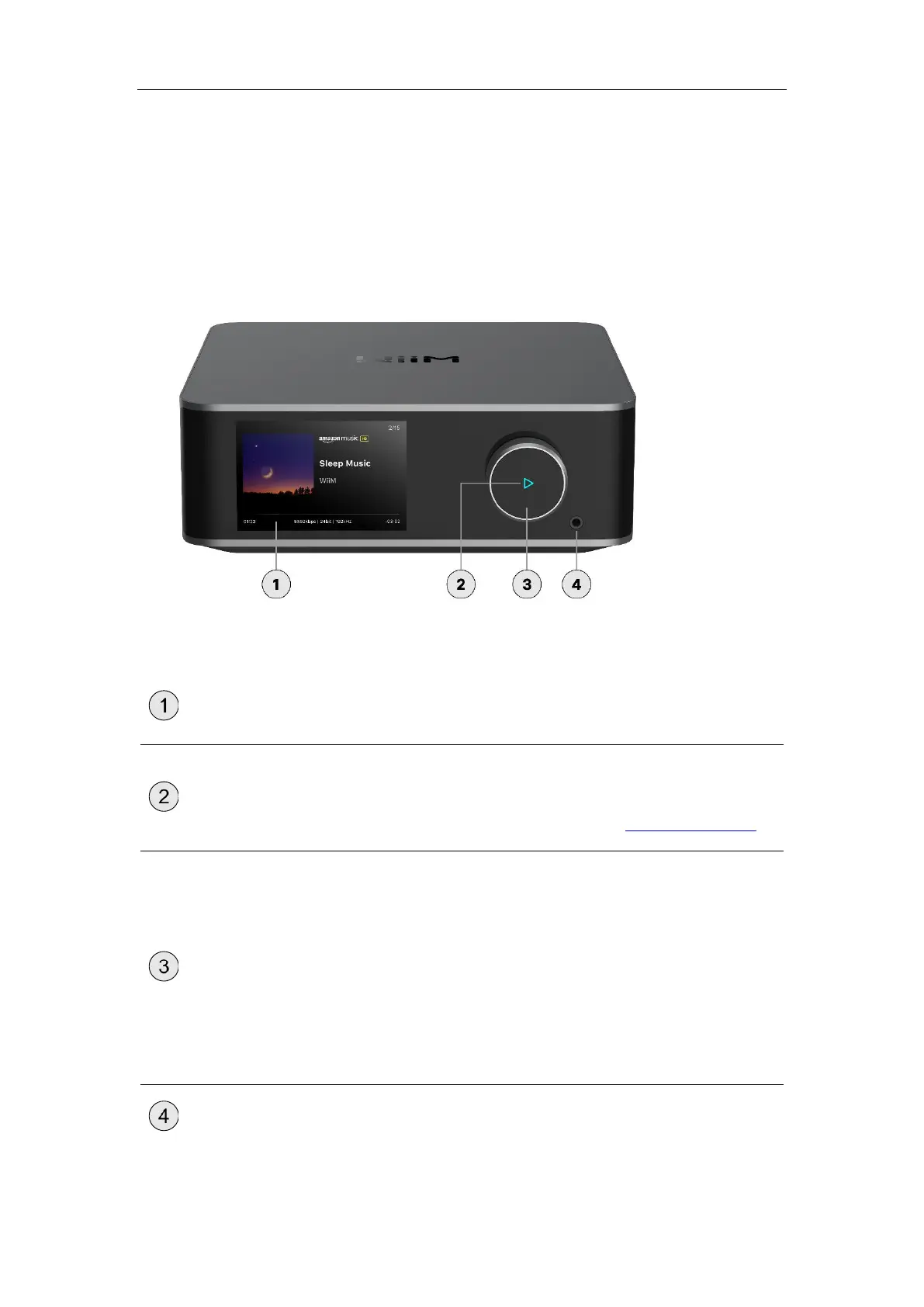
Each numbered control or interface on the front panel is explained below:
Shows the playback status and allows control
of the WiiM Ultra.
A four-color LED (RGBW) indicator to display
the operational status of the WiiM Ultra.
For more information, see LED Status Lights.
Push:
⚫ Play/Pause
⚫ Wi-Fi setup or Bluetooth pairing
(push and hold for 3 seconds)
⚫ Restore to the factory setting
(push and hold for 10 seconds)
Turn clockwise: Increase volume
Turn anti-clockwise: Decrease volume
Connects to an external headphone.



 To Next Page