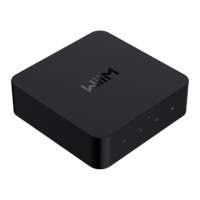
WiiM Ultra User Manual Version 1.2 12/30/2024
1
Table of Contents
1. Introduction ................................................................................................................ 3
Typical Use Cases .................................................................................................. 4
Other Devices Needed to Use the WiiM Ultra ........................................................ 6
Audio Devices Work with the WiiM Ultra ................................................................. 7
2. What's in the Box ...................................................................................................... 8
3. Technical Specifications ........................................................................................... 9
4. WiiM Ultra Controls, Interfaces, and Lights .......................................................... 12
Front Panel Controls and Lights............................................................................ 12
Back Panel Interfaces ........................................................................................... 13
WiiM Voice Remote ............................................................................................... 15
LED Status Lights .................................................................................................. 17
5. How to Get Started ................................................................................................... 18
Connect the WiiM Ultra's Audio Output................................................................. 18
Connect the WiiM Ultra's Audio Input ................................................................... 25
Use 12V Trigger Out ............................................................................................. 31
Power On the WiiM Ultra ....................................................................................... 32
Download and Install the WiiM Home App............................................................ 33
Set Up the WiiM Ultra ............................................................................................ 34
Configure the WiiM Ultra in the WiiM Home App .................................................. 44
Fill Your Home with Sound .................................................................................... 45
6. WiiM Ultra Configuration ......................................................................................... 46
Select Audio Input Source and Configure Audio Input ......................................... 46
Select Audio Output Interface ............................................................................... 48
Adjust Audio Output Settings ................................................................................ 49
Adjust Subwoofer Settings .................................................................................... 51
Room Correction ................................................................................................... 52
Equalizer (EQ) ....................................................................................................... 53
7. Audio Output/Input via Bluetooth .......................................................................... 54
Audio Output via Bluetooth ................................................................................... 54
Audio Input via Bluetooth ...................................................................................... 56
8. USB Media Library ................................................................................................... 57
9. Voice Control ............................................................................................................ 58
10. Direct Control via Your Favorite App ..................................................................... 59
Spotify Connect ..................................................................................................... 59



 To Next Page