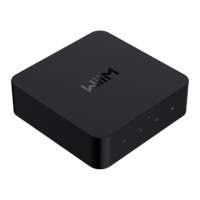
WiiM Ultra User Manual Version 1.2 12/30/2024
6
Other Devices Needed to Use the WiiM Ultra
To use the WiiM Ultra, you will need a few essential devices and components. Here's a list
of what you'll need:
⚫ Audio System: The WiiM Ultra is designed to connect to an existing audio system.
This can be a stereo system, powered speakers, passive speakers with an
amplifier/receiver, or a home theater setup with an AV receiver, or soundbar. Make
sure you have the appropriate audio system in place.
⚫ Wi-Fi Network: The WiiM Ultra requires a stable Wi-Fi network connection to
function. Ensure that you have a reliable Wi-Fi network available in the area where
you plan to set up the WiiM Ultra. You'll need the Wi-Fi network credentials during
the setup process.
⚫ Smartphone or Tablet: You'll need a compatible smartphone or tablet (iOS or
Android) with the WiiM Home app installed. The WiiM Home app is used for initial
setup, configuration, and control of the WiiM Ultra.
⚫ Power Source: The WiiM Ultra needs to be connected to a power source using
the included power cable. Ensure that you have an electrical outlet nearby to
power the device.
⚫ Ethernet Cable (optional): While the WiiM Ultra primarily connects to your Wi-Fi
network, it also has an Ethernet port. If you prefer a wired connection for added
stability, you can use an Ethernet cable to connect the WiiM Ultra directly to your
router or network switch.
These are the core components required to use the WiiM Ultra. It's important to have an
audio system that you want to integrate with the Ultra, a stable Wi-Fi or wired network, and
a compatible device with the WiiM Home app for setup and control.



 To Next Page