WiiM Ultra User Manual Version 1.2 12/30/2024
48
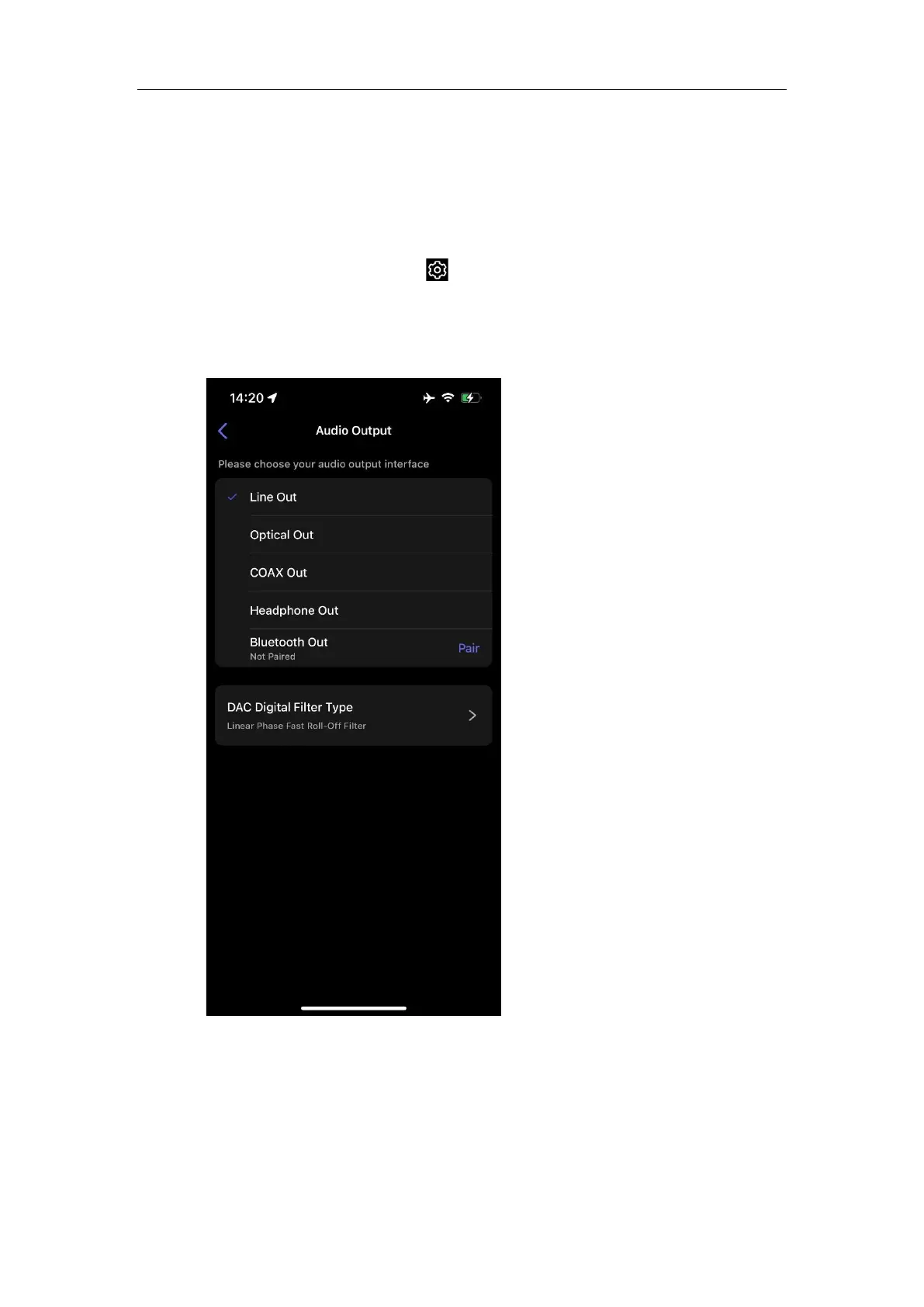
Select Audio Output Interface
1. Open the WiiM Home app.
2. Navigate to the Devices tab.
3. Tap the Device Settings icon of the WiiM Ultra.
4. Under the Sound section, tap Audio Output.
5. Select the output interface and adjust settings (e.g., DCA filter type for Line Out,
Sample Rate Switch Latency for Optical Out and COAX Out).



 To Next Page