WiiM Ultra User Manual Version 1.2 12/30/2024
13
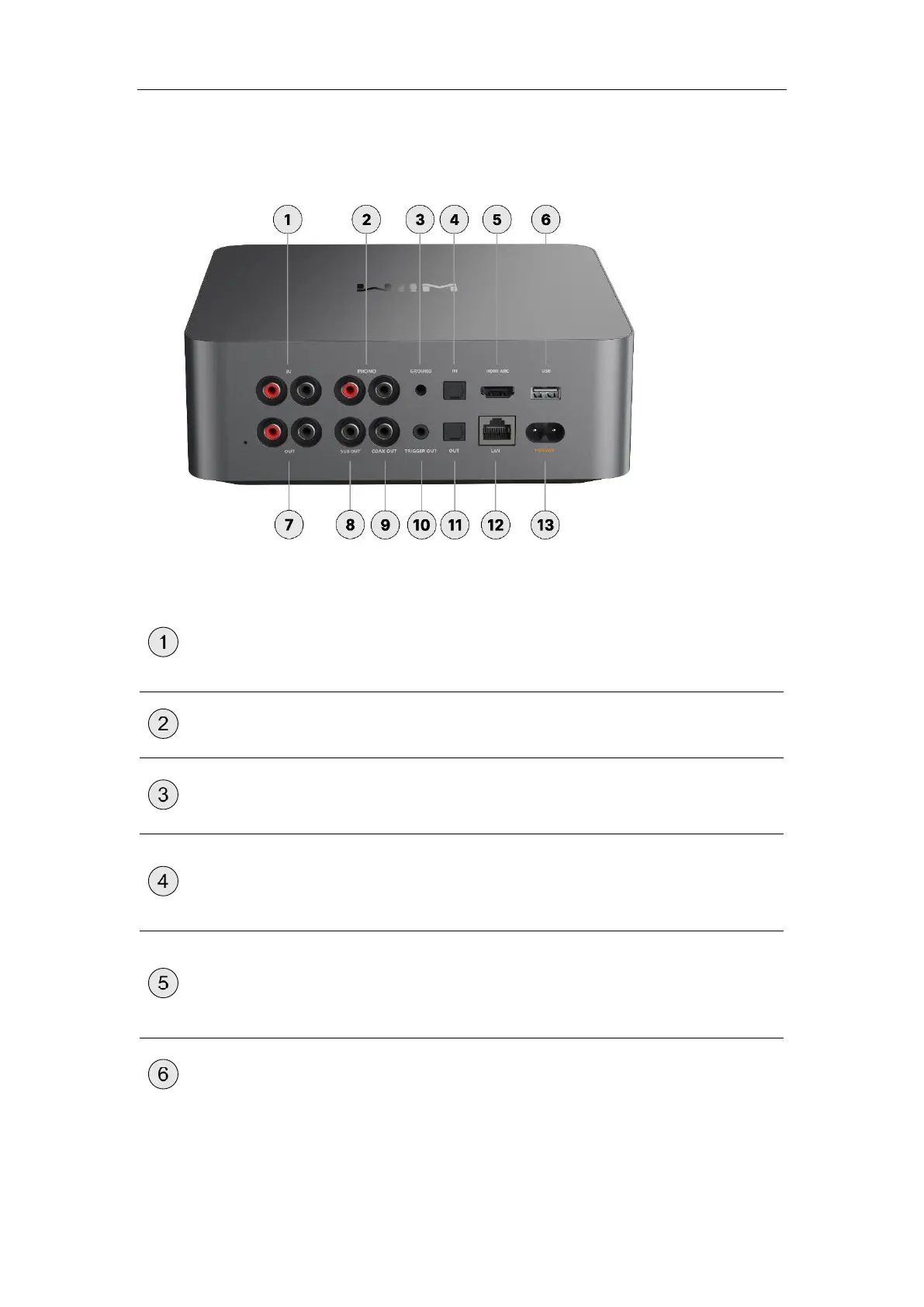
Back Panel Interfaces
Each numbered control or interface on the back panel is explained below:
Connects to external audio sources such as CD
players, audio players, and TVs for analog audio
input.
A dedicated input for connecting a turntable.
A connection port used to ground the turntable to
reduce hum or noise.
Connects to external audio sources, such as a TV
or PC, for digital audio input. It supports audio input
of up to 192 kHz/24-bit.
Connects to a TV for audio input.
It supports Stereo PCM, Dolby Digital (DTS is not
supported).
USB IN: Allows connection to USB storage devices
for playing audio files directly.



 To Next Page