WiiM Ultra User Manual Version 1.2 12/30/2024
19
Scenario 1: Line Out (Powered Speakers, Amplifiers, AV Receivers)
The LINE Out interface on the WiiM Ultra is typically used to connect to the external audio
equipment, e.g., powered speakers, amplifiers, or AV receivers to output high-quality
analog audio playback.
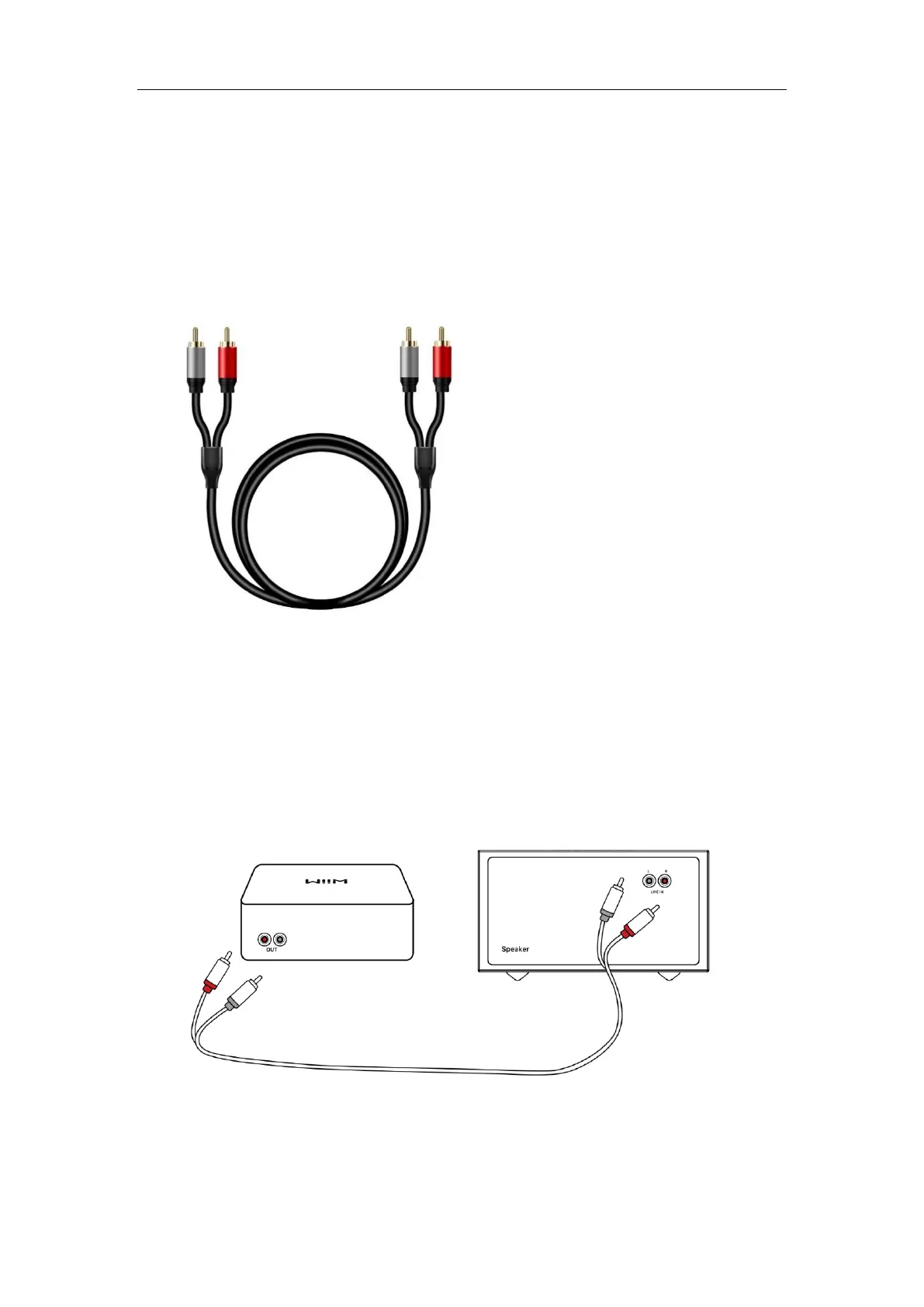
Cable Requirement: Use an RCA stereo cable as below:
Cable Connection Steps:
1. Connect the red and white RCA connectors on one end of the cable to the
corresponding Line Out ports on the WiiM Ultra.
2. Connect the red and white RCA connectors on the other end of the cable to the
corresponding Line In ports on your external device.



 To Next Page