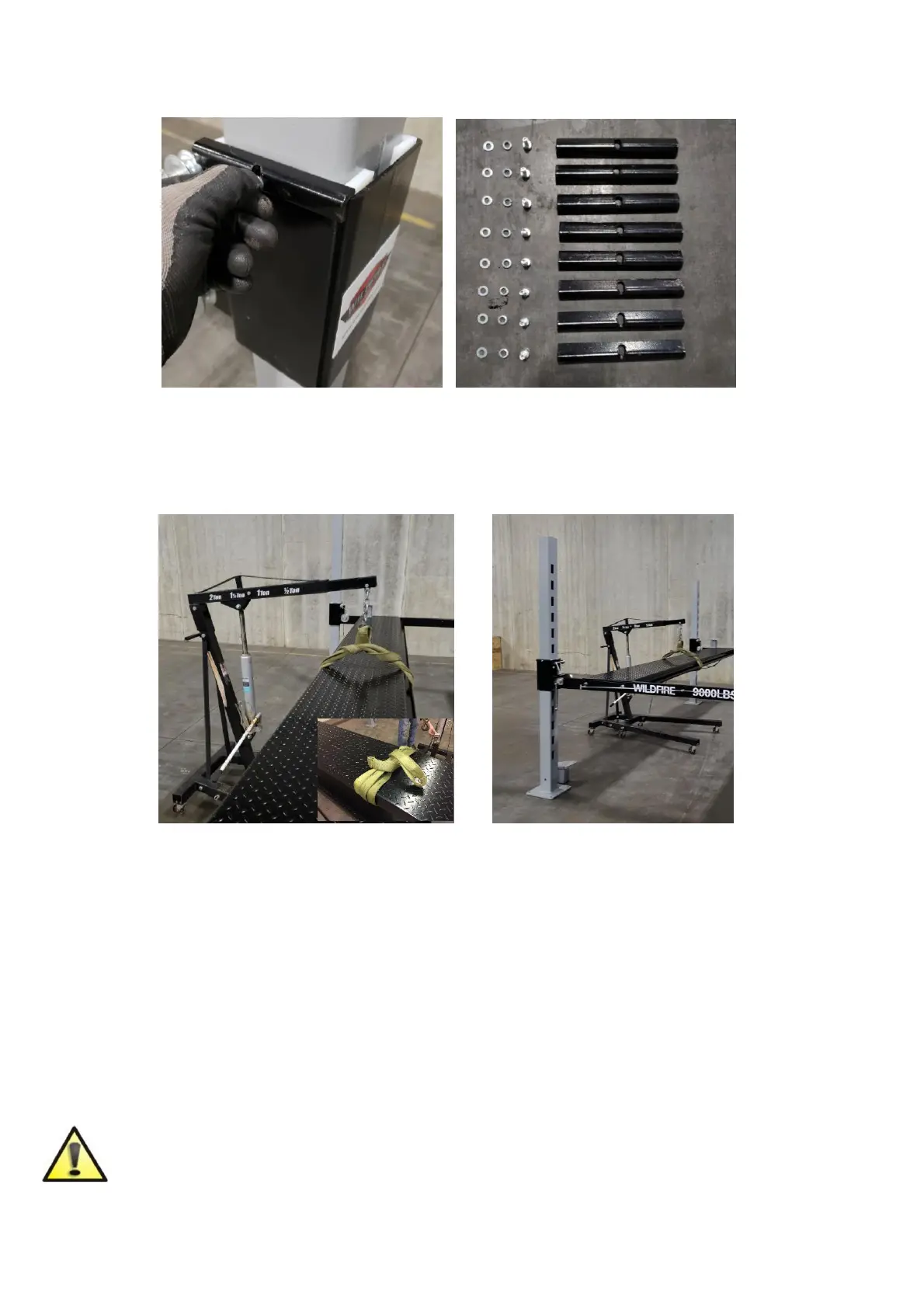
Add slider stops to both sides of each corner post using m16 x 100 hex head bolt, flat
washer and lock washer to hold the nylon sliders in place.
Step 4: RUNWAY TRACK INSTALLATION
Position the runway containing the hydraulic ram in the correct orientation so that this
runway is placed on the side that will house the power unit. Note: Make sure that the
U-Channel is facing the middle and the hole where hydraulic hose will mount is facing
outside. Wrap your strap so that you can grab from above with your engine hoist. The
top runway which contains the ram assembly will have an offset balance point due to the
weight of ram. This is roughly 1 foot off center towards the ram. As you begin to lift you
will need to lift one end slightly higher than the cross beam and slide the runway forward
allowing you to raise and clear the other end.
Slowly start to the lower the runway into position. Double check that the runway will seat
correctly on the crossbeam. You may need to shimmy the uprights/columns forward or
backwards so the runway lines up. This is very important, so the weight of the runway
does not push over or tip the uprights/columns.
Do not leave the runways unbolted – install the mounting bolts immediately using
the supplied Grade 8, M12X100 mounting bolts and M12 washers. Failure to do so
can lead to damage, serious injury or death.


 To Next Page