EasyManua.ls Logo

Wildlife Acoustics Echo Meter Touch - Page 17

Wildlife Acoustics Echo Meter Touch
33 pages
Print Icon
To Next Page IconTo Next Page
To Previous Page IconTo Previous Page
Loading...
recording above or below. This will check all boxes in
between.
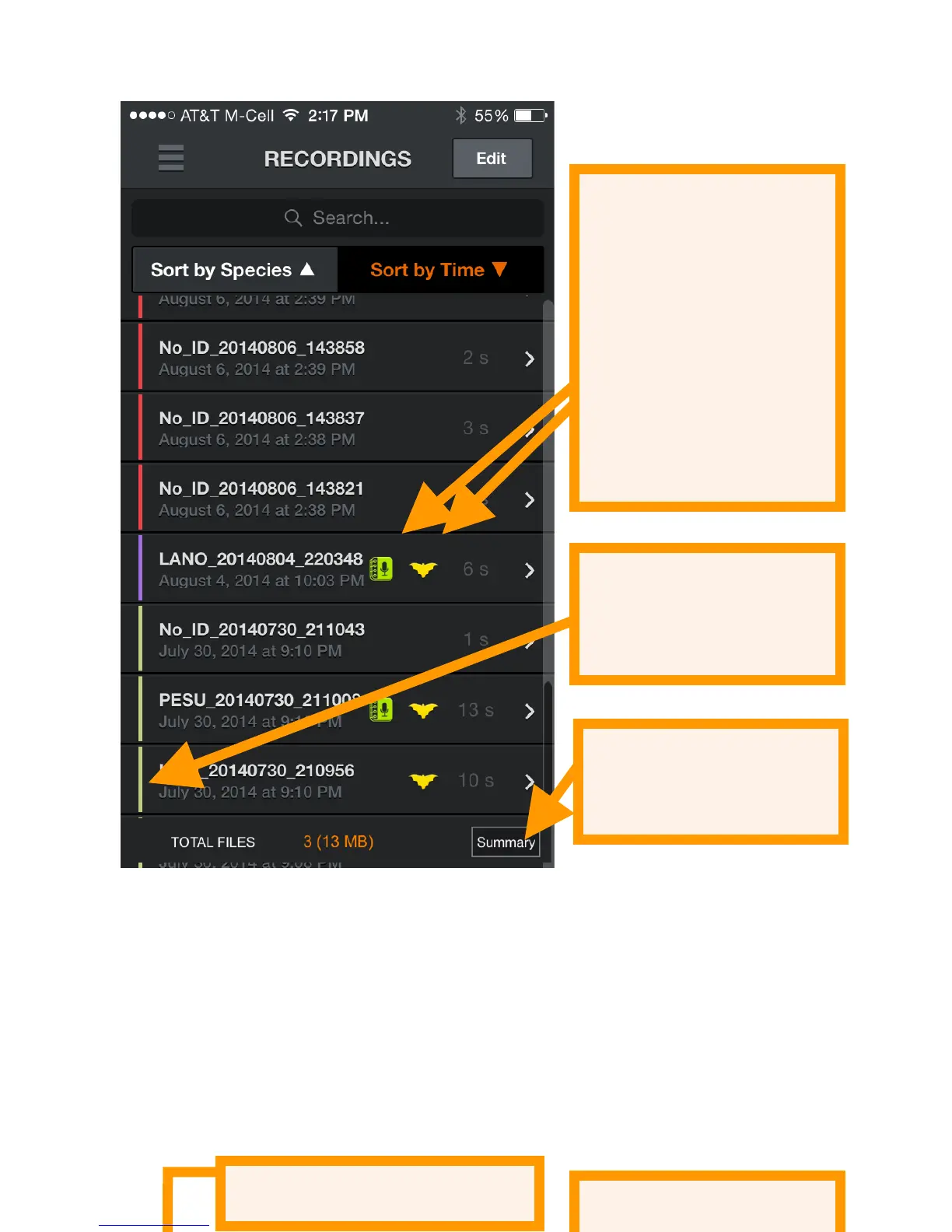
Press the Summary button to show a pop up screen with the
number of recordings with each identified species, NO_IDs,
and the NOISE files. This will summarize all recordings if none
are checked, or a subset if only some have been selected with
the checkboxes.

Icons indicate
recordings with voice
or text notes and
recordings with an
identified species
Delete checked recordings
Exit Edit mode
Colored recording
session identifier
Show summary pop-
up

Related product manuals