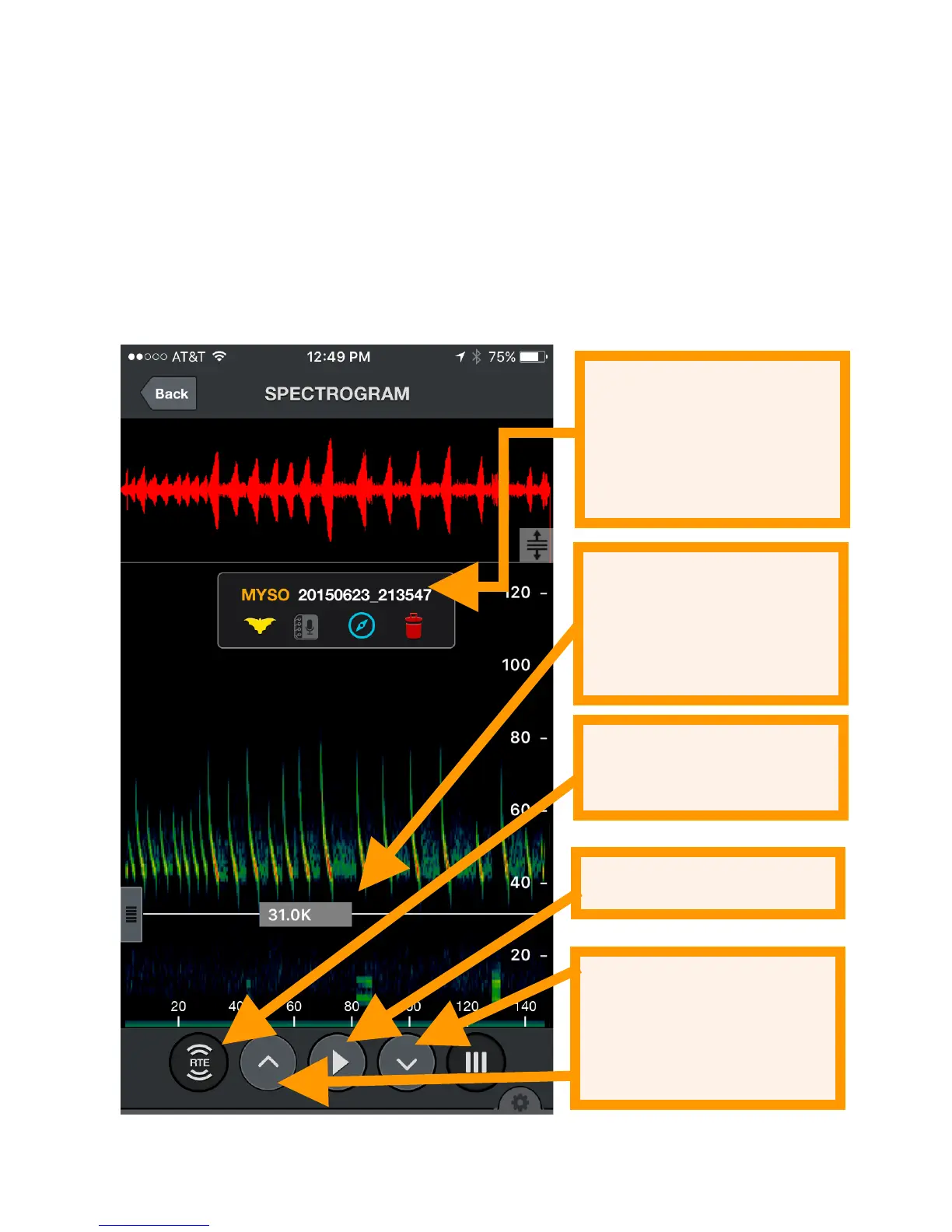
Press the up or down buttons to go to the next or previous
recording in the recording list. The order of the recordings will
match the sorting chosen in the list. Colored vertical bars at
the beginning of each recording show the corresponding
recording session and match the color shown in the recording
list as well as the path in GPS view.
You can filter the audio for better fidelity as in Live Mode by
zooming to only the frequencies of interest.
Spectrograph settings are available as in LIVE MODE.


 To Next Page