EasyManua.ls Logo

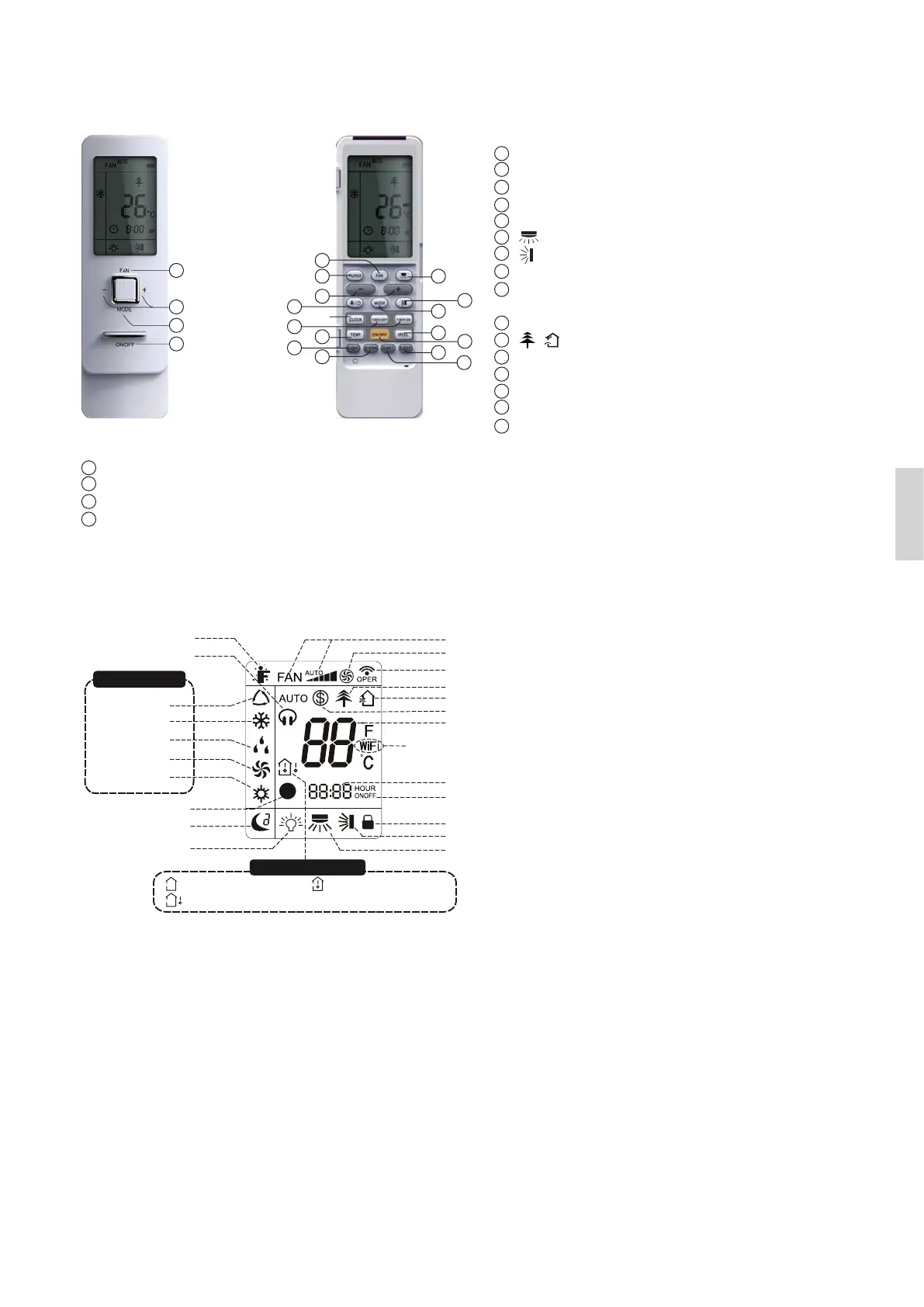
Wilfa Narvik 25 - Buttons on Remote Controller; Introduction for Icons on Display Screen

Wilfa Narvik 25
Print Icon
To Next Page IconTo Next Page
To Previous Page IconTo Previous Page
Loading...
11
English
Operation mode
Temp. display type
Auto mode
Cool mode
Dry mode
Fan mode
Heat mode
I feel Set fan speed
Turbo mode
Send signal
Healthy mode
Scavenging functions
8 heating function
Set temperature
WIFI
Set time
TIMER ON /TIMER OFF
Child lock
Up & down swing
Left & right swing
: Set temp.
: Outdoor ambient temp.
: Indoor ambient temp.
Quiet
Clock
Sleep mode
Light
1
3
4
2
(before opening cover)
ON/OFF button
FAN button
MODE button
+/- button
1
2
3
4
ON/OFF button
FAN button
MODE button
+/- button
TURBO button
button
button
CLOCK button
TIMER ON/
TIMER OFF button
TEMP button
/ button
I FEEL button
LIGHT button
WIFI function
QUIET button
SLEEP button
1
2
3
4
5
6
7
8
9
10
11
12
13
14
15
16
10
14
12
16
15
13
11
2
5 6
3
7
1
4
9
(after opening cover)
Buttons on remote controller
Introduction for icons on display screen

Other manuals for Wilfa Narvik 25

Related product manuals