12
English
Note:
• This is a general use remote controller, it could be used for the air conditioners
with multifunction; For some function, which the model don’t have, if press the
corresponding button on the remote controller that the unit will keep the original
running status.
• After putting through the power, the air conditioner will give out a sound.
Operation indictor ” ” is ON (red indicator). After that, you can operate the air
conditioner by using remote controller.
• Under on status, pressing the button on the remote controller, the signal icon ” ”
on the display of remote controller will blink once and the air conditioner will give
out a “de” sound, which means the signal has been sent to the air conditioner.
• Under off status, set temperature and clock icon will be displayed on the
display of remote controller (If timer on, timer off and light functions are set, the
corresponding icons will be displayed on the display of remote controller at the
same time); Under on status, the display will show the corresponding set function
icons.
1. ON/OFF button
Press this button, the unit will be turned on, press it once more, the unit will be
turned off. Sleep function will be canceled, while unit off.
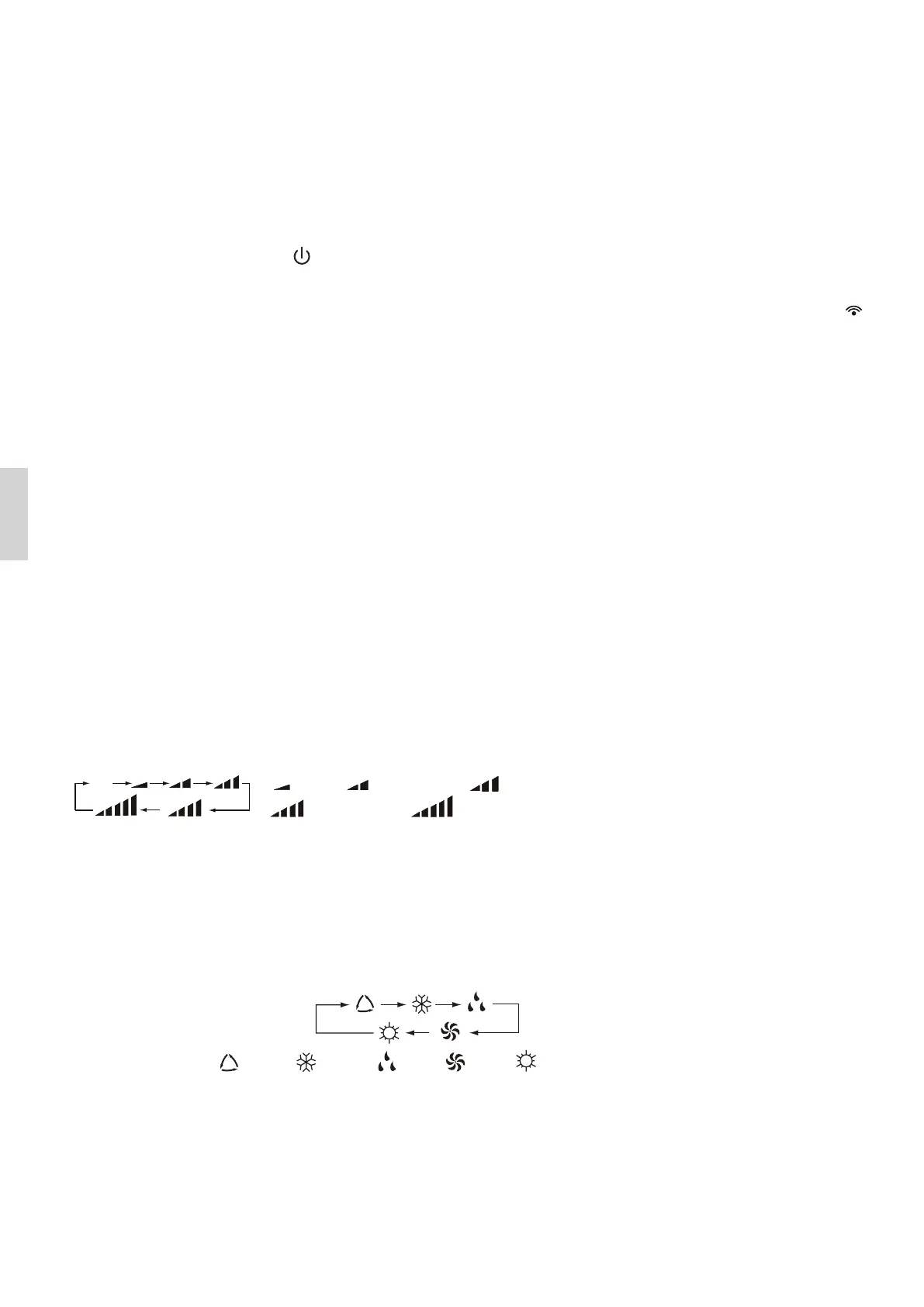
2. FAN button
Press this button, Auto, Low, Medium-low, Medium, Medium-high, High speed
can be circularly selected. After powered on, Auto fan speed is default. Under DRY
mode, Low fan speed only can be set up.
3. MODE button
Press this button, Auto, Cool, Dry, Fan, Heat mode can be selected circularly. Auto
mode is default while power on. Under Auto mode, the temperature will not be
displayed; Under Heat mode, the initial value is 28℃( 82 ℉ ); Under other modes,
the initial value is 25℃( 77 ℉).
4. +/- button
• Presetting temperature can be increased. Press this button, the temperature can
be set up, continuously press this button and hold for two seconds, the relative
contents can quickly change, until unhold this button and send the order that
the ℃(℉) signal will be displayed all the time. The temperature adjustment is
unavailable under the Auto mode, but the order can be sent if pressing this
Note: It’s Low fan speed
under Dry mode.
AUTO COOL DRY FAN HEAT
Medium fanLow fan
High fan
Medium-low fan
Medium-high fan
ATUO


 To Next Page