14
English
9. TIMER ON/TIMER OFF button
• Timer On setting: Sign al “ON” will blink and display, signal will conceal, the
numerical section will become the timer on setting status. During 5 seconds
blink, by pressing + or - button to adjust the time value of numerical section,
every press of that button, the value will be increased or decreased 1 minute.
Hold pressing + or -button, 2 seconds later, it quickly change, the way of change
is: During the initial 2.5 seconds, ten numbers change in the one place of
minute, then the one place is constant, ten numbers change in the tens place of
minu te at 2.5 seconds speed and carry. During 5s blink, press the Timer button,
the timer setting succeeds. The Timer On has been set up, repress the timer
button, the Timer On will be canceled. Before setting the Timer, please adjust
the Clock to the current actual time.
• One press this key to enter into TIMER OFF setup, in which case the TIMER OFF
icon will blink. The method of setting is the sameas for TIMER ON.
10. TIMER ON/TIMER OFF
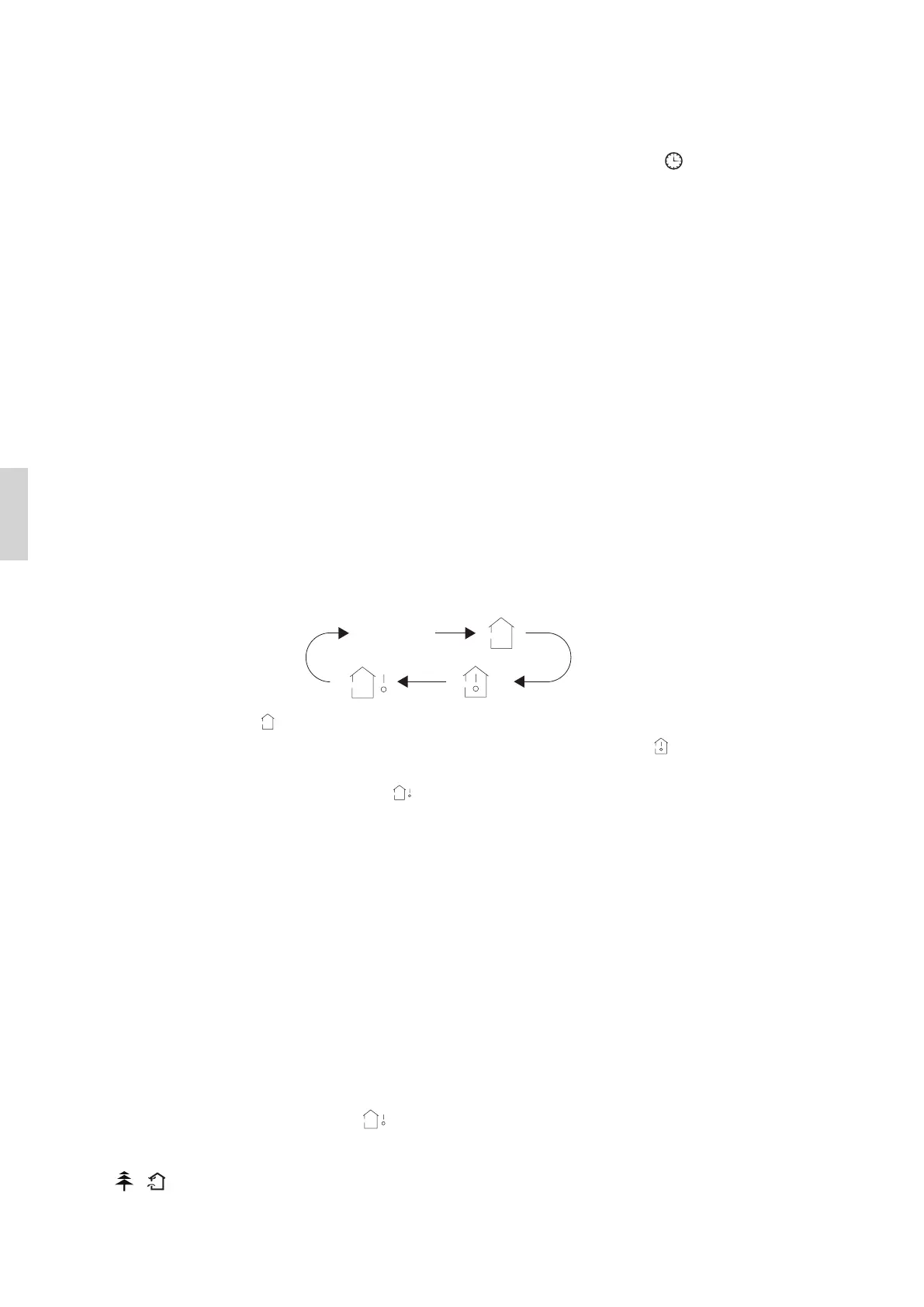
• Press this button, you can see indoor set temperature, indoor ambient
temperature or outdoor ambient temperature on indoor unit’s display. The
setting on remote controller is selected circularly as below:
• When selecting” ” with remote controller or no display, temperature indicator
on indoor unit displays set temperature; When selecting” ” with remote
controller, temperature indicator on indoor unit displays indoor ambient
temperature; When selecting” ” with remote controller, temperature indicator
on indoor unit displays outdoor ambient temperature. 3 seconds later it will
return to the setting temprature or it depends on the other received signal
within 3 seconds.
Attention: When displaying the outdoor ambient, the displaying range is
0 - 60℃.
When it goes beyond the range, it keeps the threshold data (the smallest-0℃
and the largest 60℃).
Warm tips: When operating buttons on the cover please make sure the cover
is closed completely.
Note: Outdoor temperature display is not available for some models. At that
time, indoor unit receives ” ” signal, while it displays indoor set temperature.
11. / button
Press this button to achieve the on and off of healthy and scavenging functions in
ingen ikon


 To Next Page