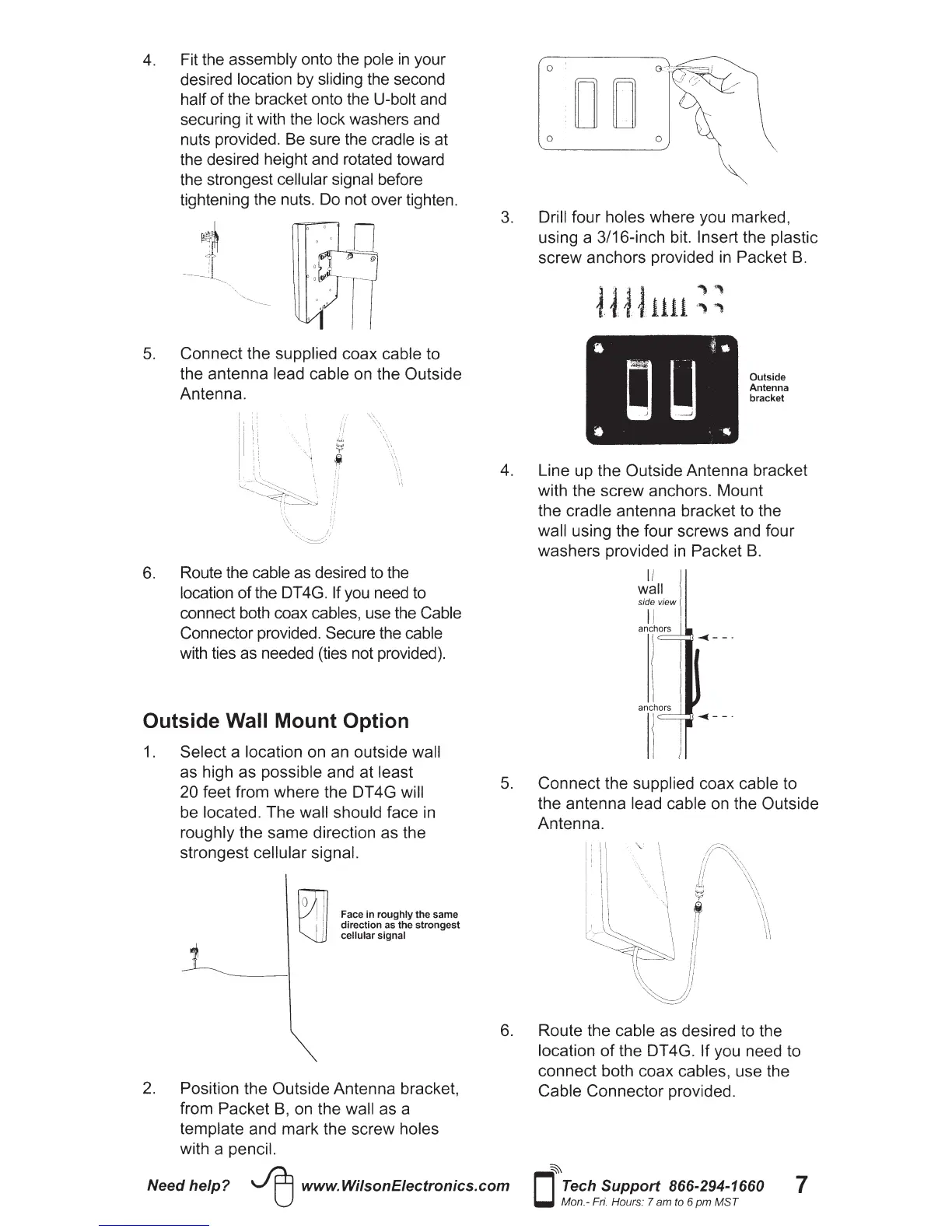
4. Fit the assembly onto the pole
in
your
desired location by sliding the second
half
of
the bracket onto the U-bolt and
securing it with the lock washers and
nuts provided. Be sure the cradle
is
at
the desired height and rotated toward
the strongest cellular signal before
tightening the nuts. Do not over tighten.
5.
Connect the supplied coax cable to
the antenna lead cable on the Outside
Antenna.
6. Route the cable as desired to the
location
of
the DT 4G. If you need to
connect both coax cables, use the Cable
Connector provided. Secure the cable
with ties as needed (ties not provided).
Outside Wall Mount Option
1.
Select a location on an outside wall
as high as possible and at least
20 feet from
where
the DT 4G will
be located.
The
wall should face in
roughly the
same
direction as the
strongest cellular signal.
Face in
roughly
the same
direction as the
strongest
cellular signal
2.
Position the Outside Antenna bracket,
from
Packet
B,
on the wall as a
template and
mark
the screw holes
with a pencil.
0
DO
0 0
3.
Drill
four
holes where you marked,
using a 3/16-inch bit. Insert the plastic
screw
anchors provided in Packet
B.
Outside
Antenna
bracket
4. Line up the Outside Antenna bracket
with the
screw
anchors. Mount
the cradle antenna bracket to the
wall using the four screws and four
washers
provided in Packet
B.
II
wall
side view
II
anchors
5.
Connect
the supplied coax cable to
the antenna lead cable on the Outside
Antenna.
6. Route the cable as desired to the
location
of
the DT 4G. If you need to
connect both coax cables, use the
Cable
Connector
provided.
Need
help?
~
www.WilsonEiectronics.com
~
D
Tech Support 866-294-1660
Mon.- Fri. Hours: 7 am to 6
pm
MST
7






 To Next Page