EasyManua.ls Logo

Winegard WB-2000 - User Manual

Winegard WB-2000
39 pages
Print Icon
To Next Page IconTo Next Page
Loading...
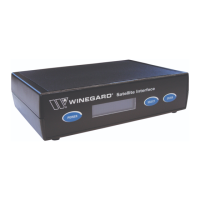
Satellite Interface
Installation/Operation Manual
Model WB-2700/WB-2000
Made in the U.S.A.
U.S. Patent Pending
Winegard Company • 3000 Kirkwood St. • Burlington, IA 52601-2000
800/288-8094 • FAX 319/754-0787 • www.winegard.com
Printed in U.S.A. © Winegard Company 2007 2452114
WINEGARD
®
Converter required for DIRECTV HD-
programming only. Sold separately.
T
O INTERF
ACE/DISH
T
O CONTRO
L
TO
R
E
C
E
I
V
E
R
M
a
d
e
in
U
S
A
W
I
N
E
G
A
R
D
C
O
M
PA
N
Y
B
U
R
L
I
N
G
TO
N
,
I
O
W
A
2
4
1
0
4
4
7
D
I
R
E
C
T
V
(1
1
0
)
H
D
C
O
N
V
E
RT
E
R
M
O
D
E
L
W
B
-
11
0
0
7
S
E
L
E
C
T
E
N
T
E
R
S
e
r v
i c
e
P
r o
v
i d
e
r
D
T
V
D
I
S
H
B
E
L
L
*
P
O
W
E
R
S
a
t
e
l
l
i
t
e
I
n
t
e
r
f
a
c
e

Questions and Answers

  • M
    Michelle ManningSep 9, 2025
    Why is the DirecTV programming on my Winegard WB-2000 Satellite TV System incorrect despite the channel banner showing the correct channel?
    • D
      Donald WilliamsSep 9, 2025
      If the DirecTV channel banner on your Winegard Satellite TV System shows the correct channel but the programming is incorrect, ensure you've selected the correct alternate satellite on the Satellite Interface. For instance, you might be watching a show on satellite 119, but the alternate satellite is set to 110.
  • S
    shannonclarkAug 23, 2025
    What to do if my Winegard Satellite TV System is waiting to acquire GPS?
    • K
      Kathryn HudsonAug 23, 2025
      If your Winegard Satellite TV System is stuck on 'Waiting to Acquire GPS,' first ensure the GPS antenna isn't obstructed. Note that after long trips, GPS acquisition can take up to 20 minutes. Also, check that the GPS antenna cable is fully connected to the electronics board connector.
  • G
    gthompsonAug 25, 2025
    Why can't I access all channels on my Winegard WB-2000 Satellite TV System with Dish Network or DirecTV?
    • P
      pholderAug 25, 2025
      If you cannot access all channels on your Winegard Satellite TV System, you may need to wait for the guide for your service provider to fully download. Ensure the channel is available on the satellites accessible through the Satellite Interface. You might need to use Manual Mode for some programming. Verify the signal strength, as weather or location can affect availability. Also, confirm your receiver is activated for your programming.
  • K
    Keith WeaverAug 27, 2025
    What to do if my Winegard Satellite TV System lost antenna communications?
    • A
      Anthony BaileyAug 27, 2025
      If your Winegard Satellite TV System has lost antenna communications, check the data and power cables connected to the antenna to ensure they are properly connected.
  • P
    Patrick SalazarAug 27, 2025
    What to do if pushing the power button on my Winegard WB-2000 Satellite TV System Interface does not power it up?
    • M
      Michael MontgomeryAug 27, 2025
      If the Winegard Satellite Interface doesn't power up when you push the power button, make sure it is connected to a working AC power source.
  • R
    rebeccareedAug 29, 2025
    What does 'IDU CONFIG' mean on my Winegard Satellite TV System and how to fix it?
    • P
      Pam CruzAug 29, 2025
      If your Winegard Satellite TV System displays 'IDU CONFIG', it means communication between the Satellite Interface and the antenna has failed. Try restarting the system and checking the communication cabling.
  • S
    Susan AndersonSep 18, 2025
    What does 'AZIMUTH HOME FAILED' mean on my Winegard Satellite TV System and how to resolve it?
    • J
      Jamie BushSep 18, 2025
      If your Winegard Satellite TV System displays 'AZIMUTH HOME FAILED', power cycle the Satellite Interface.
  • B
    Brittany GentrySep 19, 2025
    Why am I not getting a TV picture on my Winegard WB-2000 Satellite TV System even though the LCD screen says I'm locked onto Dish Network satellite 119?
    • D
      David YoungSep 22, 2025
      If your Winegard Satellite TV System LCD screen indicates a lock on Dish Network satellite 119, but you're not getting a TV picture, check the installed switch in the receiver. If the receiver switch installed is anything other than “SW42”, “SW64”, “Installed Switch Unknown” or “None”, you may have an incompatible switch installed.
  • W
    William McdonaldSep 7, 2025
    What does 'LNB POLARITY DEFAULT FAILED' mean on my Winegard WB-2000 and how do I fix it?
    • M
      Mark HarrisSep 7, 2025
      If your Winegard Satellite TV System displays 'LNB POLARITY DEFAULT FAILED', check the communication cabling.
  • M
    Marcia JonesSep 4, 2025
    What to do if my Winegard WB-2000 shows 'GYRO FAILED'?
    • J
      James HardySep 5, 2025
      If your Winegard Satellite TV System displays 'GYRO FAILED', first unplug the gyro cable (USB cable) on the Movin’ View and check the connections. Then, power cycle the Satellite Interface.

Summary

2. SAFETY

2.1 Installation Safety

Outlines essential safety precautions and recommendations for installing the satellite system.

3. INSTALLATION

3.2 Route Cables (If Necessary)

Details the process of routing power and data cables for the system.

3.5 Connect Satellite Interface to Primary HD Receiver

Guides connecting the interface to the receiver, with specific instructions for different providers.

3.5.1 Connect Satellite Interface to Primary DirecTV HD Receiver

Details connecting the interface to a DirecTV HD receiver, including converter use.

3.5.2 Connect the Satellite Interface to Primary Dish Network or ExpressVU HD Receiver

Explains connecting the interface to Dish Network or Bell ExpressVU receivers.

4. DirecTV Operation

4.2 DirecTV First Time Setup

Details the initial configuration steps for using the interface with DirecTV.

5. Dish Network Operation

5.2 Dish Network First Time Setup

Guides through the initial setup process for Dish Network service.

6. Bell ExpressVU Operation

6.2 Bell ExpressVU First Time Setup

Details the initial setup procedure for Bell ExpressVU programming.

7. Satellite Interface Menu

8. Troubleshooting

8.1 LCD Error Messages

Lists common error messages displayed on the LCD and their solutions.

8.2 Solutions to Common Operating Issues

Provides solutions for frequently encountered operational problems and symptoms.

Appendix A Winegard HDTV Wiring Diagram

Winegard WB-2000 Specifications

General IconGeneral
Weight5.5 lbs
MaterialAluminum
Mount TypeNon-penetrating roof mount, tripod mount, or side mount
Mounting TypeMast
Warranty1-year limited warranty

Related product manuals