EasyManua.ls Logo

Winegard WF2-35B - User Manual

Winegard WF2-35B
16 pages
Print Icon
To Next Page IconTo Next Page
Loading...
Place label here
Register your product at winegard.com/login
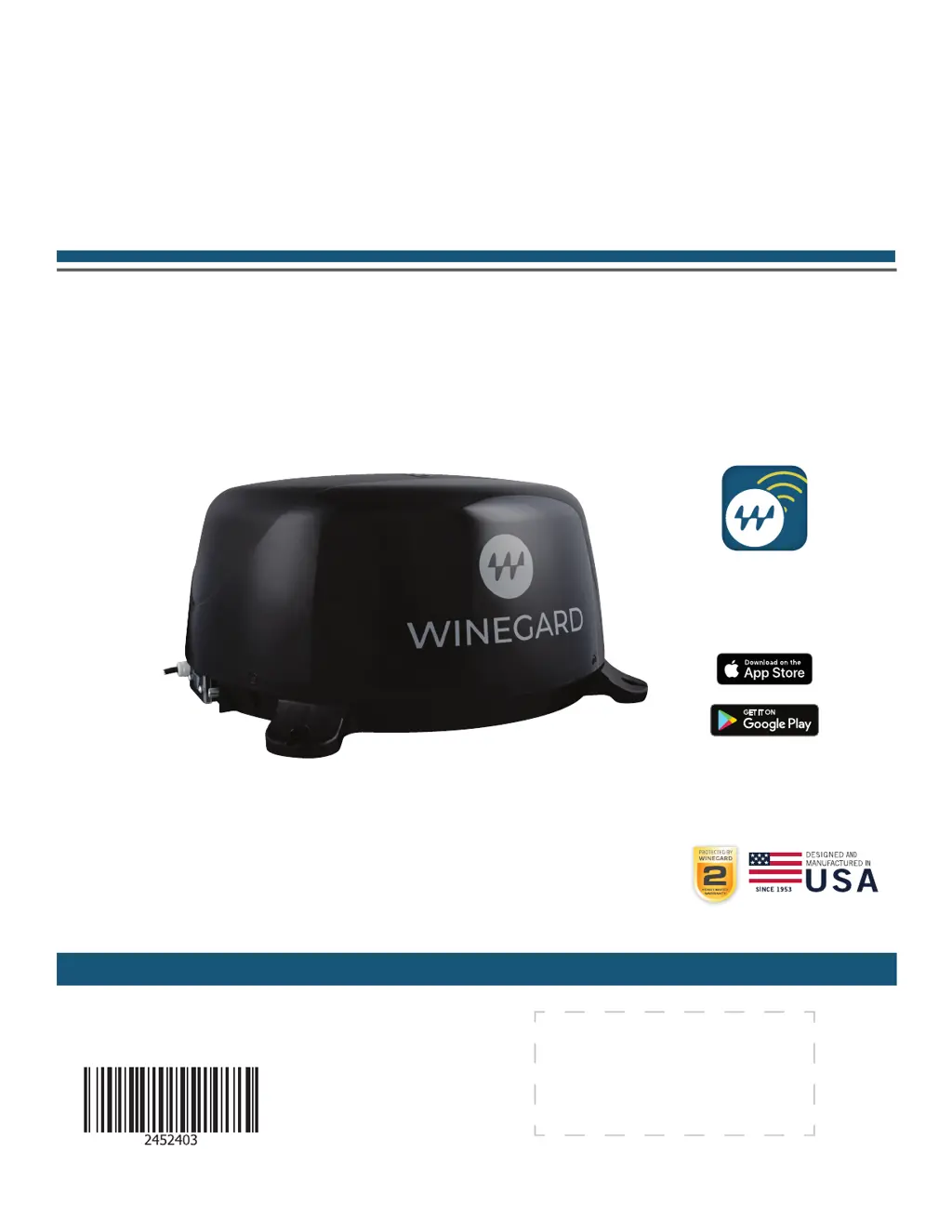
WINEGARD
®
ConnecT
2.0
+
WF2-35B, WF2-135
4G LTE + WIFI EXTENDER with TV/FM ANTENNA
WF2-95B, WF2-695
4G LTE + WIFI EXTENDER with TV/AM/FM ANTENNA
WF2-85B, WF2-685
WIFI EXTENDER with TV/AM/FM ANTENNA
OEM Installation / Operation Manual
www.winegard.com/connect
For help, email help@winegard.com
or call 1-800-320-9992
2452403
Rev4-22
DOWNLOAD
Winegard Connected App
FREE
DOWNLOAD

Questions and Answers

  • N
    Noah RobinsonAug 14, 2025
    What to do if my Winegard WF2-35B shows SSID but won't connect with the correct password?
    • A
      Anita AndersonAug 14, 2025
      If your Winegard Extender device displays the SSID but fails to connect after entering the correct password, try resetting the ConnecT 2.0+ to see if your device will then connect.
  • S
    Stephen ScottAug 17, 2025
    What happens if my Winegard Extender firmware update failed?
    • L
      lucassandersAug 18, 2025
      If your Winegard Extender firmware update failed, connect to a WiFi source, go to the Update Software drop-down, select it, and click the Recover Modem button. This action will reconfigure your modem.
  • B
    Brandon MoralesAug 20, 2025
    Why am I not seeing the SSID for my Winegard ConnecT Extender system?
    • D
      djonesAug 21, 2025
      If you are not seeing the SSID for your Winegard ConnecT system, check that the LED under the SIM Card/LED cover entry plate is on. If it's not, use a voltage meter to confirm 12V power is reaching the dome from the vehicle power. If the LED is on but you still don't see the SSID, reset the unit by holding the reset button under the SIM Card/LED cover plate for 30 seconds.
  • A
    Andre StoneAug 25, 2025
    How to find Winegard WF2-35B SSID or password if I lost the manual?
    • T
      Tracy BurgessAug 25, 2025
      If you lost your manual and cannot find your Winegard Extender SSID or password, check the white label located inside the SIM card/LED cover plate on the side of the dome for your factory preset SSID and password.
  • C
    Christine JohnsonAug 28, 2025
    What to do if Winegard Extender says 'NO SIM Detected'?
    • J
      Joseph ColeAug 28, 2025
      If the Status page displays a 'NO SIM Detected' message on your Winegard Extender, power off the ConnecT 2.0+, remove the SIM card, inspect and clean the metallic contacts if necessary, reseat the SIM card, and restart the device. If the issue persists, contact Winegard at 1-800-320-9992.
  • E
    Erica FordAug 30, 2025
    Why are web pages not loading even when my Winegard Extender is connected to WiFi?
    • E
      Erica HaneyAug 30, 2025
      If the system software indicates a connection to a WiFi source, but web pages aren't loading, it might be due to a 'SPLASH' page. Some WiFi sources require agreement to their rules or password entry on this page before granting network access.
  • T
    Terry Bishop MDSep 3, 2025
    How to stop monthly billing for Winegard Connect 2.0+ when not in use?
    • T
      Tracey RussoSep 3, 2025
      If your Winegard ConnecT 2.0+ is being billed every month despite not being in use, log in to your account and navigate to 'View Winegard ConnecT Subscriptions' to ensure that auto-renew is set to 'Off'.
  • C
    Christopher NortonSep 7, 2025
    Why won't the Winegard WF2-35B system process my credit card?
    • A
      Alexander MendozaSep 7, 2025
      If the Winegard Extender system fails to process your credit card, ensure that the billing address matches the address associated with the credit card being used.
  • D
    Deanna SanchezSep 10, 2025
    What to do if Winegard WF2-35B Extender Internet Status won't connect after switching from WiFi to 4G?
    • N
      Natasha TurnerSep 12, 2025
      If the Internet Status field on your Winegard Extender doesn't connect after switching from WiFi to 4G or vice versa, verify that your device is still connected to the ConnecT. The connection may have been interrupted during the switch.

Summary

Parts List

Safety Warnings

Crucial safety instructions and precautions for installation and operation.

Exterior Installation

Location Selection

Guidelines for selecting the optimal mounting spot for the antenna.

WiFi and 4 G Operation

Initial Setup

Guides users through the first-time setup and connecting to Wi-Fi or 4G/LTE.

Reset and Factory Defaults

Performing a Factory Reset

Steps to reset the unit to its original factory settings.

Updating the Software

Checking for Updates

How to check for and install software updates.

Swapping the SIM Card

SIM Card Replacement

Step-by-step guide for replacing the SIM card.

All About the App

Over the Air Antenna Operation

Winegard Connect 2.0+ Support

Troubleshooting LED Definitions

Explains the meaning of different LED indicator lights.

Troubleshooting Status Messages

Interprets common status messages for troubleshooting.

Common Questions and Answers

Addresses frequent user questions and provides solutions.

FCC Statement

Winegard Mobile Products Limited Warranty

Winegard WF2-35B Specifications

General IconGeneral
Frequency Bands2.4 GHz
Wireless Standard802.11b/g/n
Max Wi-Fi Speed300 Mbps
Ports1 x 10/100 Ethernet port
Antenna Gain5 dBi
Impedance50 Ohms
TypeWiFi Extender
Power Supply12V DC
Frequency Range2.4 GHz

Related product manuals