EasyManua.ls Logo

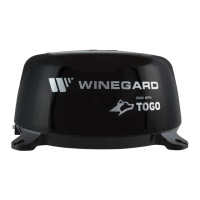
Winegard ConnecT WF1 - User Manual

Winegard ConnecT WF1
8 pages
Print Icon
To Next Page IconTo Next Page
Loading...
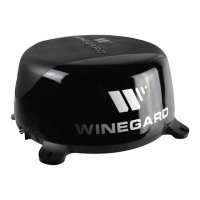
LONG RANGE, HIGH PERFORMANCE WIFI EXTENDER
Owner / User Manual
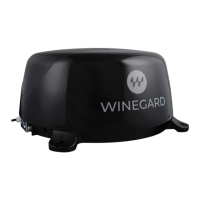
Models WF-3000 White and WF-3035 Black
www.winegard.com/connect
For help, email help@winegard.com or call 1-800-320-9992
Register your product at winegard.com/myantenna
2452372
Rev1 11/16
Manuel disponible en français
au www.winegard/support
WINEGARD
®
ConnecT
WF1

Other manuals for Winegard ConnecT WF1

Questions and Answers

Winegard ConnecT WF1 Specifications

General IconGeneral
BrandWinegard
ModelConnecT WF1
CategoryExtender
LanguageEnglish

Summary

SPECIFICATIONS

Wireless Standard

Details the supported wireless standards like 802.11a/b/g/n/ac.

Frequency Band

Specifies the 2.4GHz and 5GHz frequency bands used by the device.

Wireless Speed (max)

Lists the maximum achievable wireless speeds for 2.4GHz and 5GHz.

Amplifiers

Details the number and type of amplifiers used in the indoor and outdoor units.

Wireless Security

Outlines the security protocols like WEP, WPA, WPA2 supported.

Antennas

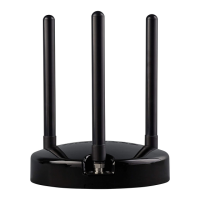
Describes the type, gain, and number of antennas for each unit.

Ports

Lists the available connection ports such as RJ45 and USB.

Power Rating

Specifies the device's power input requirements (AC Input 100-240v).

Setup Requirements

Lists prerequisites for setup, like a WiFi network and browser.

EXTERIOR INSTALLATION

INTERIOR INSTALLATION

SETTING UP THE WINEGARD CONNECT WF1

OPERATION OF THE WINEGARD CONNECT WF1

Change Network Name

How to change the network name (SSID) for better security and identification.

Change Network Password

Guidance on changing the network password, requiring a minimum of eight characters.

Security Type

Information about the default security type (WPA2-PSK AES) and available options.

Guest Network

Instructions for setting up a separate guest network with easier access.

Connected Devices

Displays a list of devices currently connected to the Winegard Connect WF1.

Change Network Address

Warning against changing the network address without technical support.

Change Admin Password

Instructions on how to change the admin password for system access.

UPDATING THE WINEGARD CONNECT WF1 SOFTWARE

From Network

Steps to update system software using an internet connection.

Return to Factory Defaults

How to reset the unit to its original factory settings and password.

MAINTENANCE

WINEGARD CONNECT WF1 SUPPORT

Troubleshooting

Provides answers to common user questions and issues encountered with the device.

LED DEFINITION

Explains the meaning of different LED status lights on the unit.

Troubleshooting (cont)

STATUS SCREEN MESSAGES

Explains various messages displayed on the device's status screen for diagnostics.

Related product manuals