VERSION 2.1 06.2020
USER GUIDE WINE C25 / C25S(R)/WINEC25X/WINEC25S(R)X
Page 14
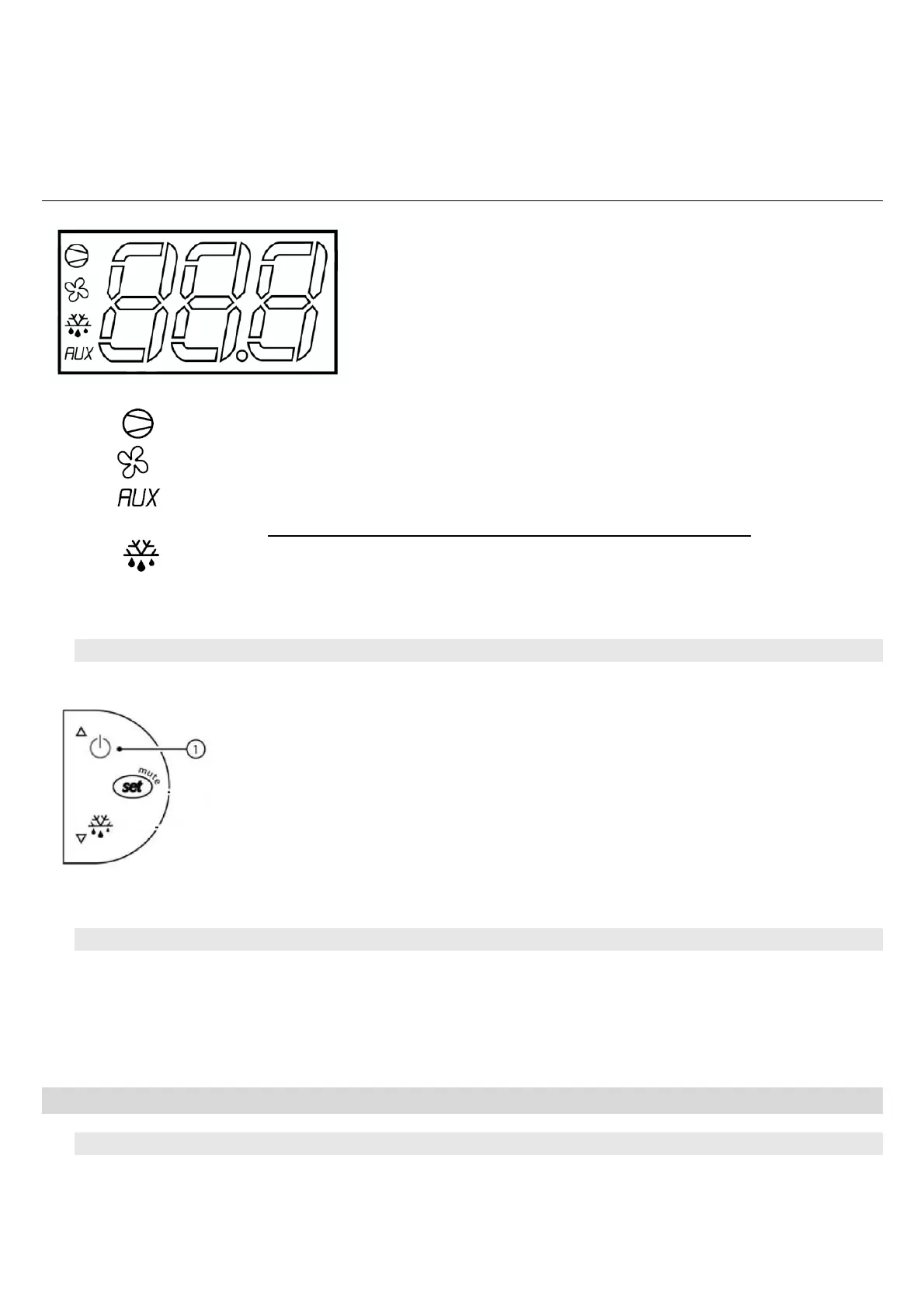
Explanation of the main display symbols :
Red light = cold mode engaged (compressor working)
Red light = cooling fan high speed
Red light = heating mode engaged (resistance: C25S /C25SR/WINEC25SX/WINEC25SRX)
• Do not take care of this light for model C25/WINEC25X
Red light and message « DF » on display = defrost engaged
3.3. Standby mode
- Standby mode : maintain a 3 seconds pressure on button 1. The compres-
sor stops and the fan turn at low speed.
- The thermostat indicates « OFF » and also the cellar temperature.
- To come back, maintain again a 3 seconds pressure on button 1.
- The thermostat indicates « ON » during 1 second.
3.4. Automatic defrost
The thermostat of models C25/C25S(R)/WINEC25X and WINEC25S(R)X will run an automatic defrost time
several times a day. During this operation, the compressor is stopped, only the fan is functioning at low
speed. The condensate water produced during this period will be evacuated through the tube drain.
The display shows « DF » during the defrost time.
4. MAINTENANCE OF THE AIRCONDITIONER WINEMASTER
®
4.3. Replacing the filter
→ A filter check is recommended every 3 months.


 To Next Page