VERSION 2.1 06.2020
USER GUIDE WINE C25 / C25S(R)/WINEC25X/WINEC25S(R)X
Page 13
Important :
Wait for 24 hours before plugging on the air-conditioner
3. USING THE AIR CONDITIONER WINEMASTER
®
The thermostat indicates the temperature in the wine cellar with a precision of 2°C.
A temperature change of the air does not mean the same change of temperature of the liquid due to the
thermal capacity of the liquid.
The temperature is set at 12° C in the factory. During installation the set temperature must be controlled
and even adjusted as per following process.
3.1 Plugging the air conditioner WINE C25 /
C25S(R)/WINEC25X/WINEC25S(R)X
When you plug it to the electric socket:
- the fan in the cellar starts up immediately ( permanent ventilation « no frost »)
- If the temperature of the cellar is ≥ as the thermostat setting, the compressor will run after 2 minute.
- If the temperature of the cellar is ≤ as the thermostat setting, the compressor will not run.
3.2 Setting the temperature
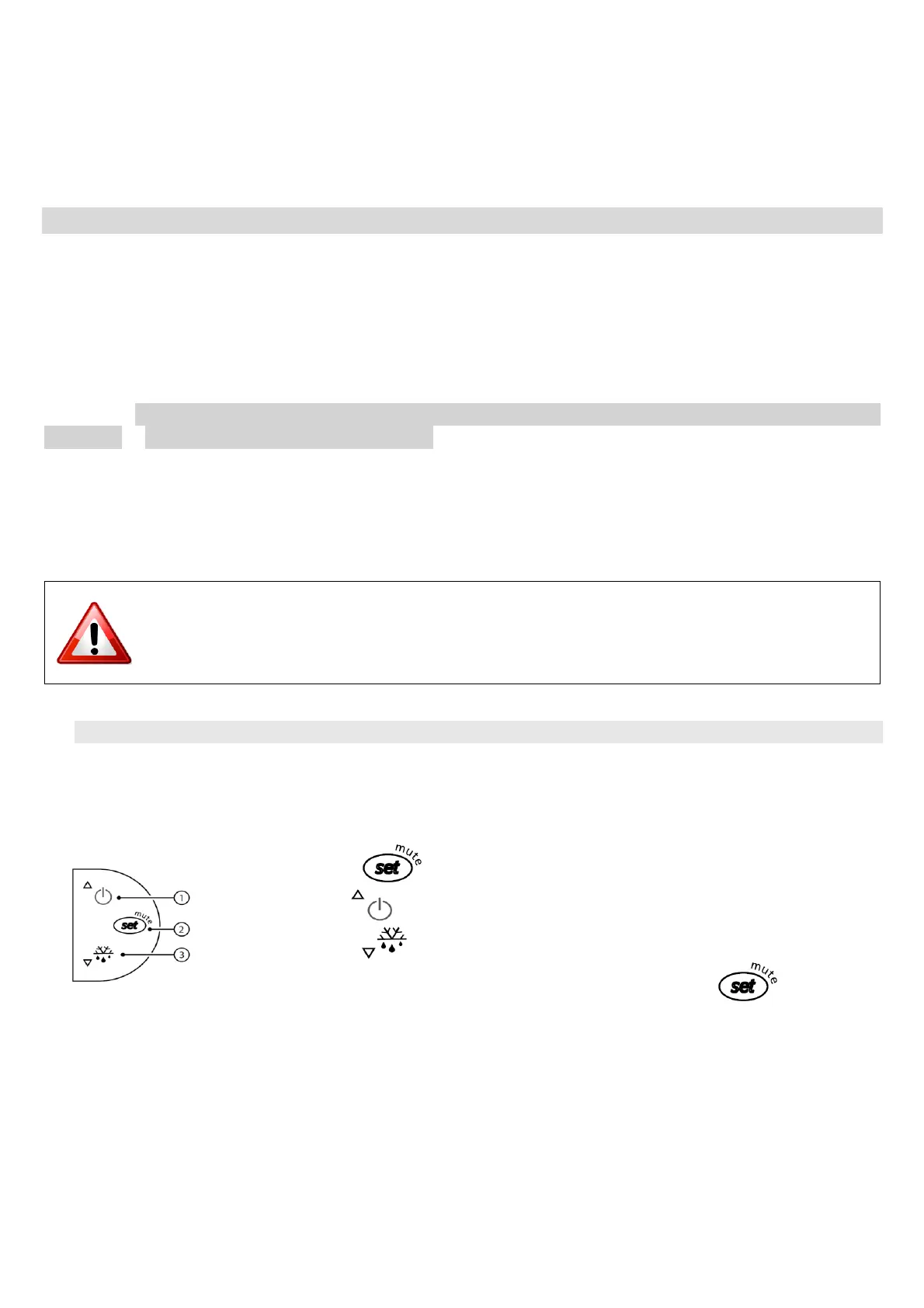
The setting of the targeted temperature of the cellar is made on the thermostat
- Press button one second until the targeted temperature is blinking.
- Use button to increase the temperature or
- Use button to lower the temperature.
- When the right temperature is set, press again on button to confirm .
- Appuyez sur le bouton une seconde jusqu’à ce que la température de
consigne clignote.
- Utilisez le bouton pour augmenter la température de consigne.
- Utilisez le bouton pour diminuer la température de consigne.
- Lorsque le réglage vous convient, appuyez sur le bouton pour valider.


 To Next Page