English ZERO Pro
CHILD LOCK, AIR QUALITY LED
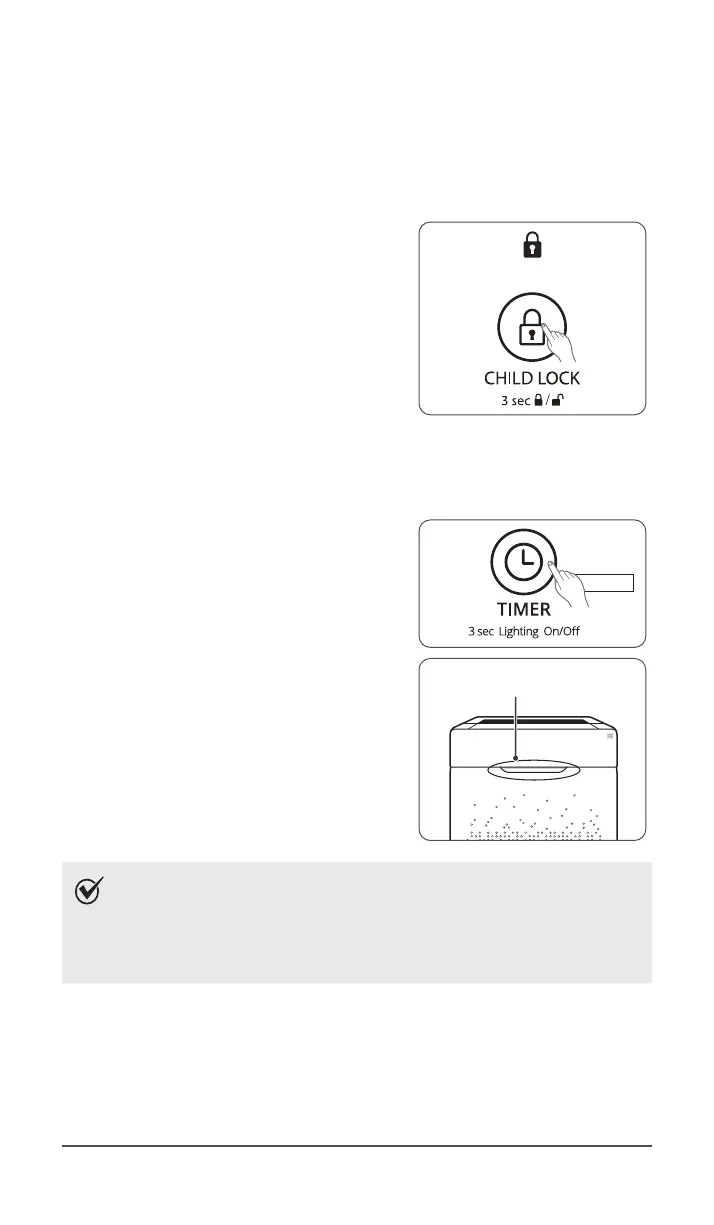
6. Child Lock
This feature prevents children from tampering with the control panel.
①
Press and hold the Child Lock button for
3seconds to enable or disable the feature.
ˍ
When the Child Lock indicator is lit, the
feature is enabled.
ˍ
When Child Lock is enabled, the
control panel is locked and the settings
cannot be changed.
ˍ
To disable, press and hold the Child
Lock button again for 3seconds.
7. Air Quality LED Light
The Air Quality LED light may be turned on or off.
①
To turn the Air Quality LED light on or
off, press and hold the Timer button for
3seconds.
ˍ
When on, the LED light will indicate
the current indoor air quality according
to four levels BLUE (good), GREEN
(average), AMBER (fair), RED (poor).
NOTE
ˍ
When Auto Mode is enabled the Air Quality LED light may or
may not be on, depending on the amount of ambient light
in the room.
ˍ
When Sleep Mode is activated, the Air Quality Indicator light
is turned off.


 To Next Page