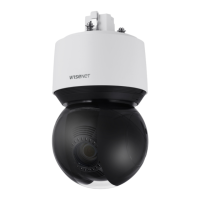
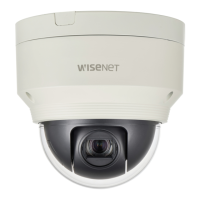
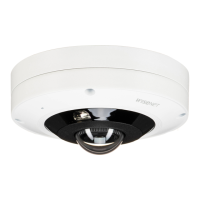
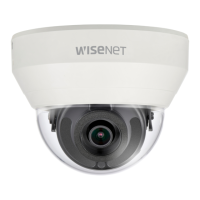
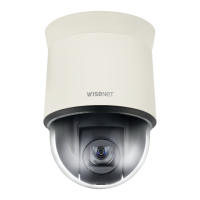
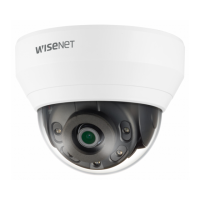
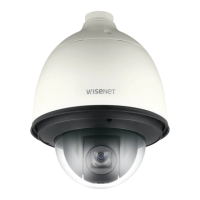
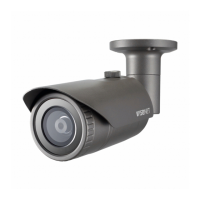
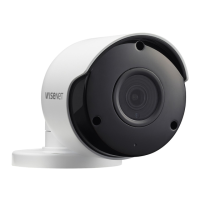
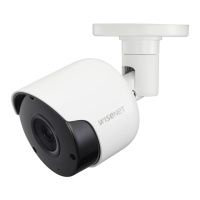
This document is a user manual for a Wisenet Network Camera, specifically covering models XNP-9250R/XNP-9250, XNP-8250R/XNP-8250, and XNP-6400R/XNP-6400. It provides essential information for the installation, operation, and maintenance of these network cameras.
Function Description
The Wisenet Network Camera is designed for surveillance and monitoring, capturing video and transmitting it over a network. It features PTZ (Pan/Tilt/Zoom) capabilities, allowing for flexible camera positioning and focus adjustment. The camera is equipped with infrared (IR) LEDs for night vision, controlled by an illumination sensor, and a heater for operation in cold environments. It supports network connectivity via Ethernet and fiber optic cable, and can be integrated into local area networks (LANs) or accessed remotely via the internet. The camera also supports audio and alarm I/O through a separately sold network I/O box, enabling connection to microphones, speakers, sensors, and warning lamps.
Important Technical Specifications
General:
- Models: XNP-9250R/XNP-9250, XNP-8250R/XNP-8250, XNP-6400R/XNP-6400
- Construction: Class I, requiring a protective earthing connection.
- Waterproof Rating: IP66 compliant for the camera body, but external cable jacks are not. Installation under eaves is recommended to protect external cables.
- Operating Temperature: Cannot be used at -40°C or below. May take up to 2 hours to operate normally after being exposed to low temperatures.
- Preset Precision: 0.1° (may require adjustment after reboot, firmware upgrade, etc.).
- Battery: Non-replaceable. Risk of explosion if replaced with an incorrect type.
Power:
- PoE (Power over Ethernet) Support:
- XNP-9250R/XNP-8250R/XNP-6400R: Supplied by a Listed Power Supply Unit marked "Class 2" or "LPS" and rated from PoE (55 Vdc), 0.72 A. Requires an HPoE injector (provided).
- XNP-9250/XNP-8250/XNP-6400: Supplied by a Listed Power Supply Unit marked "Class 2" or "LPS" and rated from PoE (53 Vdc), 0.48 A. Requires a PoE+-supported router or PoE+ injector (IEEE 802.3at standard compliant).
- Isolation Power: Intended to be supplied by isolation power.
- Power Connection: Only one of network cable or fiber optic cable should be used for connection.
Network:
- Network Cable Connector: RJ45 (10/100BASE-T).
- Ethernet: 10/100BASE-T.
- Cable Type: UTP Category 5e.
- Max Distance: 100 m.
- DC Resistance: ≤ 0.125 Ω/m.
- Recommended Cable: STP cable for increased thunderstroke protection.
- LAN Hub: Wired LAN hub providing PoE must be a UL Listed device with output evaluated as a Limited Power Source (UL60950-1 or PS2 as defined in UL62368-1).
- Network Environment: Intended for installation in a Network Environment 0 as defined in IEC TR 62102, with associated Ethernet wiring limited to inside the building.
SFP Port (for XNP-9250R/XNP-8250R/XNP-6400R models):
- Support SFP Voltage: 3.3 V Typical.
- Support SFP Current: 300 mA Max.
- Support SFP Cage: Standard mini-SFP Cage (for 6.5 mm pitch SFP).
- Support SFP Port Type: LC Type.
- Required SFP Speed: 1250 Mbps (for 1000 Mbps Ethernet).
- Required SFP's BER (Bit Error Rate): Max 10^-12.
- Transmission Method (Optical): Mode Depends on SFP Module.
- Optical Mode (Long/Short Wave): Mode Depends on SFP Module.
- Cable Insertion Loss (dB): Mode Depends on SFP Module.
- SFP Module Connection: Must be connected/disconnected only when power is off.
- Optical Cable: Avoid kinks, do not stare directly at the optical cable.
Storage:
- Micro SD Card Slot: Supports up to 1 TB (if two slots are used, each slot up to 512 GB). MLC type required.
- Recommended Micro SD Cards: 16GB to 1TB, high endurance, from SanDisk or Transcend.
- NAS (Network Attached Storage) Recommended Specs: 200GB or higher capacity. QNAP NAS, Synology NAS recommended.
PC Specifications for Web Viewer:
- CPU: Intel(R) Core(TM) i7 3.4 GHz or higher.
- RAM: 8G or higher.
- Supported OS: MS Windows 8.1, 10, Mac OS X 10.13.
- Recommended Browser: Google Chrome.
- Supported Browsers: MS Explore 11, MS Edge, Mozilla Firefox (Window 64bit only), Apple Safari (Mac OSX only).
- VGA: PCIe 256MB GDDR3 video graphics card or higher.
Usage Features
Installation and Setup:
- Mounting: Various optional accessories available for wall, pole, corner, hanging, parapet, and ceiling mounts.
- Micro SD Card Insertion: Requires unfastening a screw with a Torx L wrench. Power must be disconnected. Not recommended in rain or high humidity.
- Network Cable Installation: Involves removing a cable bushing, routing the cable through it, plugging it into the network port, and installing a bushing clip for waterproof protection.
- Initial Login: Default administrator ID is "admin". Password must be set upon first login and changed every three months for security.
- IP Address Configuration: Can be set automatically via DHCP or manually. Device Manager software is used for searching cameras and configuring IP settings.
- Remote Access: Supports connecting to the camera from a local PC in the LAN or remotely via the internet using DDNS (Dynamic Domain Name System) and port range forwarding on the broadband router.
Camera Operation:
- Web Viewer: Access the camera's settings and live view through a web browser using its IP address or DDNS URL.
- Reset Button: Restores all camera settings to factory default. Press and hold for about 5 seconds to reboot. Note that resetting enables DHCP for network settings.
- Heater: Automatically operates below a certain temperature threshold or can be manually turned on via the web viewer.
- Illumination Sensor: Detects incoming light to control the IR LED.
- Audio and Alarm I/O: Connects to external devices via the SPM-4210 Network I/O box (sold separately).
Security:
- Password Policy: New passwords (8-9 digits) must include at least 3 types of characters (uppercase/lowercase letters, numbers, special characters). Passwords (10-15 digits) must include at least 2 types. Special characters allowed: ~`!@#$%^*)_-+=|{}[].?/. Avoid consecutive characters or repeating characters.
- Information Theft Prevention: Users are responsible for password management.
Maintenance Features
- Cleaning: Clean contaminated product surfaces with a soft, dry cloth or damp cloth. Avoid detergents, cosmetics with alcohol, solvents, surfactants, or oil constituents.
- Servicing: Refer all servicing to qualified service personnel. Do not attempt to service the apparatus yourself.
- Troubleshooting Guide: Provides solutions for common issues such as no video, network access problems, viewer disconnections, camera not detected, image overlap, and recording failures (Micro SD card, NAS).
- Firmware Upgrade: May require adjustment of preset precision after an upgrade.
- Micro SD Card Management: Recommended to set the device to in and press [Apply] before removing the Micro SD card to prevent data loss. Formatting the Micro SD card is available via the web viewer.
- Environmental Responsibility: Hanwha Techwin products are RoHS compliant, indicating environmentally friendly manufacturing.
- Disposal: Correct disposal instructions for the product (Waste Electrical & Electronic Equipment) and batteries are provided, adhering to European Union directives for recycling and preventing harm to the environment.


 To Next Page

 General