EasyManua.ls Logo

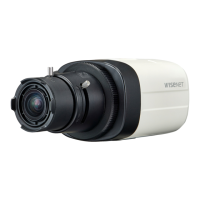
Wisenet SDC-89445BF - User Manual

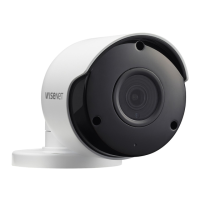
Wisenet SDC-89445BF
22 pages
Print Icon
To Next Page IconTo Next Page
Loading...
5M VIDEO SECURITY SYSTEM
Quick Start Guide

Other manuals for Wisenet SDC-89445BF

Questions and Answers

  • M
    Megan MirandaJul 27, 2025
    How to fix Wisenet Security Camera when there is no content displayed on the screen?
    • N
      Nicole MooreJul 27, 2025
      If your Wisenet Security Camera isn't displaying anything on the screen, verify that the power cable and the cable connecting the camera to the monitor are properly connected. Also, check the BNC cable connection to the camera. Finally, confirm that the video system setting matches that of your DVR.
  • S
    Sandra BlackJul 31, 2025
    Why is the image on my Wisenet SDC-89445BF screen dim and how to fix it?
    • R
      robbinskristiAug 1, 2025
      If the image on your Wisenet Security Camera screen appears dim, try the following: * Check if the camera lens is dusty. If it is, gently clean it with a soft, clean cloth. * Adjust the monitor or DVR settings to a more suitable condition. * If the camera is pointed directly at a strong light source, consider repositioning it.
  • T
    tfisherAug 5, 2025
    What to do if the image on my Wisenet SDC-89445BF screen is dark?
    • J
      Jennifer KingAug 5, 2025
      If the image from your Wisenet Security Camera appears dark, you can try the following: * Adjust the contrast ratio on your monitor or DVR. * If you're using intermediate equipment, ensure that the 75?/Hi-z setting is configured correctly.
  • K
    Kelly AllenAug 9, 2025
    How to correct the color on a Wisenet Security Camera?
    • M
      Mary SantosAug 9, 2025
      If the color on your Wisenet Security Camera is incorrect, check the white balance settings menu.
  • C
    Christopher OliverAug 14, 2025
    Why is my Wisenet SDC-89445BF not working and hot?
    • J
      jenniferclineAug 14, 2025
      If your Wisenet Security Camera isn't working correctly and feels hot, make sure it is connected to the correct power supply.
  • M
    millermeganAug 17, 2025
    What to do when coaxial communication is not available on Wisenet Security Camera?
    • J
      Jessica WilliamsAug 17, 2025
      If coaxial communication is unavailable with your Wisenet Security Camera, ensure that the camera and monitor are installed within the recommended distance. If they exceed this distance, use a coaxial and equivalent video amplifier.
  • D
    Daniel MccannAug 22, 2025
    Why does my Wisenet SDC-89445BF Security Camera screen flicker constantly?
    • L
      Lisa PughAug 22, 2025
      If your Wisenet Security Camera screen is constantly flickering, make sure the camera isn't pointed directly at the sun.

Summary

Troubleshooting

DVR Setup

KIT Model Details

Details the components included in the KIT models.

DVR Model Identification

Lists the specific DVR models available for selection.

Package Contents Overview

Lists all items included in the DVR package for setup.

Startup Wizard Guide

Network Configuration Steps

Guides through setting up the network connection for the DVR.

Date and Time Settings

Guides through setting the date, time, NTP, and DST.

Disk Formatting Procedure

Explains how to format new hard drives before use.

Monitor Resolution Selection

Guides on selecting the output resolution for monitors.

Mobile Connectivity Setup

Guides on setting up mobile access and viewing.

System and Network Summary

Displays the system and network status upon completion.

Main Interface

Remote Viewing & Cloud Service

PC Access Requirements

Details OS and browser requirements for PC access to the cloud service.

PC Cloud Service Setup Guide

Steps to set up Wisenet Life cloud service using a PC.

Mobile OS Compatibility

Lists compatible mobile OS versions for the Wisenet Life app.

Mobile Cloud Service Setup Guide

Steps to set up Wisenet Life cloud service on mobile devices.

App Interface

Live View and Playback

Explains how to view live footage and playback recorded events.

Camera Installation Template

Wisenet SDC-89445BF Specifications

General IconGeneral
Resolution4K (3840 x 2160)
Video CompressionH.265, H.264, MJPEG
Ingress ProtectionIP66
Focal Length2.8 mm
Day/NightYes (ICR)
Night VisionYes (IR LED)
Network InterfaceRJ45 (10/100BASE-T)
Power InputPoE (IEEE802.3af), 12V DC
Operating Temperature-30°C ~ +50°C (-22°F ~ +122°F)

Related product manuals