EasyManua.ls Logo

Wisenet SDC-99447BF - User Manual

Wisenet SDC-99447BF
15 pages
Print Icon
To Next Page IconTo Next Page
Loading...
SDC-99447BF
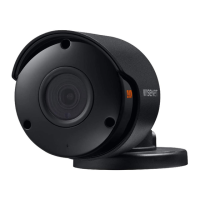
4K AHD Analog Bullet Camera
User Manual

Questions and Answers

  • J
    jmartinezJul 28, 2025
    How to fix Wisenet SDC-99447BF when there is no content displayed on the screen?
    • J
      joshua70Jul 28, 2025
      If your Wisenet Security Camera isn't displaying anything on the screen, verify that the power cable and the cable connecting the camera to the monitor are properly connected. Also, check the BNC cable connection to the camera. Finally, confirm that the video system setting matches that of your DVR.
  • M
    Mr. Mark Jones Jr.Aug 4, 2025
    Why is the image on my Wisenet Security Camera screen dim and how to fix it?
    • B
      brianreillyAug 4, 2025
      If the image on your Wisenet Security Camera screen appears dim, try the following: * Check if the camera lens is dusty. If it is, gently clean it with a soft, clean cloth. * Adjust the monitor or DVR settings to a more suitable condition. * If the camera is pointed directly at a strong light source, consider repositioning it.
  • C
    Christine StevensAug 12, 2025
    What to do if the image on my Wisenet SDC-99447BF Security Camera screen is dark?
    • W
      William CamposAug 12, 2025
      If the image from your Wisenet Security Camera appears dark, you can try the following: * Adjust the contrast ratio on your monitor or DVR. * If you're using intermediate equipment, ensure that the 75?/Hi-z setting is configured correctly.
  • N
    Nathan WoodsAug 19, 2025
    How to correct the color on a Wisenet SDC-99447BF Security Camera?
    • A
      Alan JonesAug 20, 2025
      If the color on your Wisenet Security Camera is incorrect, check the white balance settings menu.

Summary

Important Safety Instructions

Safety Precautions

Electrical Safety and Warnings

Highlights risks of electric shock, fire, and damage, with instructions on proper power connection and handling.

Additional Cautions

Environmental and Handling Cautions

Advises against dropping objects, extreme conditions, direct sunlight, water exposure, and improper handling of the unit.

Product Features

High Resolution

Utilizes 4K-pixel CMOS for high resolution equivalent to 1200TVL horizontal resolution.

High Sensitivity

Features a high-sensitive COLOR CMOS for clear images, with 0Lux capability (Auto IR LED On).

D-WDR

Digit Wide Dynamic Range provides clear images in backlight by balancing exposure for dark and bright areas.

Installation Guide

Part Names and Functions

Identifies and describes camera components like Lens, Illumination Sensor, Power Cable, and BNC Cable.

Installation Precautions

Ensures secure area selection, careful cable handling, and keeping others away from the installation site.

Installing the Camera

Steps for mounting the camera, attaching the mount, adjusting direction and angle, and connecting cables.

Cable Protection from Water

Guidance on using butyl rubber or water-proof tape to protect cable joints from water leakage outdoors.

Connecting to DVR

Instructions to connect the camera's BNC connector to the camera cable and then to the DVR's Video Input port.

Appendix

Product Specification

Detailed specifications including Imaging Device, Resolution, Sensitivity, Operating Temperature, Ingress Protection, Power, Dimensions, and Weight.

Product Overview

Visual overview of the camera with dimensions and mounting details, showing front, side, and top views.

Troubleshooting

No Content Displayed

Checks for power/cable connections, BNC connection, and video system compatibility with DVR.

Dim Image

Troubleshoot dim image by cleaning lens, adjusting monitor/DVR settings, or repositioning camera from strong light.

Dark Image

Adjust contrast ratio of monitor/DVR, or set intermediate equipment to 750/Hi-z.

Camera Hot

Check camera power supply connection and ensure it is suitable.

Incorrect Color

Check the white balance setting menu for correct configuration.

Screen Flickers

Ensure camera is not pointed at the sun and check installation distance with monitor/DVR.

Coaxial Communication Unavailable

Ensure camera/monitor are within recommended distance or use coaxial video amplifier.

Wisenet SDC-99447BF Specifications

General IconGeneral
Camera TypeDome
Resolution4K (3840 x 2160)
Sensor TypeCMOS
ApertureF1.6
Night VisionYes
IR Range30m
Video CompressionH.265, H.264, MJPEG
Ingress ProtectionIP66
Vandal ResistanceIK10
Weather ResistanceYes
Wired/WirelessWired
Wide Dynamic RangeYes
Network InterfaceEthernet
Power SupplyPoE (Power over Ethernet)
Operating Temperature-40°C ~ 50°C (-40°F ~ 122°F)
Focal Length2.8~12mm

Related product manuals