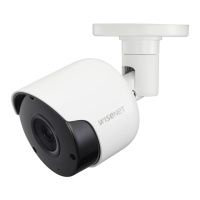
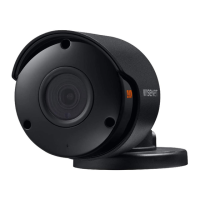
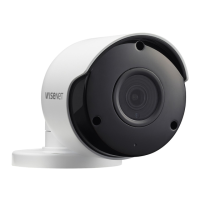
EasyManua.ls Logo

Wisenet SDC-79446BF - User Manual

Wisenet SDC-79446BF
12 pages
Print Icon
To Next Page IconTo Next Page
Loading...
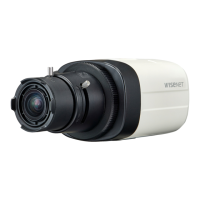
SDC-79446BF
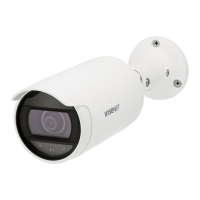
2M AHD Analog Bullet Camera
Quick Guide
Copyright
©2019
Hanwha Techwin
Co., Ltd. All rights reserved.
Trademark
Each of trademarks herein is registered. The name of this product and other
trademarks mentioned in this manual are the registered trademark of their
respective company.
Restriction
Copyright of this document is reserved. Under no circumstances, this document shall be
reproduced, distributed or changed, partially or wholly, without formal authorization.
Disclaimer
Hanwha Techwin
makes the best to verify the integrity and correctness of the contents in this
document, but no formal guarantee shall be provided. Use of this document and the subsequent results
shall be entirely on the user’s own responsibility.
Hanwha Techwin
reserves the right to change the
contents of this document without prior notice.
Design and specications are subject to change without prior notice.

Questions and Answers

  • W
    William JohnsonJul 27, 2025
    How to fix Wisenet Security Camera when there is no content displayed on the screen?
    • K
      Kimberly HoffmanJul 27, 2025
      If your Wisenet Security Camera isn't displaying anything on the screen, verify that the power cable and the cable connecting the camera to the monitor are properly connected. Also, check the BNC cable connection to the camera. Finally, confirm that the video system setting matches that of your DVR.
  • U
    ufisherJul 31, 2025
    Why is the image on my Wisenet SDC-79446BF screen dim and how to fix it?
    • J
      John CalderonAug 1, 2025
      If the image on your Wisenet Security Camera screen appears dim, try the following: * Check if the camera lens is dusty. If it is, gently clean it with a soft, clean cloth. * Adjust the monitor or DVR settings to a more suitable condition. * If the camera is pointed directly at a strong light source, consider repositioning it.
  • K
    Kenneth CarrollAug 4, 2025
    What to do if the image on my Wisenet SDC-79446BF Security Camera screen is dark?
    • D
      Douglas ThomasAug 5, 2025
      If the image from your Wisenet Security Camera appears dark, you can try the following: * Adjust the contrast ratio on your monitor or DVR. * If you're using intermediate equipment, ensure that the 75?/Hi-z setting is configured correctly.
  • A
    Alexander WarrenAug 9, 2025
    How to correct the color on a Wisenet SDC-79446BF Security Camera?
    • M
      Melanie LongAug 10, 2025
      If the color on your Wisenet Security Camera is incorrect, check the white balance settings menu.
  • Q
    qosborneAug 13, 2025
    Why is my Wisenet SDC-79446BF Security Camera not working and hot?
    • A
      Amber SpencerAug 13, 2025
      If your Wisenet Security Camera isn't working correctly and feels hot, make sure it is connected to the correct power supply.
  • J
    jamesbrownAug 18, 2025
    What to do when coaxial communication is not available on Wisenet SDC-79446BF Security Camera?
    • X
      xmaxwellAug 18, 2025
      If coaxial communication is unavailable with your Wisenet Security Camera, ensure that the camera and monitor are installed within the recommended distance. If they exceed this distance, use a coaxial and equivalent video amplifier.
  • N
    Nicole FowlerAug 22, 2025
    Why does my Wisenet Security Camera screen flicker constantly?
    • D
      davidwilliamsAug 22, 2025
      If your Wisenet Security Camera screen is constantly flickering, make sure the camera isn't pointed directly at the sun.

Summary

Important Safety Instructions

Safety Precautions

Cautions for Use

Part Names and Functions

Installation Precautions

Safety guidelines to follow before proceeding with camera installation.

Installing the Camera

Step-by-step instructions for physically mounting the camera unit.

Protection of Cable from Water

Connecting the DVR

Procedure for connecting the camera's BNC connector to the DVR.

Product Specifications

Product Overview

Troubleshooting

Compliance and Disposal Information

Environmental and Battery Disposal

Guidelines for proper disposal of electronic waste and batteries.

Contact Information

Wisenet SDC-79446BF Specifications

General IconGeneral
Wired/WirelessWired
Operating HumidityLess than 90% RH
Ingress ProtectionIP66
Night VisionYes
Weather ResistanceYes
Day/NightYes (ICR)
Video CompressionH.264
Frame RateUp to 30fps
Bit RateConfigurable
Network InterfaceRJ45
Power InputDC 12V
Power SupplyDC 12V

Related product manuals