EasyManua.ls Logo

Wisenet HCP-6320A - User Manual

Wisenet HCP-6320A
93 pages
Print Icon
To Next Page IconTo Next Page
Loading...
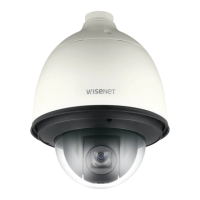
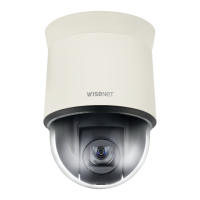
HCP-6320A/HCP-6320HA
AHD SPEED DOME CAMERA
User Manual

Other manuals for Wisenet HCP-6320A

Questions and Answers

  • E
    Erica WalkerAug 10, 2025
    How to fix out of focus picture on Wisenet HCP-6320A?
    • S
      Samuel WallsAug 10, 2025
      If your Wisenet Security Camera picture is out of focus, try the following: * Check if the dome cover or the camera lens is dirty; if so, clean it. * Consider the distance between the camera, the subject, and the surroundings, especially if the subject is against a white background. * If auto-focus is failing, switch to manual focus. * Restore the camera settings to default using the reset menu. * Adjust the sharpness level.
  • K
    Katie HollandAug 15, 2025
    What to do if no picture is displayed on Wisenet HCP-6320A monitor?
    • P
      Patrick HarrisonAug 15, 2025
      If you are not seeing a picture on the monitor connected to your Wisenet Security Camera, make sure the power cable is securely connected to both the camera and the monitor. Also, check that the video cable is properly connected. If you are using a system controller, consult its operation manual. Ensure the iris of the lens is not closed by adjusting the iris menu. Finally, check and adjust the camera’s fixed shutter speed in the shutter menu.
  • B
    Brandi JonesAug 20, 2025
    How to eliminate digital noise in Wisenet HCP-6320A Security Camera picture?
    • S
      Stephanie GriffinAug 20, 2025
      If digital noise appears in the picture of your Wisenet Security Camera, ensure the video cable is properly connected and that the power and video cables do not exceed the recommended maximum lengths. Also, try adjusting the sharpness level.
  • M
    meyerjeanAug 25, 2025
    What to do if Wisenet HCP-6320A Security Camera picture is too dark or bright?
    • J
      John ShepherdAug 26, 2025
      If the picture from your Wisenet Security Camera is too dark or too bright, adjust the camera’s Brightness menu.
  • J
    Jeffrey SandersAug 30, 2025
    Why does my Wisenet HCP-6320A Security Camera display a white image?
    • S
      Sarah CollinsAug 30, 2025
      If the monitor displays a white image from your Wisenet Security Camera, check if the iris of the lens is open and adjust the menu for the iris of the lens.
  • S
    Sheri EvansSep 4, 2025
    How to troubleshoot Wisenet HCP-6320A Security Camera controller that does not work?
    • D
      donna90Sep 4, 2025
      If the controller for your Wisenet Security Camera is not working, check if the camera and peripheral devices are properly connected, and verify the setups of ID, protocol, and baud rates.

Wisenet HCP-6320A Specifications

General IconGeneral
Camera TypeDome
Resolution1920 x 1080
Sensor1/2.8" CMOS
IR Distance30 m
Video CompressionH.265, H.264, MJPEG
Network InterfaceRJ45 (10/100BASE-T)
Ingress ProtectionIP66
Min. Illumination0.05 lux (Color)
Day & NightYes
Audio CompressionG.711
Audio In1
Audio Out1
Alarm In1
Alarm Out1 Channel
Operating Temperature-30°C to +60°C
PowerPoE (IEEE 802.3af)
Frame Rate30 fps

Related product manuals