8 9
GETTING STARTED
Setting Up Your Wisewell
Four Steps To Set Up Your Wisewell
Connecting To The Wisewell App
Ensure all local, state, and federal laws and codes including health and safety guidelines are
met when installing your Wisewell. Your first setup will take approximately 45 minutes.
POWER ON
Insert the power cord into a single electrical socket.
Connecting your Wisewell to the app is necessary if you want to access all
your Wisewell’s functionality. If you do not connect to the app, the Wisewell
Team will be unable to send you filters in a timely manner, and there may be
delays if you require troubleshooting assistance.
1. Make sure your phone or tablet is connected to your 2.4G WiFi network (as opposed to the
5G network) in your WiFi settings.
2. Open the app and give it permission to use WiFi and location settings.
3. Enter your WiFi name and password in the app (make sure that it is the same one that you are
already connected to on your mobile device). Be sure that there are no typos.
4. Put your Wisewell into Connection Mode by pressing and holding the le arrow and central
button on your Wisewell’s touch panel until the WiFi icon blinks (it should take about 3
seconds).
5. Follow the in-app instructions.
6. If your first connection attempt didn’t work, wait until the WiFi icon stops blinking on touch
control panel of your Wisewell, close the app, reopen it, and try again.
7. If you are still unable to connect via WiFi, turn on Bluetooth on your phone or tablet and
attempt to connect via Bluetooth.
If you see continued water leaking from your Wisewell during the setup
process, remove the water tank, disconnect your Wisewell immediately, and
contact customer support.
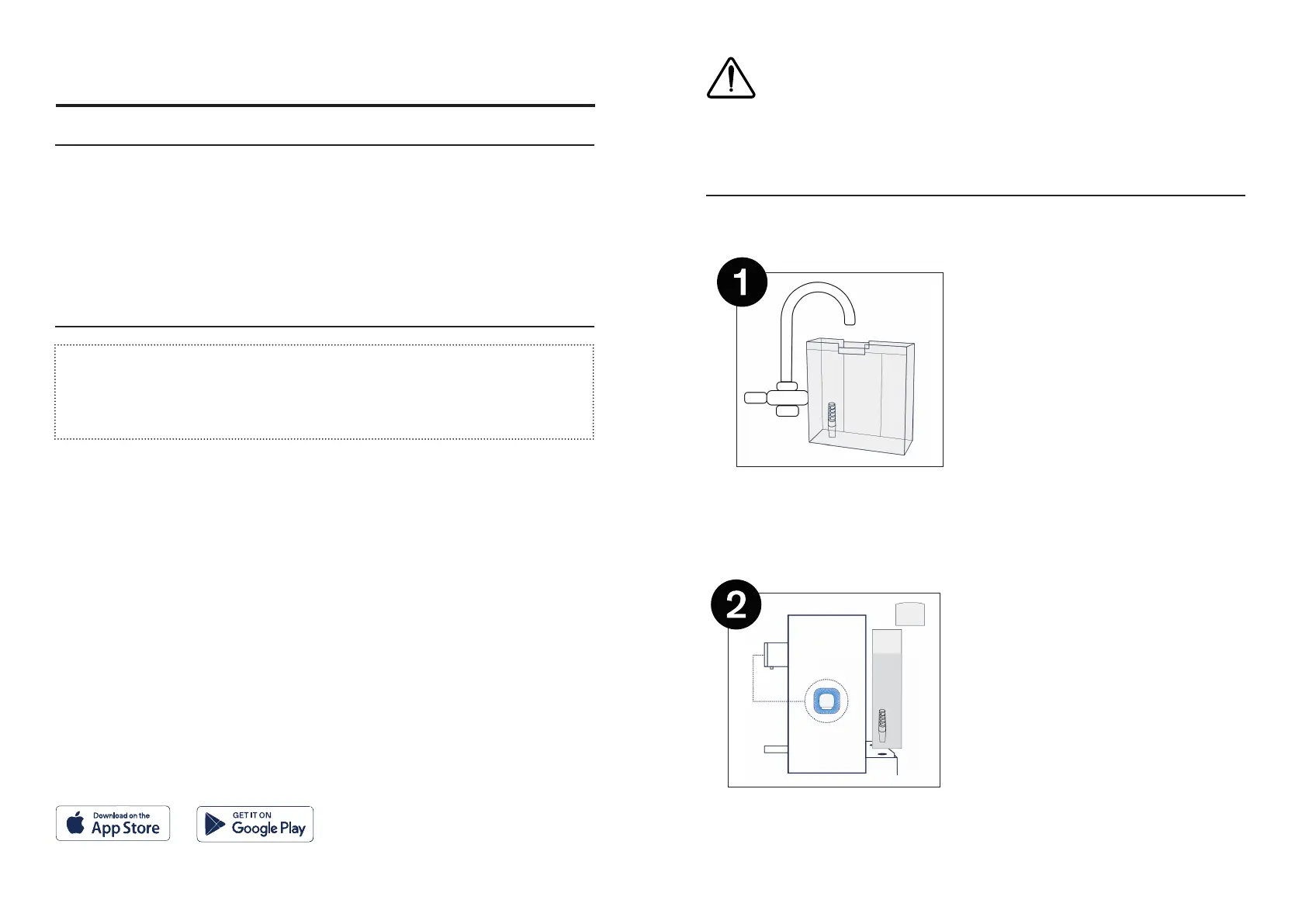
Fill The Water Tank
Remove the water tank from your Wisewell and
fill with tap water until the water level is between
the MAX and MIN markings. (You can also take
this opportunity to remove the foam packaging
from between your filters).
Activate Your Filters
Place the water tank back onto your Wisewell and
allow water to filter through until the light pulses
or aer 15 minutes, whichever comes first (there
will still be residual water in the tank).
If the locking tabs on the tank are not
positioned on your Wisewell properly, readjust
and lock it in place.
Step 3 & 4 >>>


 To Next Page