16 17
Changing The Filters
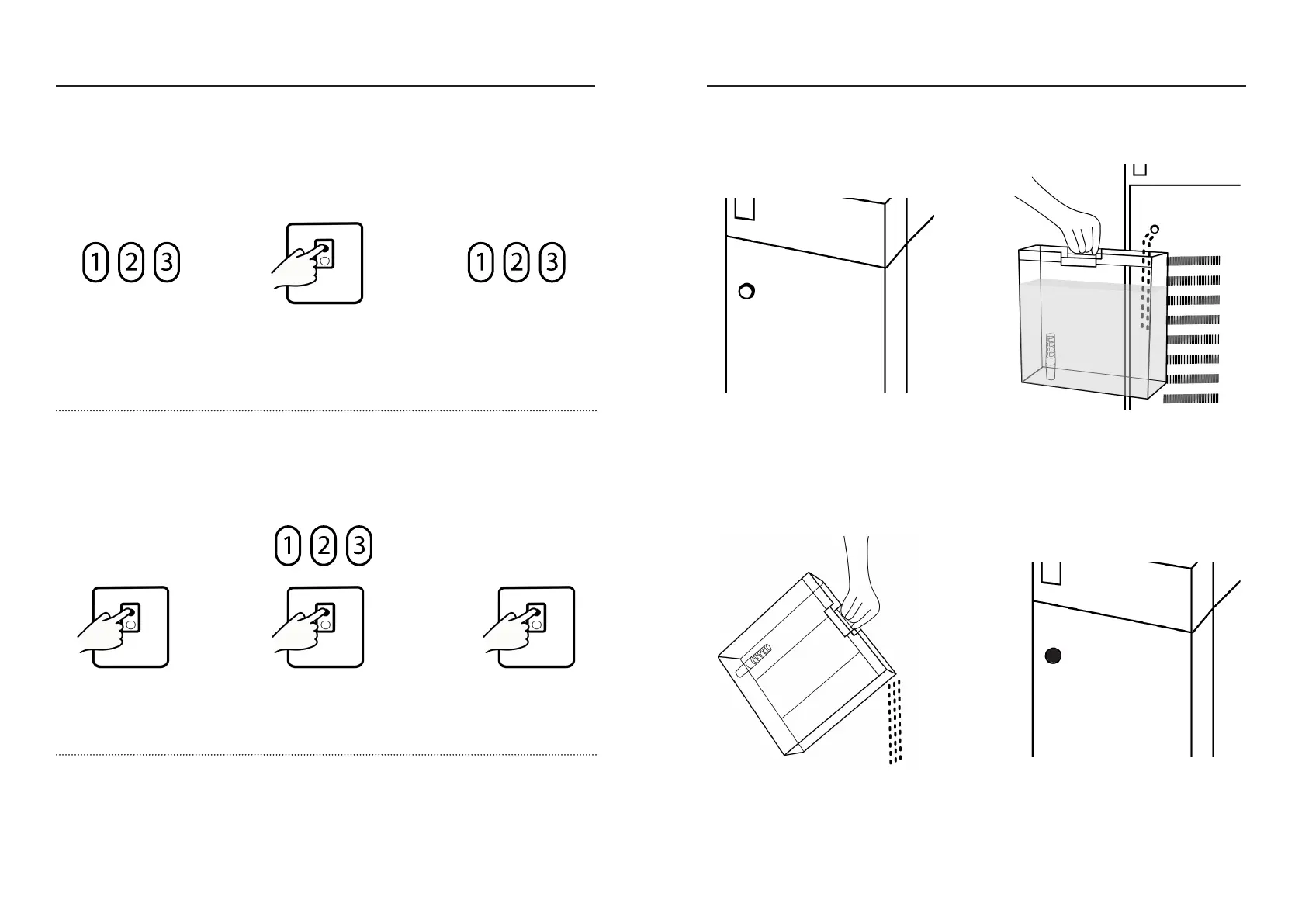
Reset reminder
is lit up
Press and hold the
filter reset button for 5 sec
Press and hold the
filter reset button
for 3 sec
Press and hold the filter reset
button key for 5 sec
Select the filter number by
pressing the reset button
till the desired number is
blinking
Reset reminder
turns o
2.a. RESET FILTER INDICATOR
This resets the filter usage period aer the reset filter light appears.
DO NOT reset a filter indicator for a filter that has not been replaced.
2.b. RESET FILTER INDICATOR IN ADVANCE
This resets the filter usage period if the reset filter light has not yet appeared.
NOTE: DO NOT reset the filter indicator for filters that haven’t been replaced.
This will lead to inaccurate app data.
NOTE:
To reset a specific filter and exit reset mode, leave Wisewell untouched for 15 sec.
If the RO filter 3 is replaced, a cleaning must be performed - See pages 18 - 19
>
>
>
>
Manually Draining Your Wisewell
Remove the water tank from your
Wisewell and position it under the
drain. Remove the drain cover and
rubber plug from the drainage hole
Pour out all the water, and put the tank
back on your Wisewell
Ensure the tank is locked onto your
Wisewell. Return the rubber plug and
drain cover to the drainage hole
Empty your Wisewell’s water into the
tank
When you need to move your Wisewell, or if it has not been in use for a long time, the inner
water tank should be manually drained from the back (repeat 3 to 4 times)


 To Next Page